
Today’s download includes all download files and posts relating to drawing in Excel, other than those dealing with animation, digitising, or 3D perspective projection, which will be covered in the next three days.
Blog posts dealing with drawing in Excel:
- Drawing in Excel – 1
- Drawing in Excel-3
- Drawing in Excel-4
- Drawing in Excel 5 – Shape List
- Drawing in Excel 6 – getting shape properties
- Drawing in Excel 7 – Creating drawings from coordinates
- Drawing in Excel 8 – scaling and trimming
- Plotting Ferns
- Faster Ferns
- Charting a Mathematical Function with Defined Names
Associated download files are:
- http://www.interactiveds.com.au/software/plot%20shapes.zip
- http://interactiveds.com.au/software/shapelist.ZIP
- http://interactiveds.com.au/software/ShapeProps.zip
- http://interactiveds.com.au/software/Plotxy.ZIP
- http://interactiveds.com.au/software/Plotxy-xlsb.zip
- http://interactiveds.com.au/software/Plotxy-xls.zip
- http://interactiveds.com.au/software/Fern%20chart.zip
- http://interactiveds.com.au/software/Fern%20chart-Barnsley.zip
- http://interactiveds.com.au/software/PlotLS.xls
A random selection of images from the listed posts are shown below:
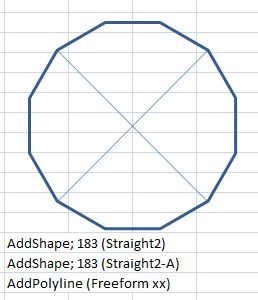

Shape List

Getting shape properties

Drawing from coordinates

Bat skull image created in Excel from FEA data

Scaled and trimmed bridge beam


 Newton Excel Bach, not (just) an Excel Blog
In response to a question received by e-mail:
“Looks interesting but I need more instructions to understand how to use it. What is purpose of having a binary file as well?
Will it draw any 2D shape? How do I define points etc?”
The .xlsb is the current file format (for Excel 2007, 2010, and as far as I know, 2013). The .xls file was included for the benefit of those still using Excel 2003 or earlier.
It will plot any of the standard shapes shown on the “shapes” sheet.
The best way to see how it works is to first run through an example by clicking on the “Draw XY” button on the “Plot” sheet, taking note of the ranges selected. Then read the “Intro” and “format table” sheets, then experiment with changing coordinates, node numbers, or shape types.
As an example, on the “SuperT” sheet there are:
– 72 XY coordinates defining the ends of lines, nodes of polylines, or positions of shapes
– 51 node lists listing the shape reference number (Col. G) followed by a list of node numbers (1 for a defined shape, or one for each end and vertex for a polyline)
– 9 defined shape types, with type defined in column 2 and properties in columns 3 to 11. For a shape defined as “shape” in column 2 the shape type (as listed on the “shapes” sheet) is defined in column 10. See the Format Table sheet for details of the other columns.
For more details of the background have a look at the earlier blog posts listed in this post.
Any remaining questions, please ask.
LikeLike
Pingback: Emergence of Special Relativity from Causal Sets | Finitism Forever
This blog is an amazing find! Thanks for open sourcing so much interesting stuff. Excel spreadsheets and especially drawing in Excel are definitely underutilised in engineering. So many useful things I’ve found within 20 minutes of browsing your site.
LikeLike
Thanks for the comments and also for reporting the download problems. I have now fixed the EquivSB download link, and also added it to the Downloads list.
I will have to look into the settings for allowing the downloads to display full screen. Were you able to download files from there without problems?
LikeLike
I’m able to download from the list by clicking within the embedded spreadsheet that appears on the website. It’s only the full screen which opens a new browser tab that doesn’t have permissions. I suspect you could recreate it by opening your website on an In Private browser tab (ie not logged into any Microsoft account) and attempting to full screen the download list)
LikeLike