
The VBA version of the 3DFrame spreadsheet has now been updated to allow geometric non-linear effects to be included. The new version can be downloaded from:
For more details of the VBA 3DFrame see 3DFrame update, and for the Python version, which also includes non-linear materials analysis and combination of multiple load cases see 3DFrame-py-comb.
The input for the new 3DFrame-NLGeom spreadsheet allows for setting the maximum number of load iterations and the relative displacement tolerance.
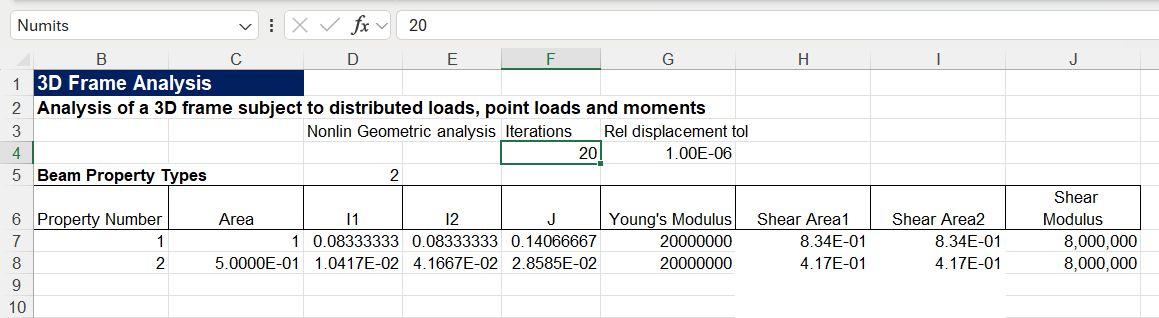
The output format is the same as previous VBA versions, except the number of iterations and maximum displacement error are now shown.

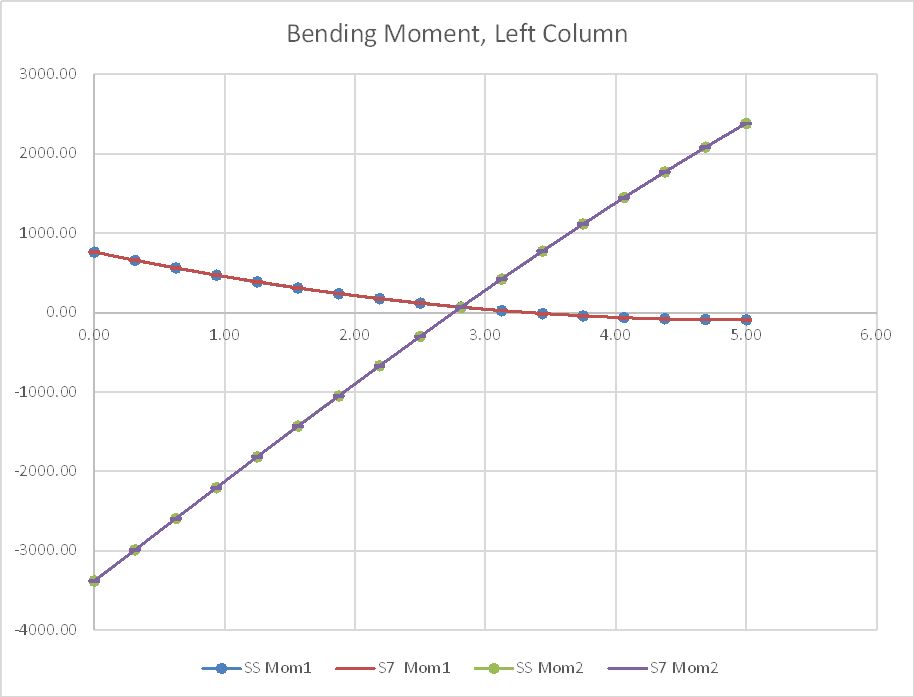
In the screenshots below bending moment and deflection results for a portal frame with very high vertical and horizontal loads are compared with Strand7 results, also allowing for geometric non-linear effects, with linear elastic material properties. The results are in very close agreement for all cases.



 Newton Excel Bach, not (just) an Excel Blog
Hello,
I recent studied an algorithm for analysis concrete section and applied the bi-section method for interactive solution for find the neutral axis that occurs the equilibrium of an poligonal under compression/tension and moments at the two ortogonal axis from section.
The results i used VBA for create graphics and i wanna share with you the actual content.
I actually transforming it into classes and working to correct understand this effects and apply on my office. For the future i wanna make the same thing for beams and do a design under the sheets after create an dxf file.
For sections i create an pattern for save the section and the bars. I used this:
id_seção 1 (integer)
descrição R14x15 (string)
poligonal 1 0 0; 2 14 0; 3 14 15; 4 0 15; 5 0 0; (id_node x y;)
barras de aço 1 16 2,5 2,5; 2 16 2,5 11,5; 3 16 11,5 2,5; 4 16 11,5 11,5; (id_bar bar_diameter x y)
With this we can save at each cell/line the informations. When this section is loading in the routine, the routine disasemble the information and build correct poligonal.
LikeLike
I also thinking on organization for materials and your definition for a tension-deformation curve, with a similar configuration of steel_bars (barras de aço).
I think used this content: tension deformation; 0 0; 1 10; 2 35; …. For plotting anyway kk’.
save this content on a cell save space on worksheet
LikeLike
Suelio, you might like to have a look at:
Biaxial bending update
LikeLike