
The latest version of the Python continuous beam analysis program pyCBA is 0.7, allowing for specification of trapezoidal distributed loads, and this is now available with pip. I have updated the py-xlCBA spreadsheet and associated code to use the latest version, and the revised files can be downloaded from:
As before the spreadsheet requires Python to be installed, as well as pyCBA (version 0.7 or later), and pyxll to handle the Excel/Python interface. See Python and pyxll for more details of pyxll, and a discount code for those opening a new pyxll account.
The distributed load input now has four columns, allowing for the load/m to be defined at the start and end of the load:
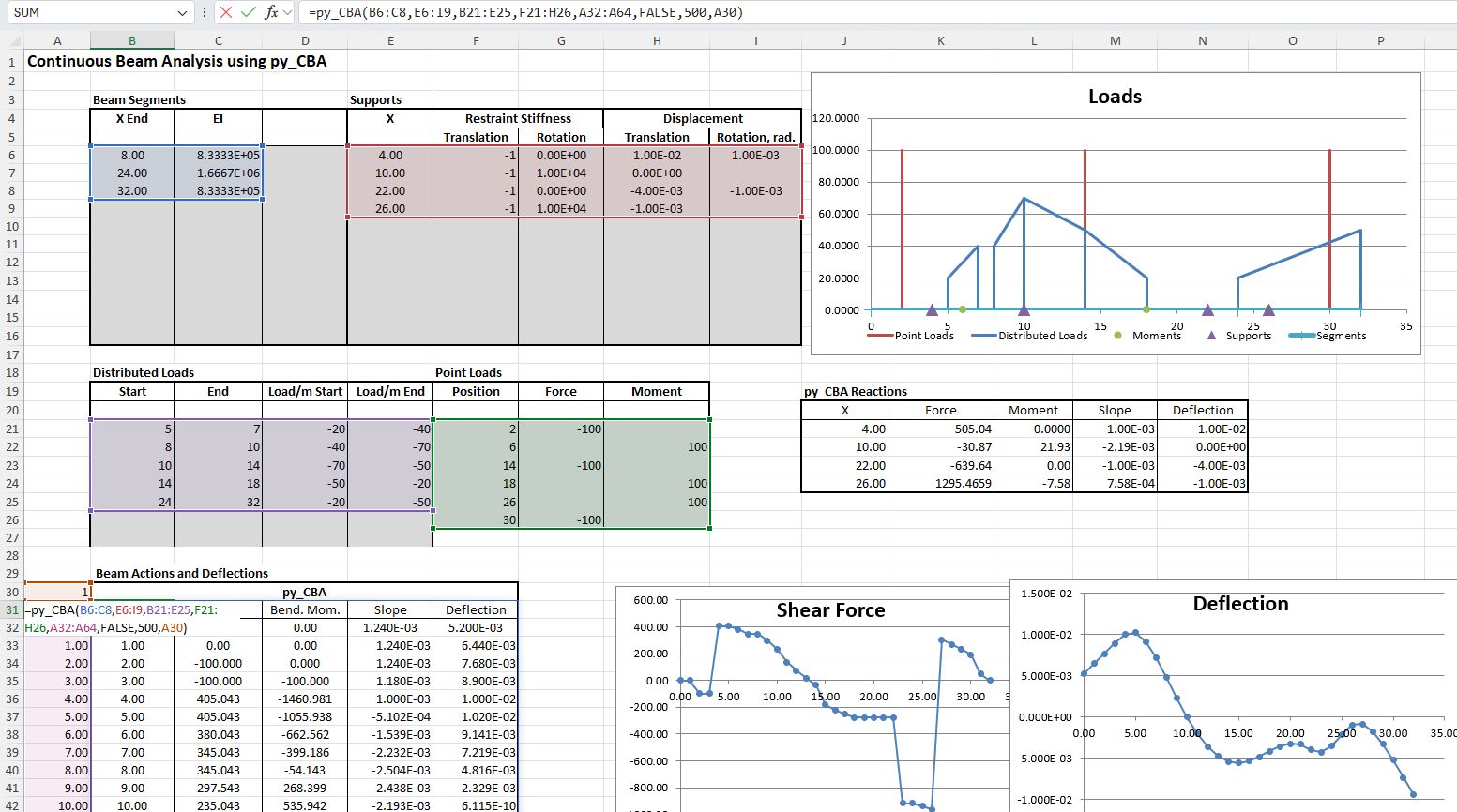
If the fourth column is not selected or left blank the load will be treated as rectangular. To define a triangular load a zero must be entered in the start or end column.
All analysis options are now available with the py_CBAcache function, which returns a single cell cache object, from which results may be extracted with the py_CBARes or py_CBAReact functions:
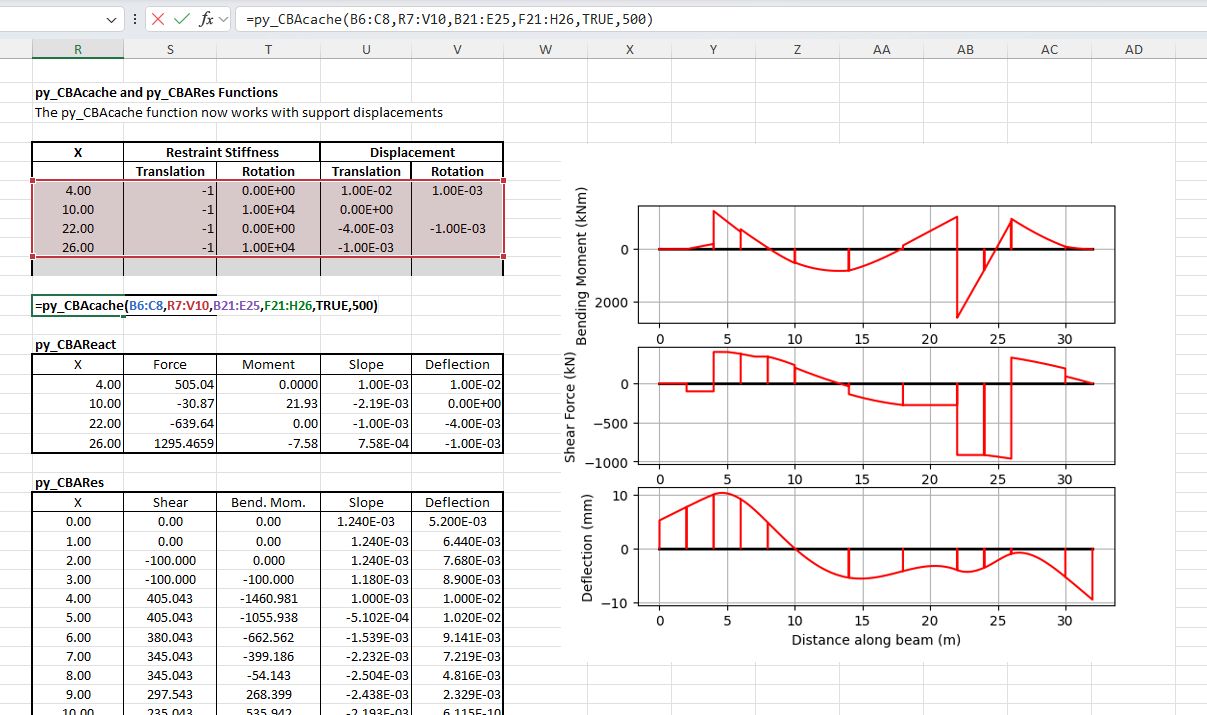
The Matplotlib graphics generated by pyCBA may be displayed in Excel using the py_CBAcache function (as shown above), or using py_CBA.
The detailed check against Strand7 results has been updated with trapezoidal loads:
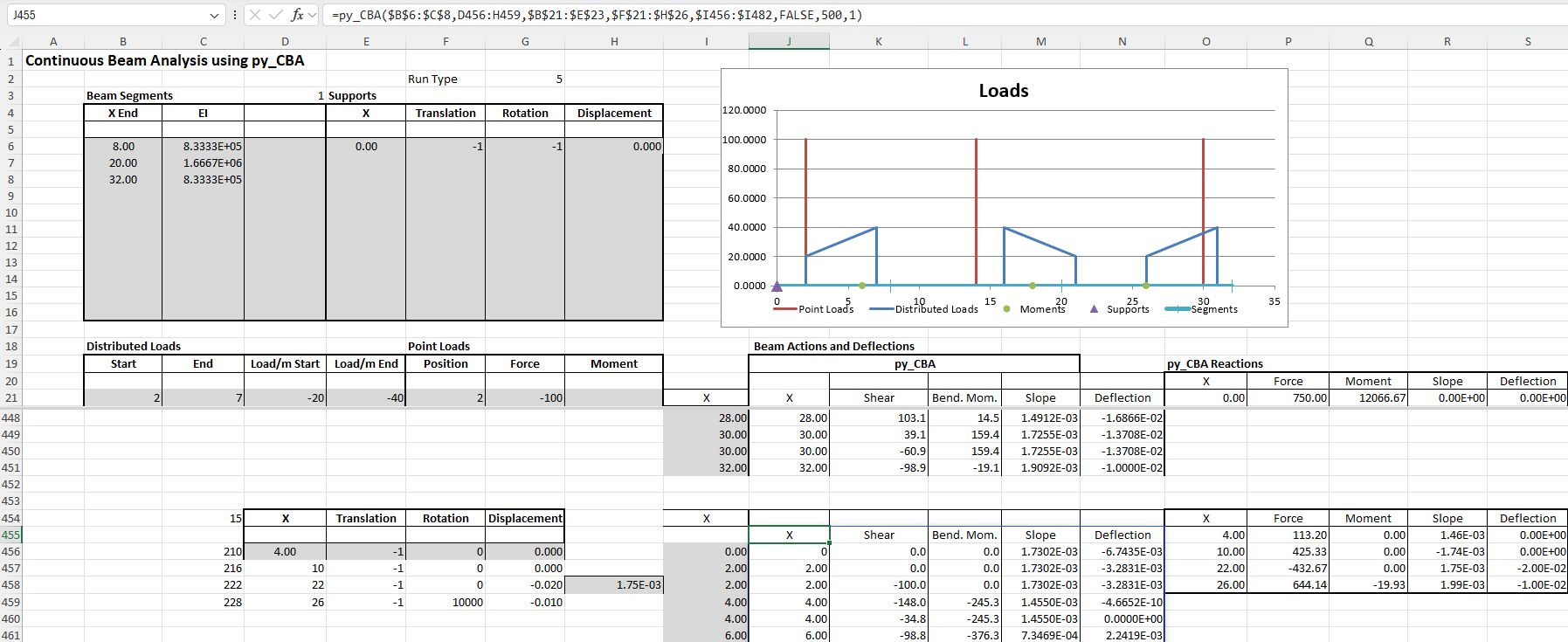
The results of the 15 different span arrangements, each with 6 different support conditions can be seen in the file Check py_CBA-4Apr26-2.xlsb included in the download, showing very close agreement in all cases:
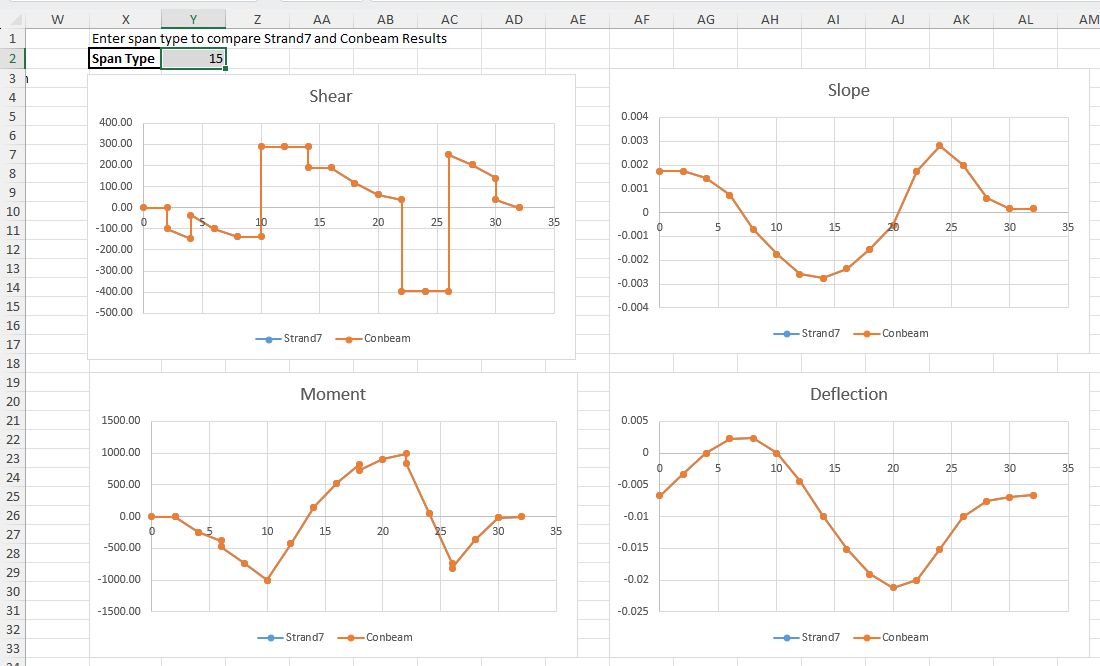
This file can be viewed without access to Python or any of the associated packages. Enter 1-15 in the “Span Type” cell (Y2) to view results from Strand7 and pyCBA on any of the 6 worksheets.


 Newton Excel Bach, not (just) an Excel Blog