
Following the previous post examples have been added to the Macaulay Spreadsheet illustrating the use of the method to find fixed end moments and reactions for a beam fixed at one or both ends, and subject to any number of combinations of trapezoidal distributed loads and point loads and moments. The beam may be of uniform cross-section, or divided into any number of segments with different properties. The download spreadsheet contains full open source code.
The basis of the method is:
- Find the slope of the ends for the applied loads assuming simple supports, using SSSpan.
- Find the end slopes due to a unit moment applied at the end.
- Solve the resulting simultaneous equations to find the end moments that will give the calculated end slopes under your loads, with a simply supported span. The fixed end moments are the equal and opposite reactions to these moments.
This procedure is incorporated in the User Defined Function (UDF) FEA(). The screenshots below show a description of the UDF input and output, and some examples taken from Formulas for Stress, Strain, and Structural Matrices, Walter D. Pilkey and The Reinforced Concrete Designer’s Handbook, C.E. Reynolds and J.C. Steedman. Finally a more complex example has been compared with the results of a Strand7 analysis. In all cases the UDF results and the formula or analysis values are in exact agreement.

FEA Input and Output
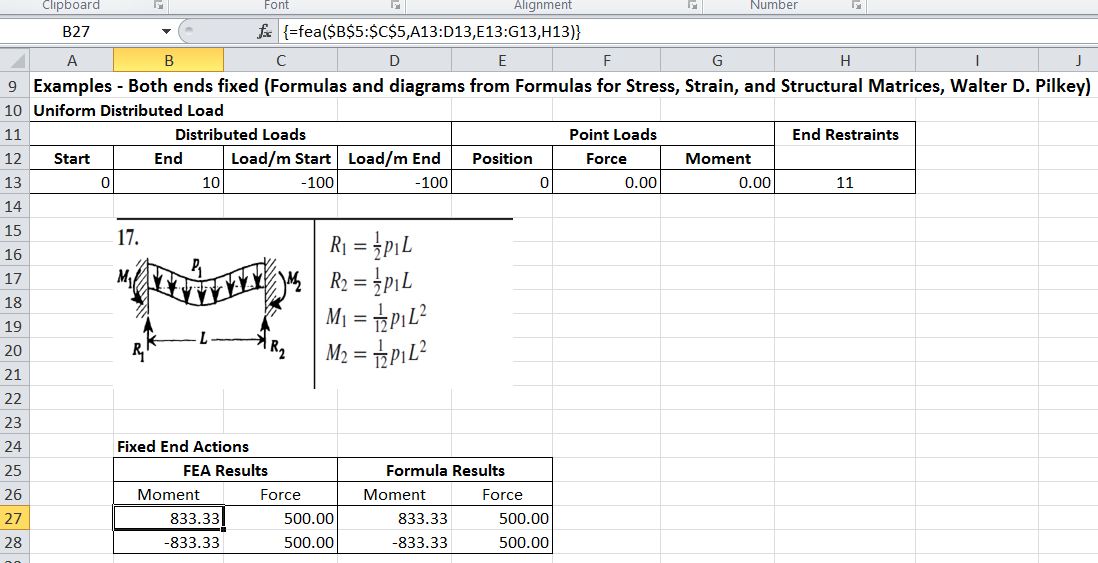
Uniform Distributed Load
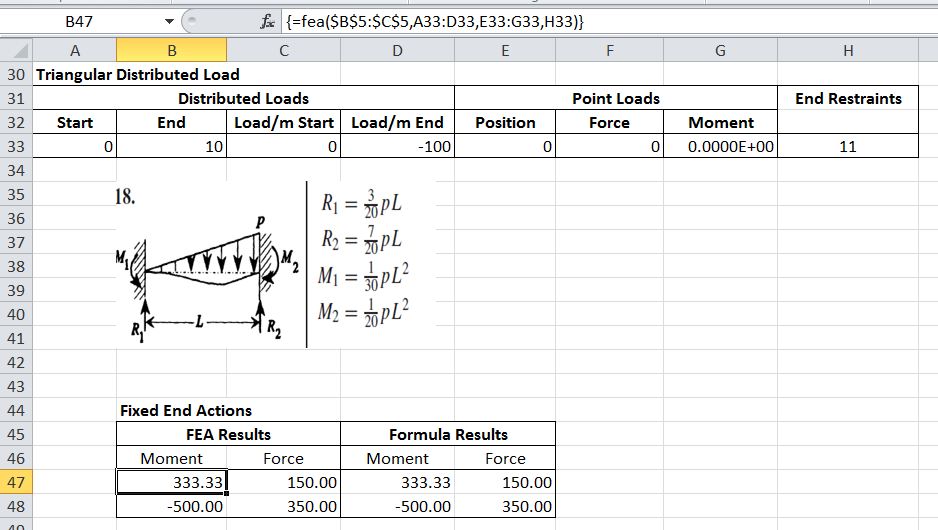
Triangular Distributed Load
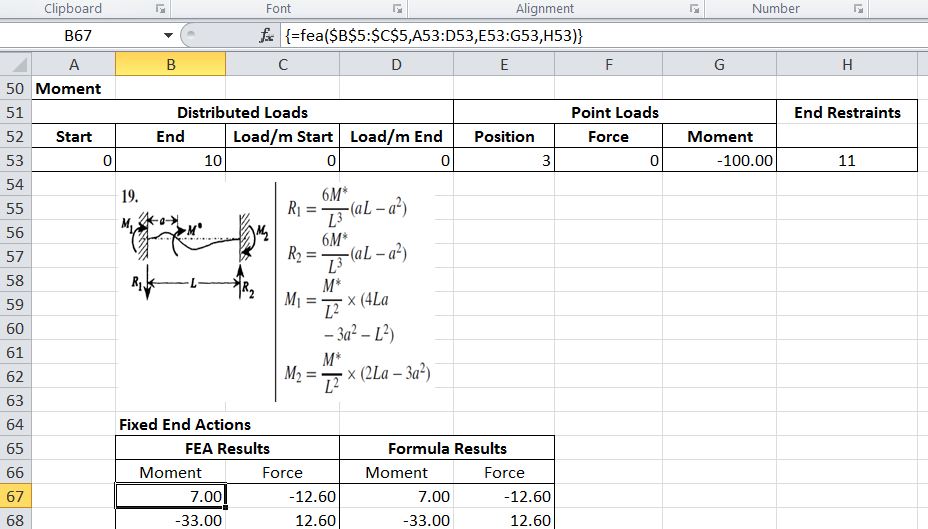
Moment
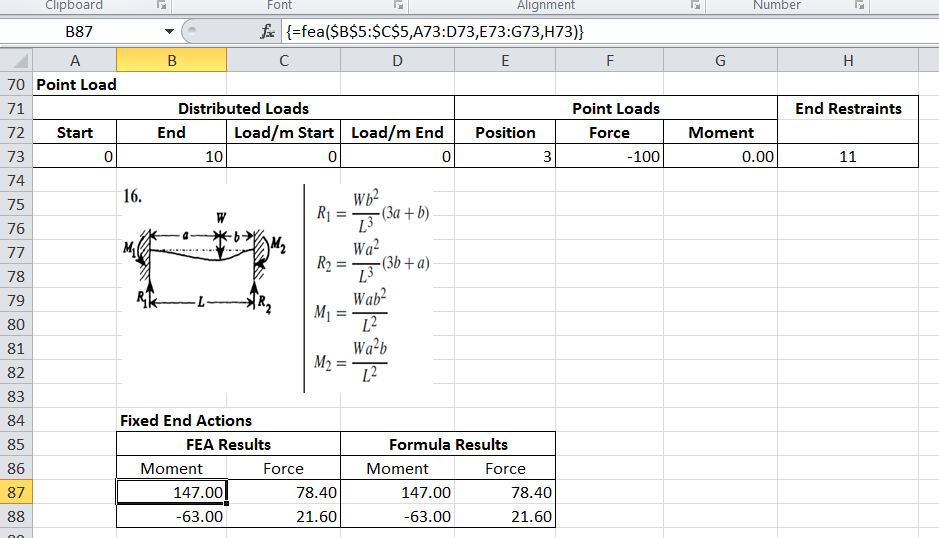
Point Load
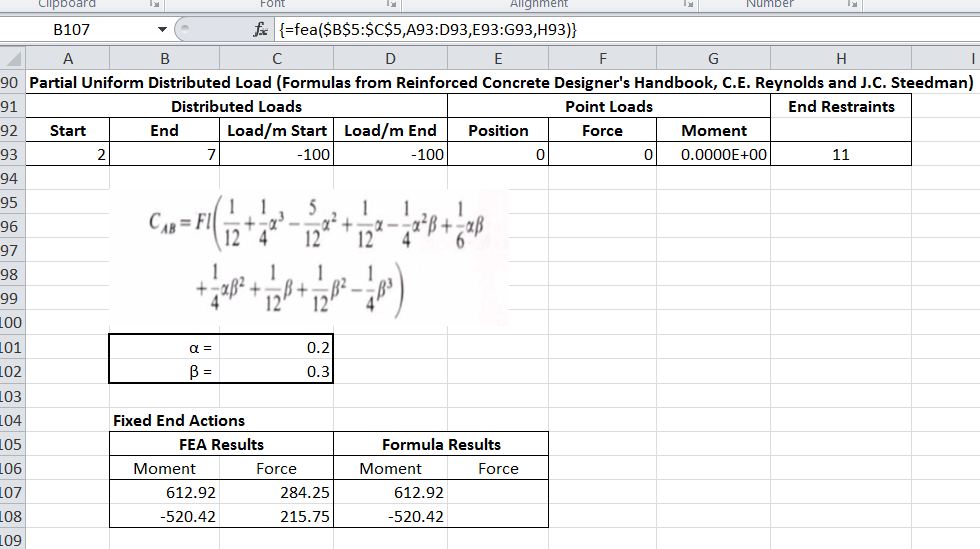
Partial Uniform Distributed Load
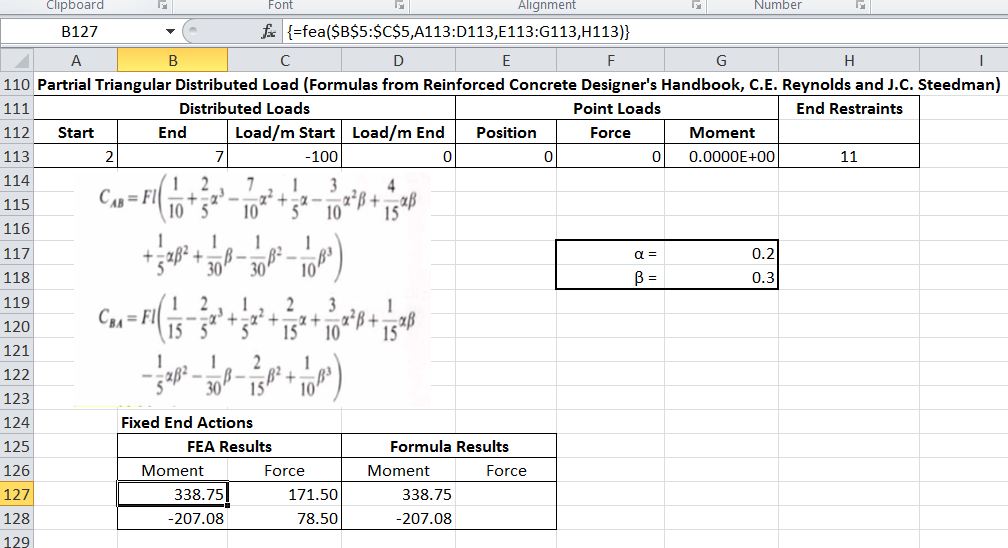
Partial Triangular Distributed Load
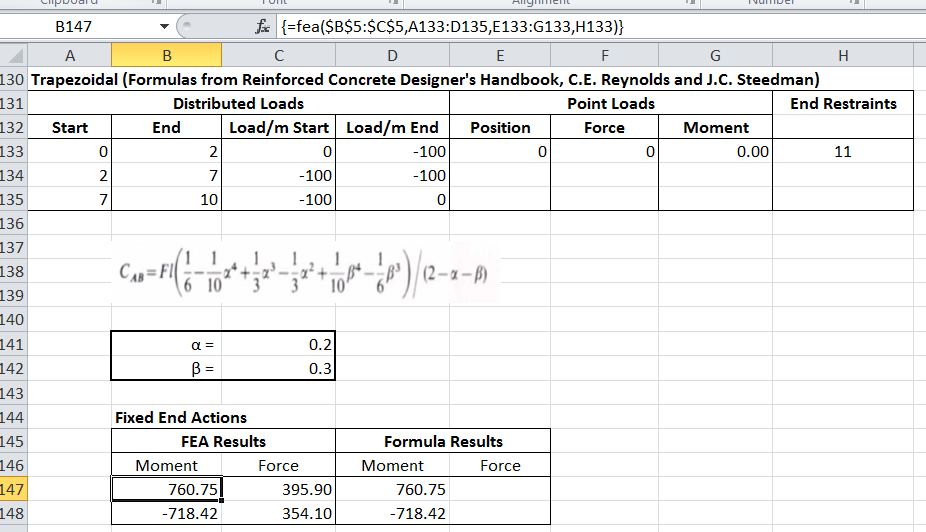
Trapezoidal
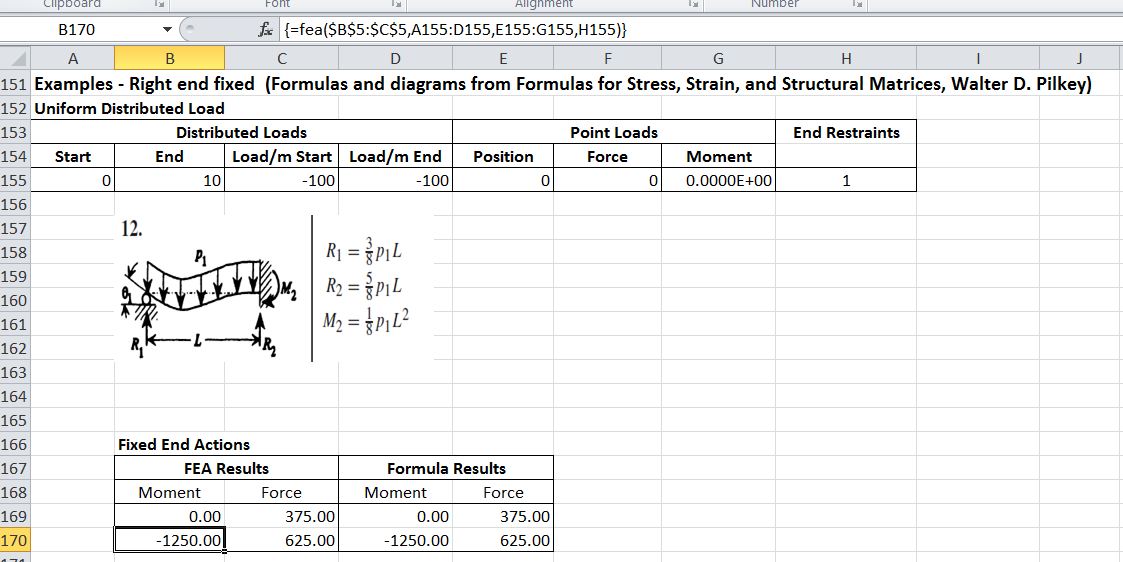
Uniform Distributed Load
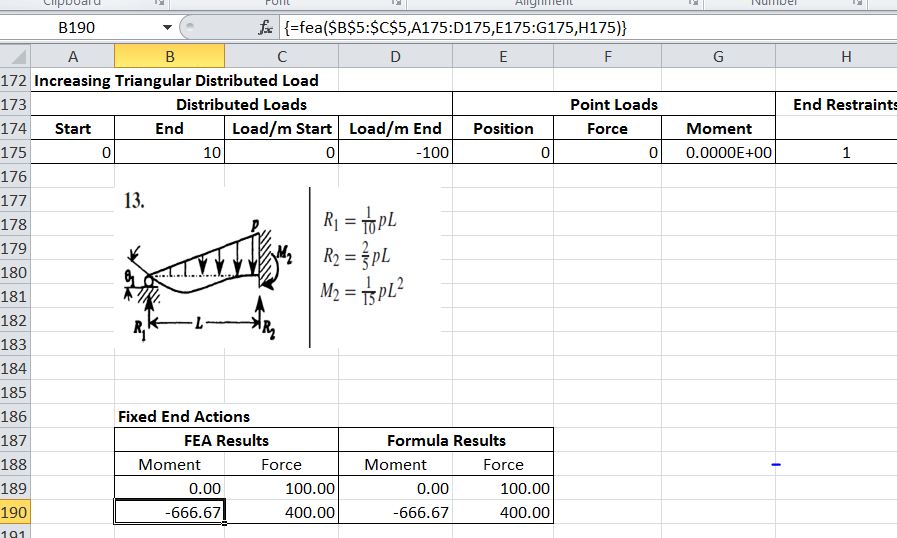
Increasing Triangular Distributed Load
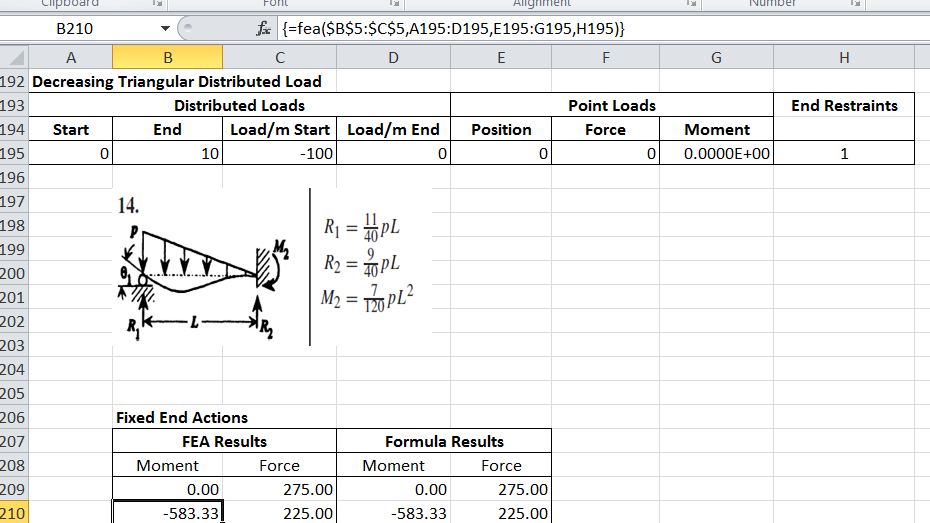
Decreasing Triangular Distributed Load
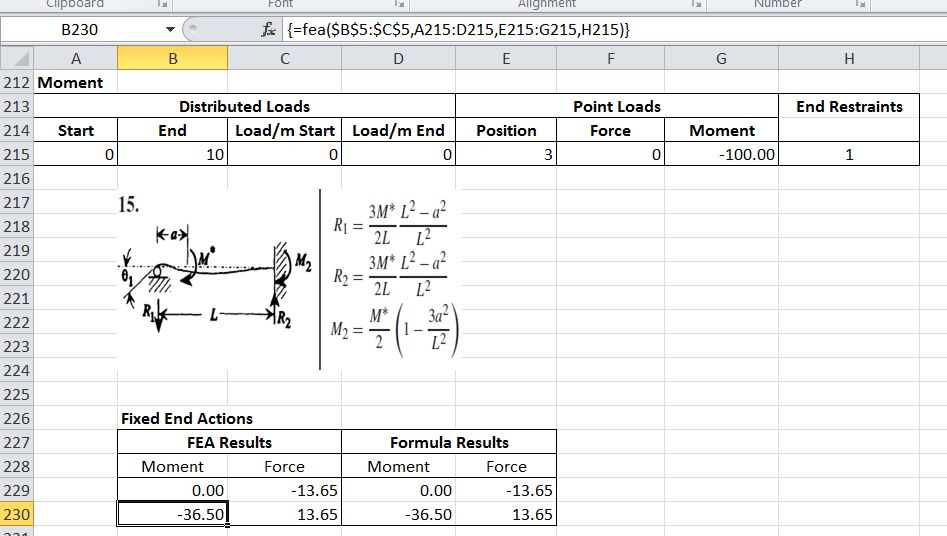
Moment
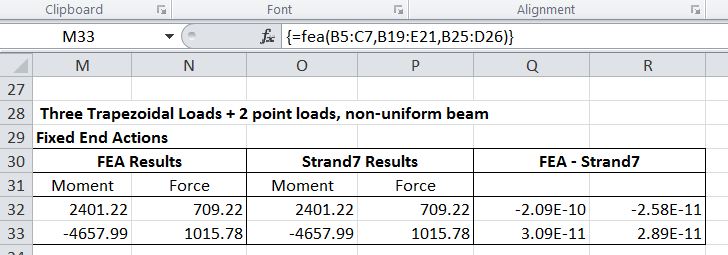
Complex Loading


 Newton Excel Bach, not (just) an Excel Blog
Thanks for your contribution. However, I have found the beam2 Excel spreadsheet quite confusing. What is L – the inclined or horizontal length. How do I input a horizontal UDL and how do I input an inclined UDL (Parallel to the beam)? Can I use global and/or member X, Y and Z coordinates for the direction of the load? I have also seen that if I enter fixed ends for both sides of the beam, there is an #name? error. Thanks. Paul – pk@odendaal.com
LikeLike
Paul – are you referring to the Beam2 spreadsheet from:
If so, that’s only intended to be one of a series illustrating how frame analysis procedures can be carried out in Excel, so it has limited options for applying loads. The complete frame analysis spreadsheets can be found at:
for 2D and
for 3D
But in answer to your questions:
L is the inclined length
The Beam2 spreadsheet only allows for input of vertical UDLs
The spreadsheet uses the stiffness method to find the end deflections of the beam under the input loading. If you fix all the freedoms there is nothing to solve. My copy displays #N/A for the fixed freedoms. I don’t know where the #Name error is coming from, but if you want to follow it up you could send a copy of your file to my gmail address (dougaj4).
LikeLike