
Spreadsheets performing Ultimate Limit State analysis with biaxial moments have been presented previously, most recently here: Biaxial bending update
I have now modified the Beam Design Functions spreadsheet to carry out a biaxial moment analysis with linear elastic material properties. The spreadsheet, including full open-source code, can be downloaded from:
Beam Design Functions Biax.zip
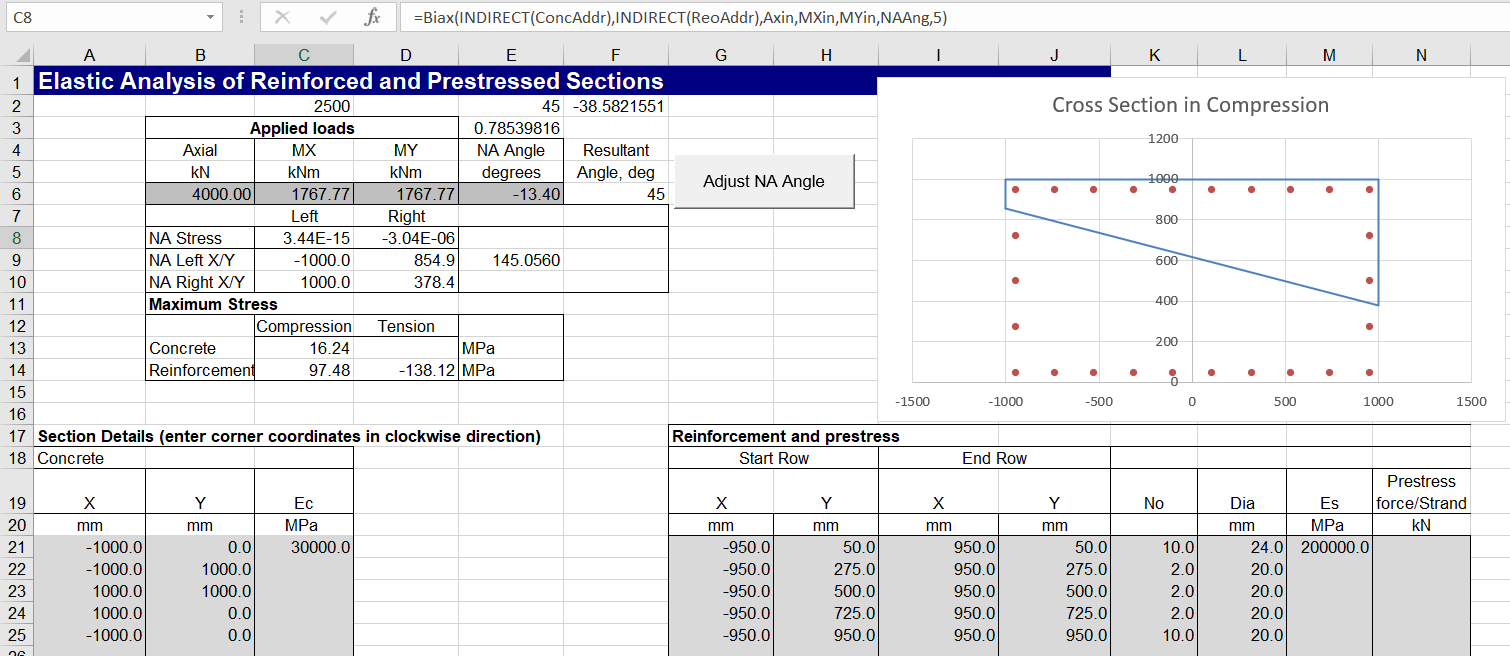
Input for a square section is shown below (the cross section is plotted with an xy graph, so x and y axes are not plotted to equal scale). The Biax function adjusts the position of the neutral axis so that the stress at one end is close to zero. The other stresses are then calculated based on the input neutral axis angle. Clicking the “Adjust NA Angle” button adjusts the angle so that the stress at both ends are near equal.

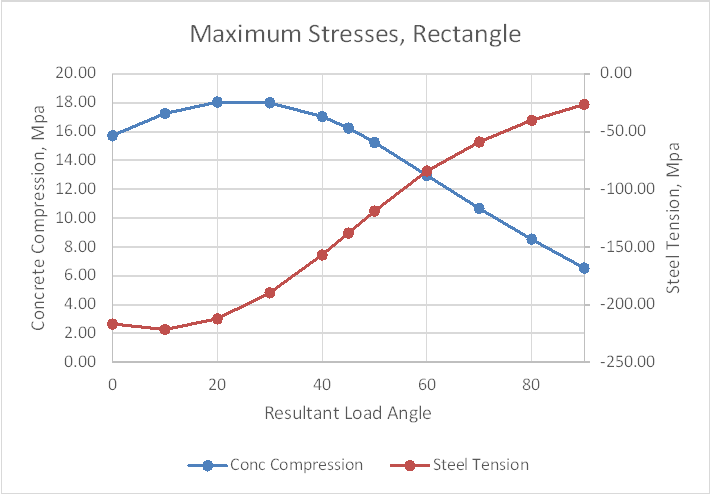
Maximum concrete compression and steel tension are plotted below for a resultant input moment angle to the X axis between 0 and 90 degrees.

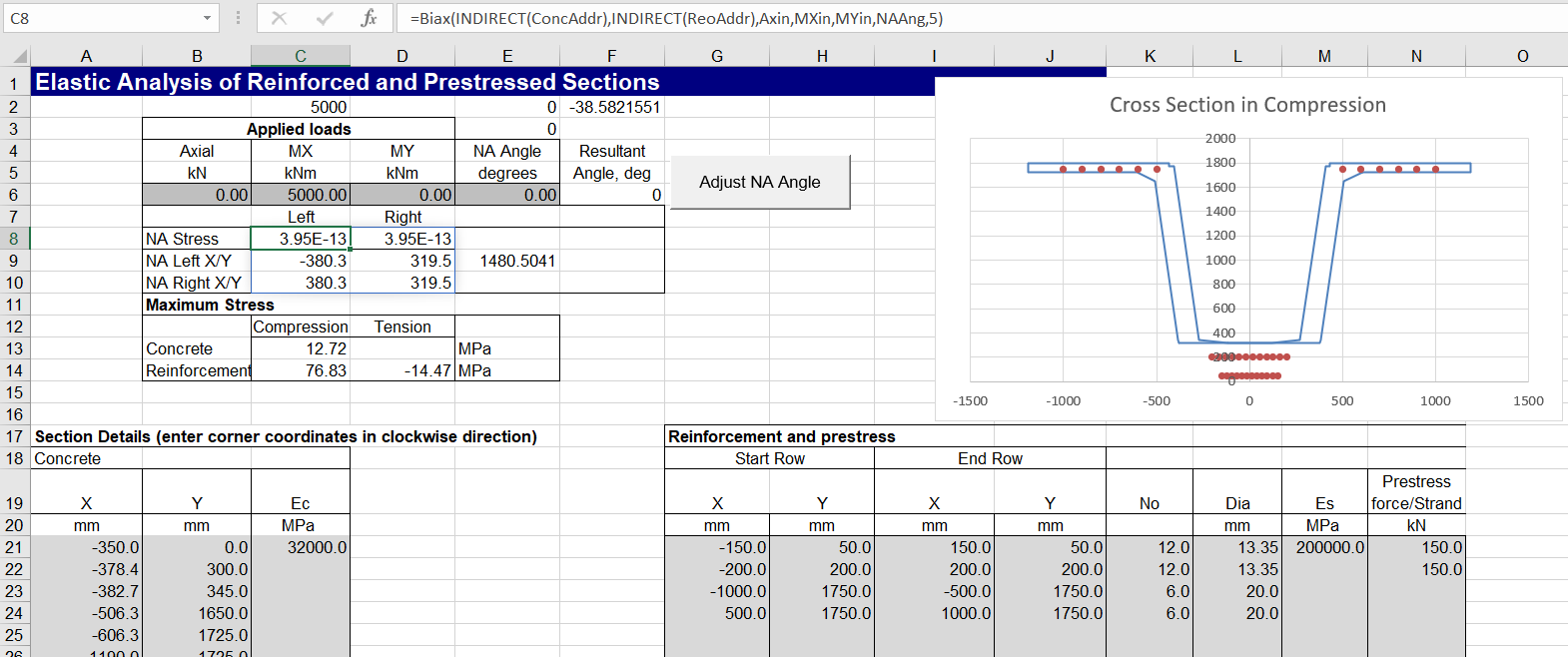
Input and results below are for a rectangular section, 2000 mm wide by 1000 mm deep.
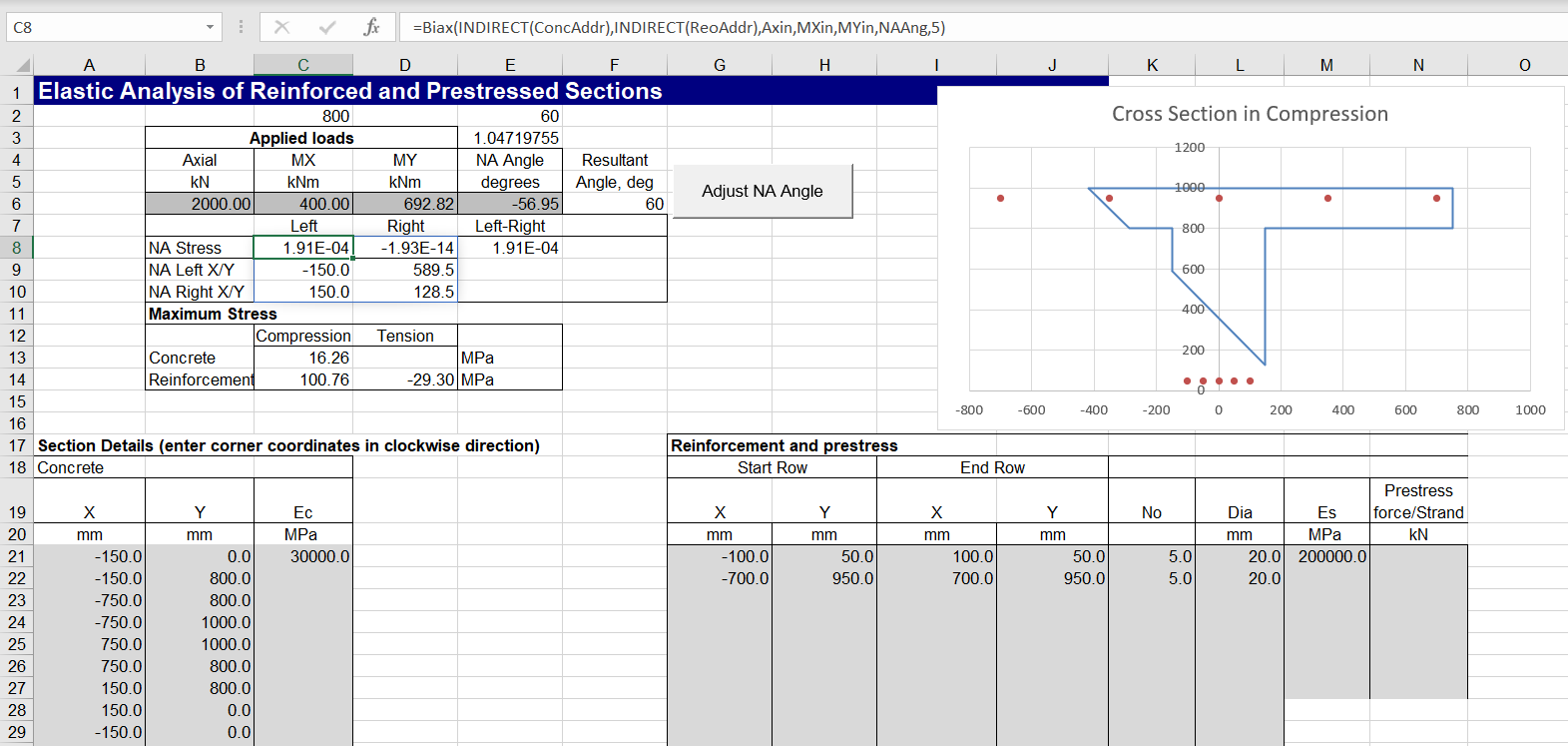
Non-rectangular sections may also be analysed. In some cases the “Adjust NA Angle” routine may fail to find a solution. Adjusting the initial input angle, so that the NA stresses are both close to zero should allow the routine to work:
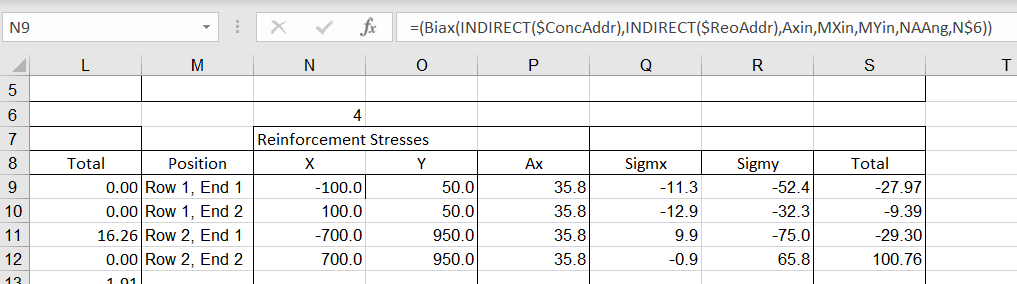
Detailed output results are given on the “Elastic Out” sheet, including:
- Section properties for the concrete in compression, reinforcement, and the combined section. Note that the listed properties are calculated with the section rotated so that the neutral axis is parallel to the X axis.
- Concrete stresses at each node of the section in compression.
- Reinforcement stresses at each end of each layer.

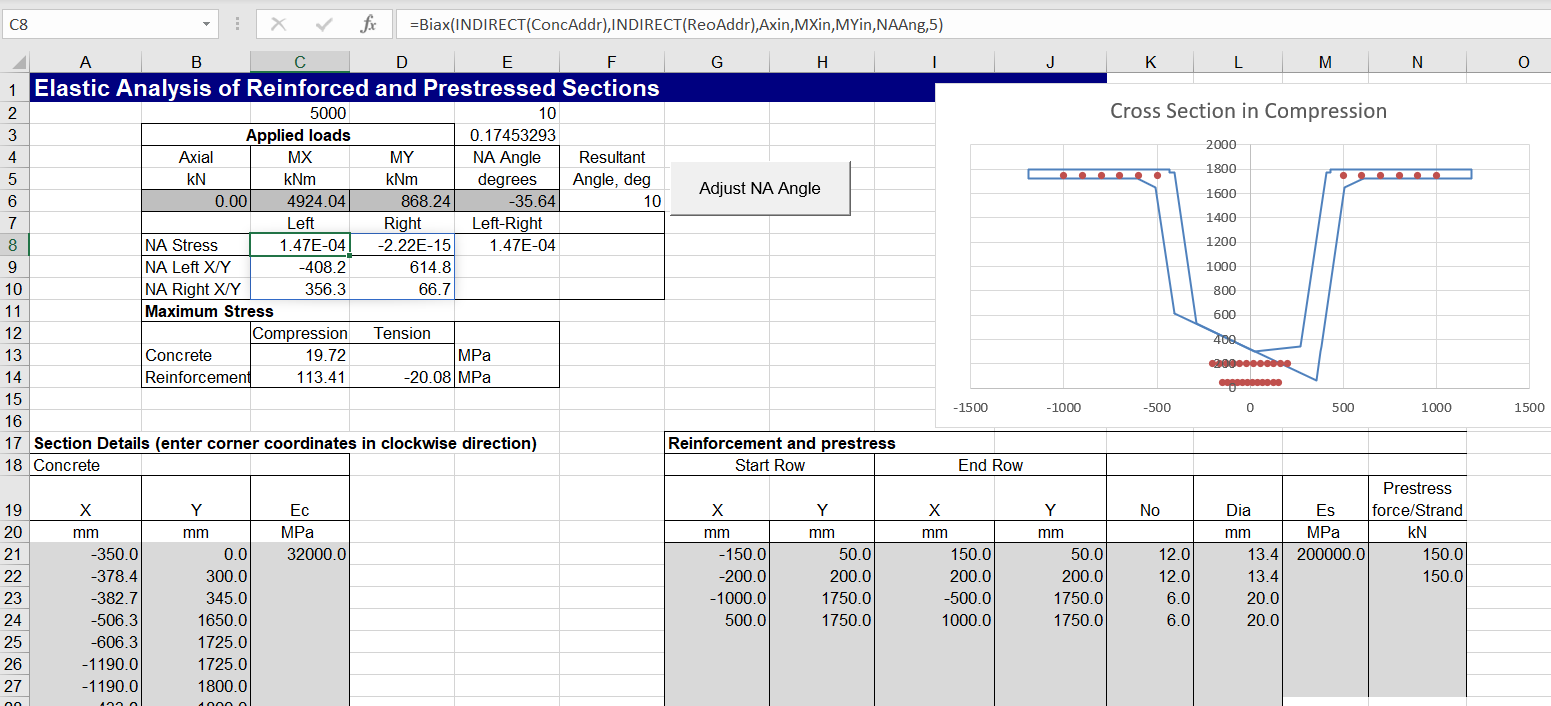
The spreadsheet also allows for input of steel prestress forces:
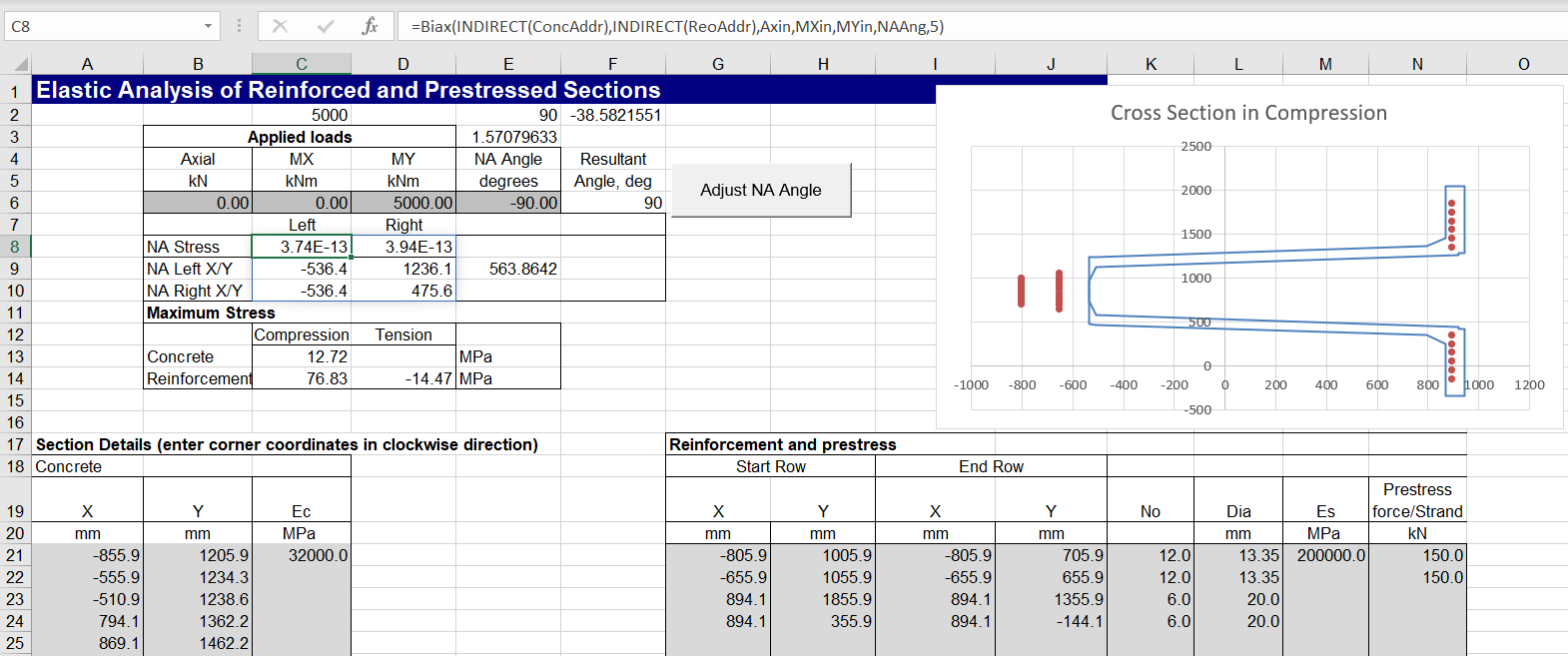
The image below shows the same section input with coordinates rotated through 90 degrees, and with the same moment applied about the Y axis. The neutral axis angle is also rotated through 90 degrees, giving identical results for concrete and reinforcement stresses:
The results have also been checked against the “Elastic” single axis bending function, showing exact agreement:

A prestressed example with biaxial bending is shown below. Note that for complex shapes the Excel goal-seek function (used by the Adjust NA Angle routine) is more likely to fail to find a solution, and some initial manual adjustment of the NA angle may be required:


 Newton Excel Bach, not (just) an Excel Blog
hello, thanks for sharing. sorry , my english is bad.
I wrote on this site that when loading only My, the spreadsheet is not working.
Could it be possible to have an update of this spreadsheet considering the change to solve the problem when only My is used to load the concrete? I prefere this spreadsheet, because the calculation are done without considering a code , and elastic behaviour with Ec and Es (I want to use it the calculate the position of neutral axis, the center of compression, and the tension forces in the reinforcements, like an anchor plate with infinite rigidity to find the tension in the anchor rod)
could it be possible to add the calculation of the center of compresion and the max load in compression please?
thank you in advance
best regards
LikeLike
I don’t know what is causing the problem with moments about MY only, but I’m afraid I don’t have time to look into it at the moment. Probably the easiest thing would be to rotate all the coordinates for the section through 90 degrees so you can work with MX.
The output sheet gives the coordinates for the concrete in compression, the steel, and the two combined. For the load capacity you really need to work with a ULS analysis, and take account of specific code requirements.
LikeLike
hello
thank you for your reply.
For information, I did some tests comparing to the software hilti profis engineering, ans it appears that the neutral axis is not always at the good position (+90° or +180°).
in some cases, with Mx and My, the position of the neutral axis is not a the good position.
I searched in the angles. Maybe a minus was forgotten in NA =degres(atan2(Mxin;–Myin)).
I think it is a problem of rotation of the angle or a problem like that. I will try to read your code, but I m a newbie in visual basic!
for information, I wanted to use this spreadsheet to be in accordance without EN1992-4 chapter 6.2 where an Elastic calculation is needed to find the tension in the fasteners.https://files-ask.hilti.com/original/ve/vemxrivhjl.pdf#page37, that s which it is impossible to use the updated spreadsheet.
I wanted to add maybe a new case in the last spreadsheet considérant elastic behaviour, but not sure it is possible
thank you
LikeLike
Thanks for the additional details and the link. Could you send some examples of the spreadsheet giving different results to the hilti results, to my gmail account (Dougaj4 at gmail).
LikeLike
hello did you receive my emails?
best regards
LikeLike
Hi Ali, no nothing received here, and I just checked the spam folder.
Did you save the files to a zip file? It’s worth trying that if not.
dougaj4@gmail.com
LikeLike
Hello, I resent you the email (maybe an error from me the first letter of you email written in capital)
best regards
LikeLike
Now received (in spam), and attached file downloaded, thanks/
LikeLike
Pingback: py_RC Elastic 1.05 with elastic biaxial bending | Newton Excel Bach, not (just) an Excel Blog