
The 3DFrame-py spreadsheet has now been updated with provisions for saving multiple load cases and the associated results, and analysis with factored combinations of multiple load cases.
The new files can be downloaded from:
See Installing 3DFrame-py for installation details, and details of other Python modules required. Also see Python and pyxll for details of the required pyxll package, including a coupon code for a 10% discount.
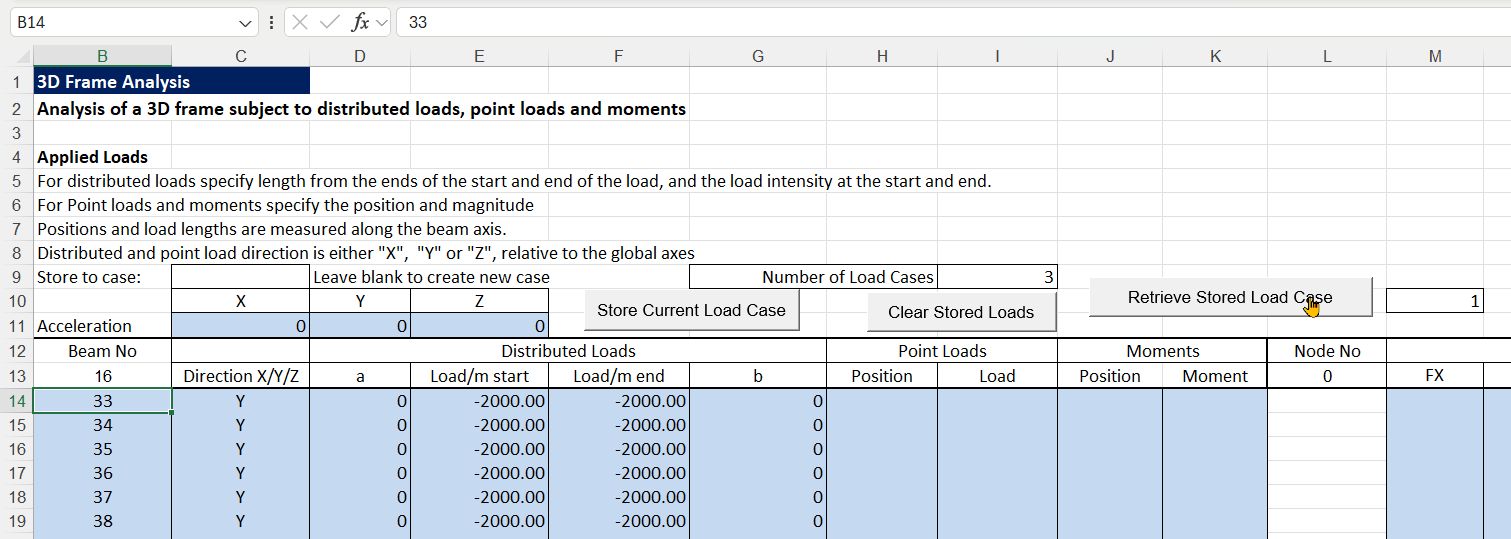
Load cases are entered and saved on the Input 2 sheet:
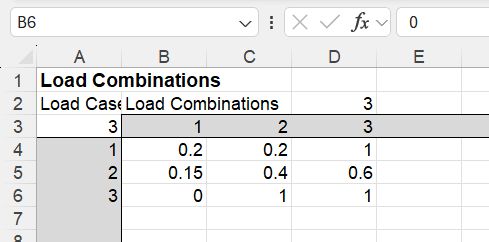
Factored load combinations can then be defined on the Combinations sheet:
The analysis is then run on the Output sheet:

This sheet has the following new options:
- Calculate the current load case or any one or all of the saved load cases or load combinations.
- Retrieve results from any saved case or combination.
- Delete all stored cases or combinations.
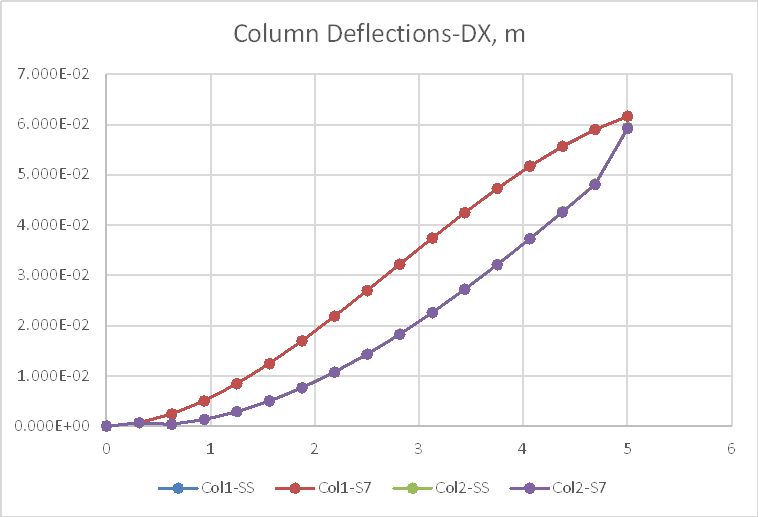
Deflections and bending moments are shown below for a portal frame under very high vertical and transverse loads, including geometric non-linear results. Results are very close to Strand7 results, which are also plotted in the graphs, and display as the same line:


 Newton Excel Bach, not (just) an Excel Blog
Pingback: 3DFrame-NLGeom | Newton Excel Bach, not (just) an Excel Blog