
The front page of Excel for Developers now has a link entitled VBA, which takes you to:
which has a link entitled When to use VBA and why which says:
There are three principal reasons to consider VBA programming in Office 2010.
Automation & Repetition
VBA is effective and efficient when it comes to repetitive solutions to formatting or correction problems. For example, have you ever changed the style of the paragraph at the top of each page in Word? Have you ever had to reformat multiple tables that were pasted from Excel into a Word document or an Outlook e-mail? Have you ever had to make the same change in multiple Outlook contacts?
If you have a change that you have to make more than ten or twenty times, it may be worth automating it with VBA. If it is a change that you have to do hundreds of times, it certainly is worth considering. Almost any formatting or editing change that you can do by hand, can be done in VBA.
Extensions to User Interaction
There are times when you want to encourage or compel users to interact with the Office 2010 application or document in a particular way that is not part of the standard application. For example, you might want to prompt users to take some particular action when they open, save, or print a document.
Interaction between Office 2010 Applications
Do you need to copy all of your contacts from Outlook 2010 to Word 2010 and then format them in some particular way? Or, do you need to move data from Excel 2010 to a set of PowerPoint 2010 slides? Sometimes simple copy and paste does not do what you want it to do, or it is too slow. You can use VBA programming to interact with the details of two or more Office 2010 applications at the same time and then modify the content in one application based on the content in another.
That’s all very well; certainly those are three things that VBA is good for, but do Microsoft really think that encompasses all the principal things you can do with VBA? What about the ability to greatly extend the maths functionality of Excel with User Defined Functions that can for instance:
- Solve high order polynomial equations
- Carry out numerical integration
- Evaluate formulas entered as text, including conversion of units
What about creating engineering applications that would be cumbersome and very limited if relying entirely on built-in functions on the worksheet, such as:
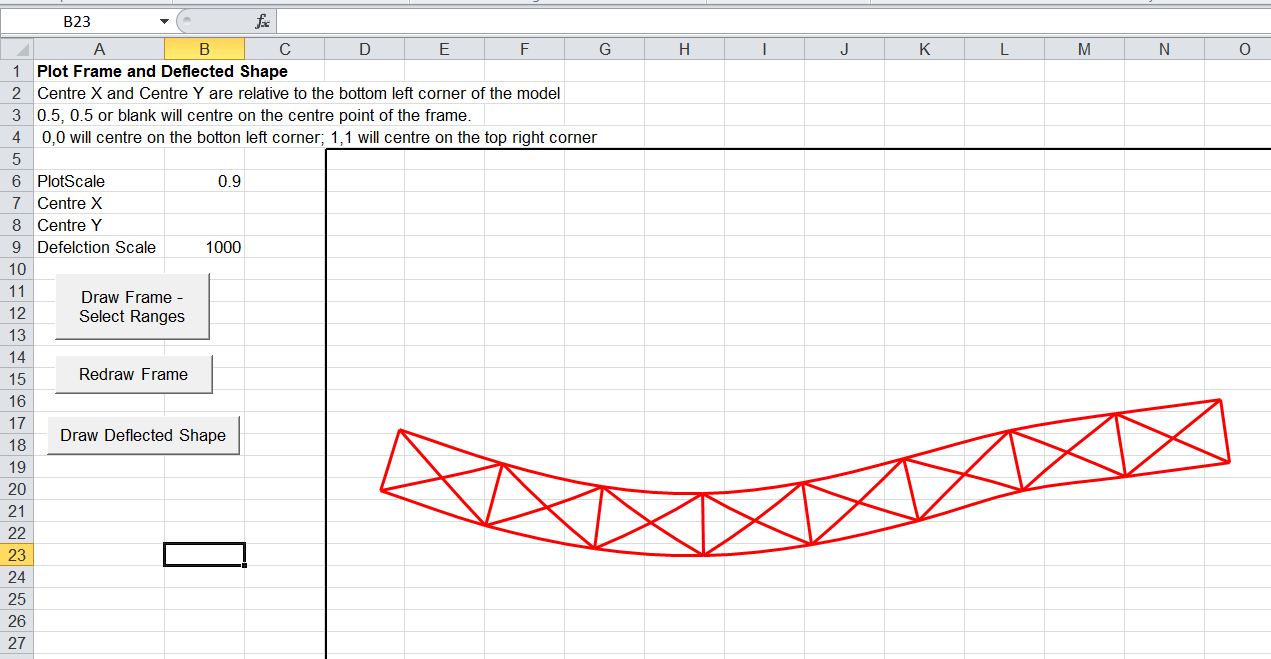
- A frame analysis application
- Functions for elastic analysis of reinforced and prestressed concrete beams
What about linking to non-office applications such as:
- The ALGLIB maths library
- The Strand7 finite element analysis package
- The ImageMagick freeware image processing software
The reason for Microsoft continuing to undersell the versatility, power and convenience of Excel when combined with VBA remains a mystery to me.

















 Newton Excel Bach, not (just) an Excel Blog