An excellent and detailed account of historical bridges in New South Wales:
Bridge Types in NSW Historical Overviews
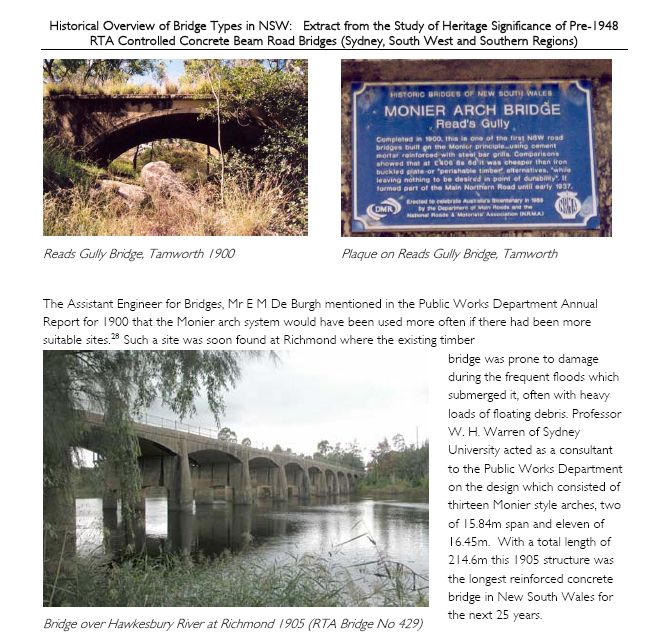
Bridge Types of NSW - sample

An excellent and detailed account of historical bridges in New South Wales:
Bridge Types in NSW Historical Overviews
Bridge Types of NSW - sample
The Excel VBA routine below will check the spelling of the text in the current selected cell, and return either TRUE or FALSE in the adjacent cell to the right:
Sub SpellChecksub()

Dim Checkword As String, Result As Boolean

Checkword = Selection.Value

Result = Application.CheckSpelling(Checkword)

Selection.Offset(0, 1) = Result

End Sub
Now it would be convenient to have this routine in a UDF, but the code below always returns FALSE:
Function SpellCheck(CheckRange As Variant) As Boolean

Dim Checkword As String

Checkword = CheckRange(1, 1).Value

SpellCheck = Application.CheckSpelling(Checkword)

End Function
Can anyone tell me why?

The previous post in this series included Excel User Defined Functions using closed form solutions to find the ultimate bending and axial load capacity of reinforced or prestressed concrete sections of any complex shape defined by rectangular or horizontal layers. The paper ultimate-moment-capacity1 provides the derivation of the solutions used in these functions. An extract from the paper is shown below.

Found on the Web:
Edit 26 Feb 2023: Link no longer active
ELASTIC SOLUTIONS FOR SOIL AND ROCK MECHANICS
“Professor Harry Poulos, Emeritus Professor from the University of Sydney and a Senior Principal Consultant with Coffey & Partners, has graciously (and generously) agreed to allow USUCGER to post a PDF version of the seminal book Elastic Solutions for Soil and Rock Mechanics (co-authored with the late E.H. Davis). “
The picture indexing spreadsheet presented in the previous post has been updated:
Download from PastePic.zip
Notes:

Screen shot


 Newton Excel Bach, not (just) an Excel Blog