
PyCBA is a Python based continuous beam analysis program. From the on-line docs:
PyCBA is a python implementation of the Continuous Beam Analysis program, originally coded in Matlab and subsequently ported to C++ (by Pierrot).
PyCBA is for fast linear elastic analysis of general beam configurations. It uses the matrix stiffness method to determine the displacements at each node. These are then used to determine the member end forces. Exact expressions are then used to determine the distribution of shear, moment, and rotation along each member. Cumulative trapezoidal integration is then used to determine the rotations and deflections along each member. The program features:
- Multiple load types: point load; uniformly distributed load; patch load, and; moment load;
- Spring supports, both vertical and rotational, enabling it to be used as part of a subframe analysis;
- Results are output at 100 (user can change) positions along each span, enable accurate deflection estimation.
One of the main functions of PyCBA is that the basic analysis engine forms the basis for higher-level analysis. Current PyCBA includes modules for:
- Influence line generation
- Moving load analysis for bridges, targeted at bridge access assessments
I have set up a spreadsheet based on py_Conbeam that converts the py_Conbeam input to PyCBA format, then runs the PyCBA analysis and returns the results to the spreadsheet. The spreadsheet and associated files can be downloaded from:
Edit 18 Jan 2026: This link was previously downloading the wrong file. The link has now been corrected.
The spreadsheet requires the following programs in addition to Excel:
- Python, Numpy, Scipy, and Matplotlib
- PyCBA, which can be installed with pip. See the documentation page for details.
- pyxll to transfer data between Excel and Python, including generation of dynamic Matplotlib graphics in Excel.
The spreadsheet uses 4 new Python functions, which have been added to the Beam_Act_2.py module, which also includes the py_Conbeam function and related functions.
In addition to the Python code the download file includes:
- py_xlCBA.xlsb: The new spreadsheet.
- py_CBA-Check v Conbeam.xlsb: Check of py_CBA results against py_Conbeam.
- py_CBA-Check26-1.xlsb: Check of py_CBA results against Strand7 results for multiple different span and support conditions
- Check py_CBA-2Jan26.xlsb: Summary of the Strand7 check results
- py_xlCBA-Strand7.zip: Strand7 data file and results
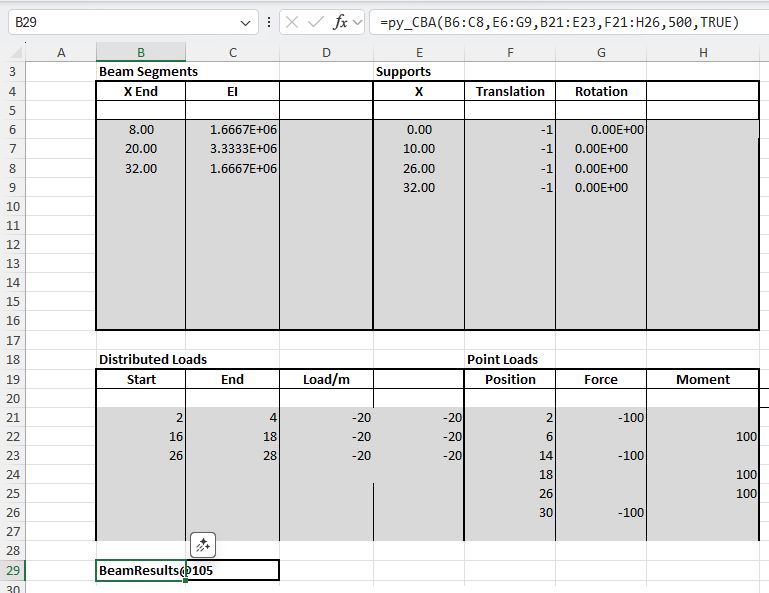
The bulk of the work is done by the new py_CBA function which converts the input data from py_Conbeam format, creates a BeamAnalysis object, and runs the analyze method. The resulting beam_results object is returned to Excel as a cache_object, from which other pxll based Excel functions can extract and display the required results values.
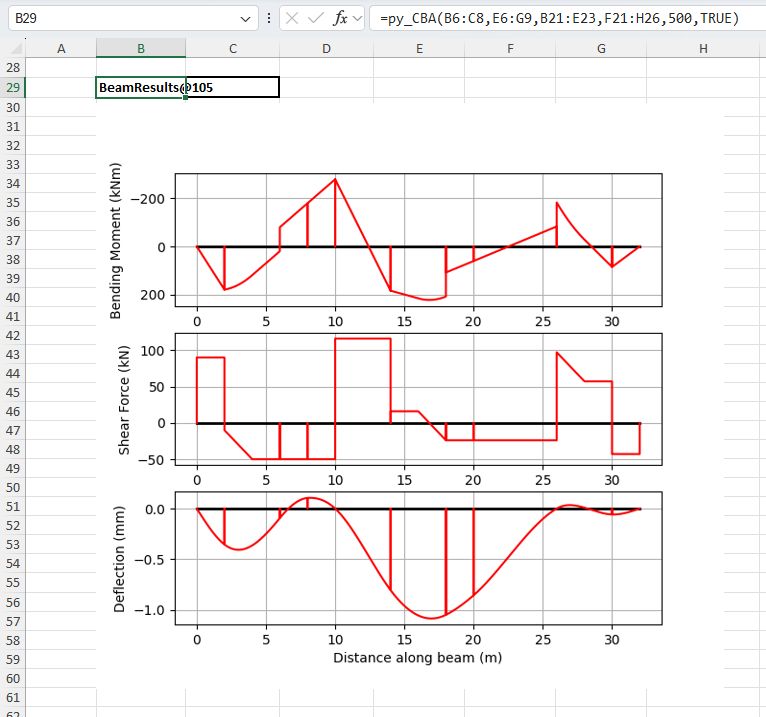
Optionally, the function will also return graphs of the beam actions and deflections:
A table of beam shear forces, bending moments, and deflections at specified locations along the beam is returned by the pyCBARes function, with the results cache object and a list of output points as input:

Support reactions are returned by the pyCBAReact function. Note that currently reactions are only returned for supports that are fixed against deflection and/or rotation. For supports with spring restraints the associated reactions are returned as zero.
The py_CBAA function calls the py_CBA function and returns results as numeric arrays, rather than a cache object. The values returned are determined by the specified “out” index. Currently the available results are limited to the input files generated by py_CBA. See the “functions” sheet of the spreadsheet for a list of the available options.

As for the py_Conbeam spreadsheet, the check against Strand7 showed near exact agreement for all cases:
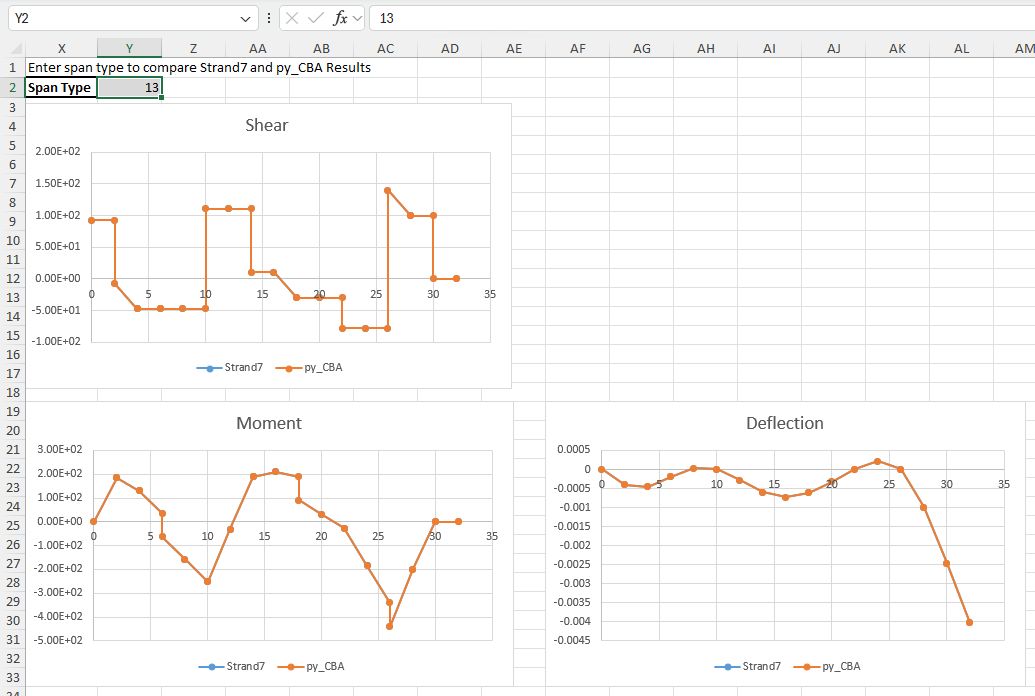
Note that currently it is not possible to specify support deflections in PyCBA, so the check runs are limited to spans type 1 to 4, which have either fixed or spring restraints at each support.


 Newton Excel Bach, not (just) an Excel Blog
Pingback: py_xlCBA update | Newton Excel Bach, not (just) an Excel Blog