Charts and Charting

I don’t do a lot on Excel charts because there are already a number of excellent blogs and sites that specialise in that area; notably: Peltier Tech Blog
but after compiling my “Downloads by Category” page I found that I had lumped together some posts specifically about charts in with posts about drawing (i.e. using Excel shapes), which made them hard to find; so this post separates out all my charting posts from the past nearly five years:

Associated download files are:

Posted in Charts, Excel, UDFs, VBA | Tagged , , , | Leave a comment

New Page

In an effort to make the information on this site easier to access I have collected all the “Daily Download” posts from last year onto a new page, listing each of the download posts by category.

It’s called “Download by Category

Posted in Excel, Newton, UDFs, VBA | Tagged , | Leave a comment

Counting unique values from a range or array

About this time last year, I posted a User Defined Function (UDF) that would return a list of unique items from a list: https://newtonexcelbach.wordpress.com/2012/01/31/retrieving-unique-values-from-a-range-or-array/

That post has recently received a few comments, and coincidentally Colin Legg at RAD Excel has recently posted an article entitled Count Distinct, Unique And Successive Values Using FREQUENCY(), so if you just want to count the number of occurrences of different numbers or strings, rather than return a list of them, using the Frequency() function is the way to do it.

Colin’s article is detailed and clear, and I have nothing to add to it, except to note the different usage of words.  Colin uses “distinct” where I used “unique” to mean one copy of each different number (or string), and “unique” to mean numbers or strings that occur only once.  So in the list “1,1,1,2,2,3” there are 3 distinct numbers (1,2,3) but only one unique number (3).

Posted in Excel | Tagged , , , , | Leave a comment

New Release Alglib Library

The Alglib Numerical Analysis Library has just been updated.  For full details of the changes see: http://www.alglib.net/arcnews.php#date_18_01_2013 , but the significant change for routines linking to my spreadsheets is that the sparse solver  has been significantly improved and now successfully solves problems that previously failed to converge.

If you already have alglibnet2.dll installed just copy the new version over it.  The new version (dated 18/01/2013) is now included in the 3DFrame download: 3DFrame.zip

If you have not yet installed any spreadsheets linking to the C# version of Alglib, see https://newtonexcelbach.wordpress.com/2012/11/16/frame4-now-with-added-alglib/ for detailed instructions on how to do it.

Posted in AlgLib, Excel, Finite Element Analysis, Link to dll, Maths, Newton | Tagged , , , | Leave a comment

3DFrame – 3D Frame analysis for Excel

I have now extended the Frame4 spreadsheet to deal with 3D frames.  As well as making the necessary changes to the input ranges and stiffness matrix generation routines I have revised the Sparse solver routine, added a new compiled solver, and changed to a more efficient VBA solver:

  • In the previous version a full stiffness matrix was generated, which was then converted to hash table format for solving with the sparse solver.  This was not only very inefficient, but also limited the size of problems that could be solved because of the large matrix, containing mostly zero values.
  • For similar reasons the VBA matrix solver routine has been replaced by a much more efficient one taken from “Programming the Finite Element Method” by Smith and Griffiths.
  • The new VBA solver has also been converted to a C# dll, as an alternative to the sparse solver.

The new spreadsheet (including full open-source code) can be downloaded from: 3DFrame.zip

The download zip file includes ALMatrixLib.dll, alglibnet2.dll and ALMatrixLib.tlb which must be installed to use the sparse solver or the compiled solver.  See https://newtonexcelbach.wordpress.com/2012/11/16/frame4-now-with-added-alglib/ for instructions on installing and linking to these files.

Warning:  This software has had only limited testing and is not fully documented.  Do not rely on the output from this spreadsheet for any application where incorrect, ambiguous, or misinterpreted results could have adverse consequences.

Example analyses:

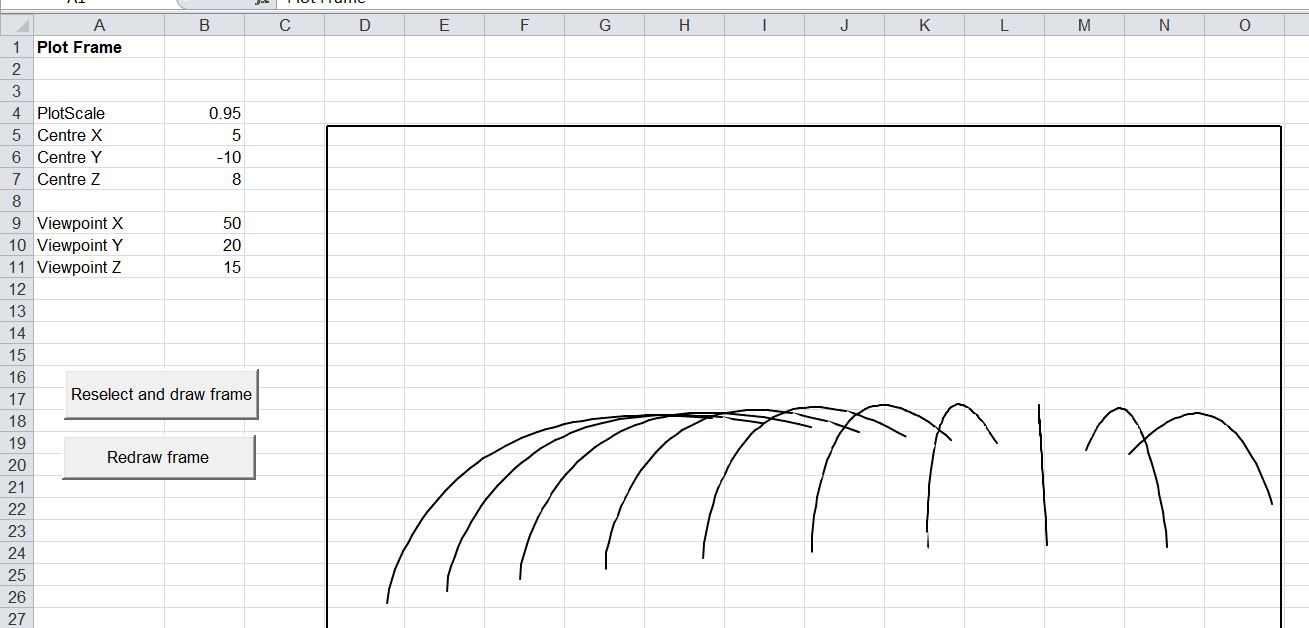
Arch sections rotated about Z axis:
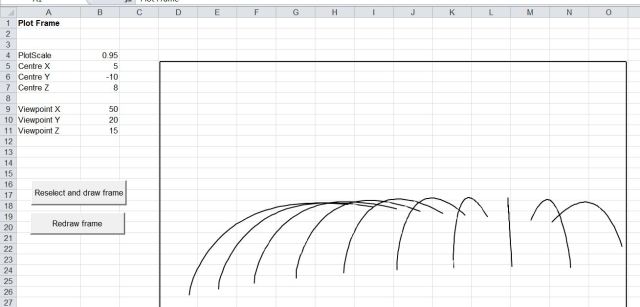
Skew arch units

Skew arch units

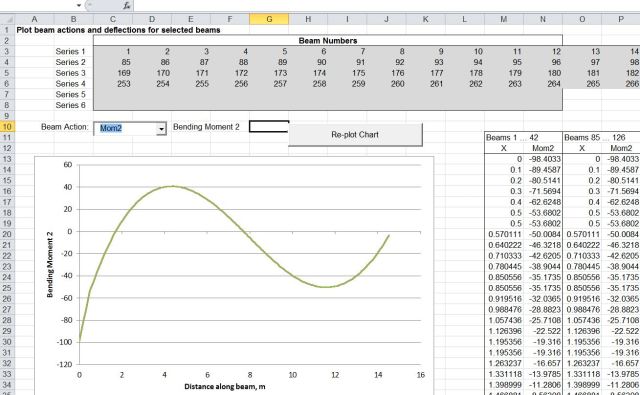
The bending moment (due to self-weight) about Beam Axis 2 is the same for each arch:
3DFrame1-2

Bending moment due to self-weight

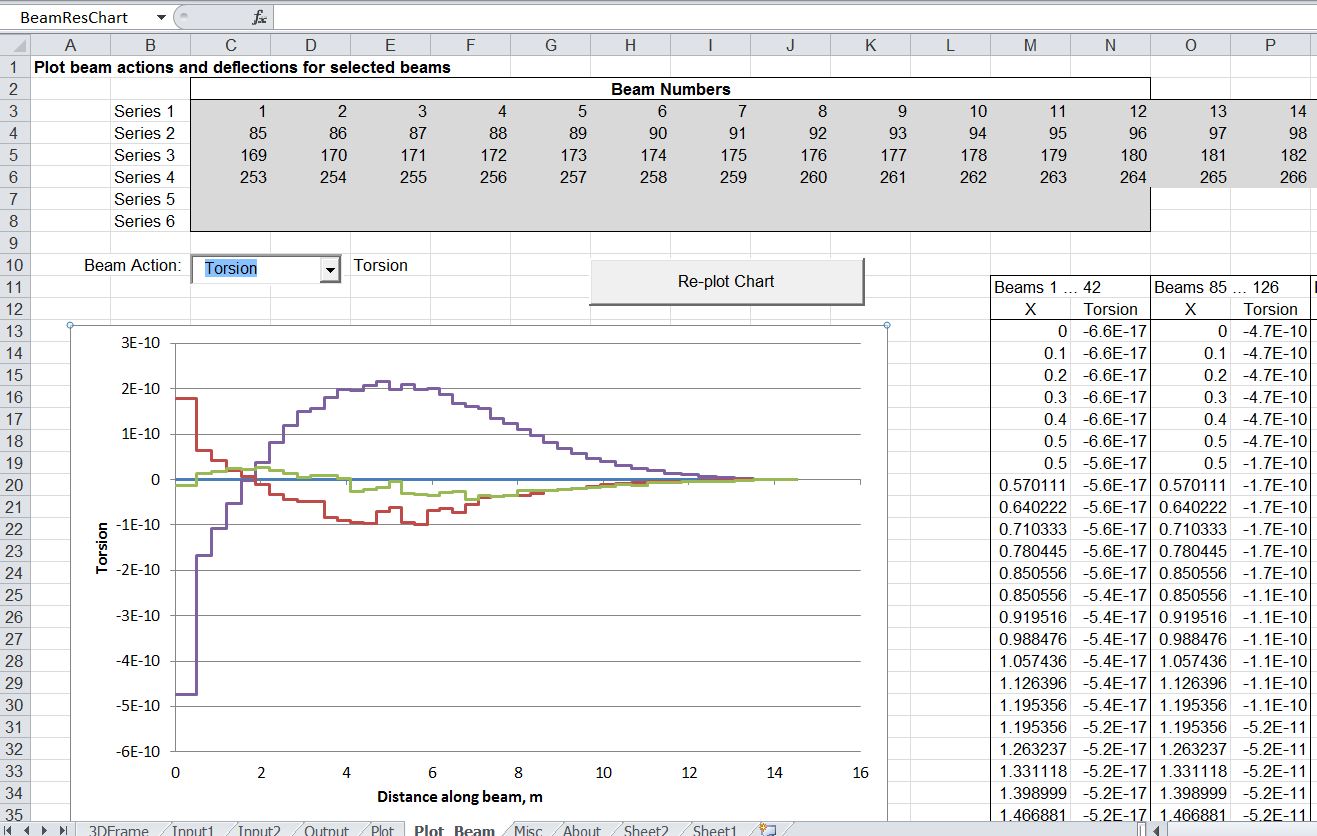
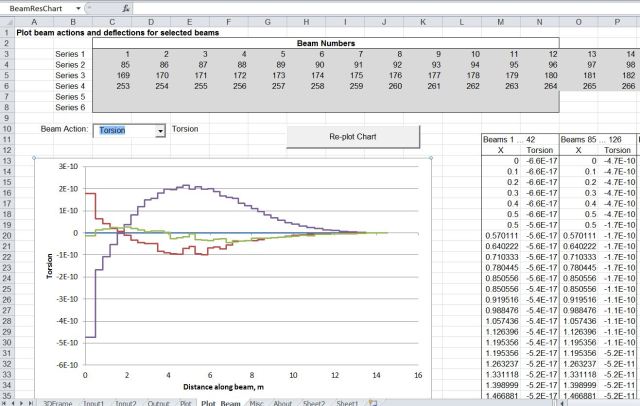
Torsional moments are very close to zero for all arches:
3DFrame1-3

Torsion moment

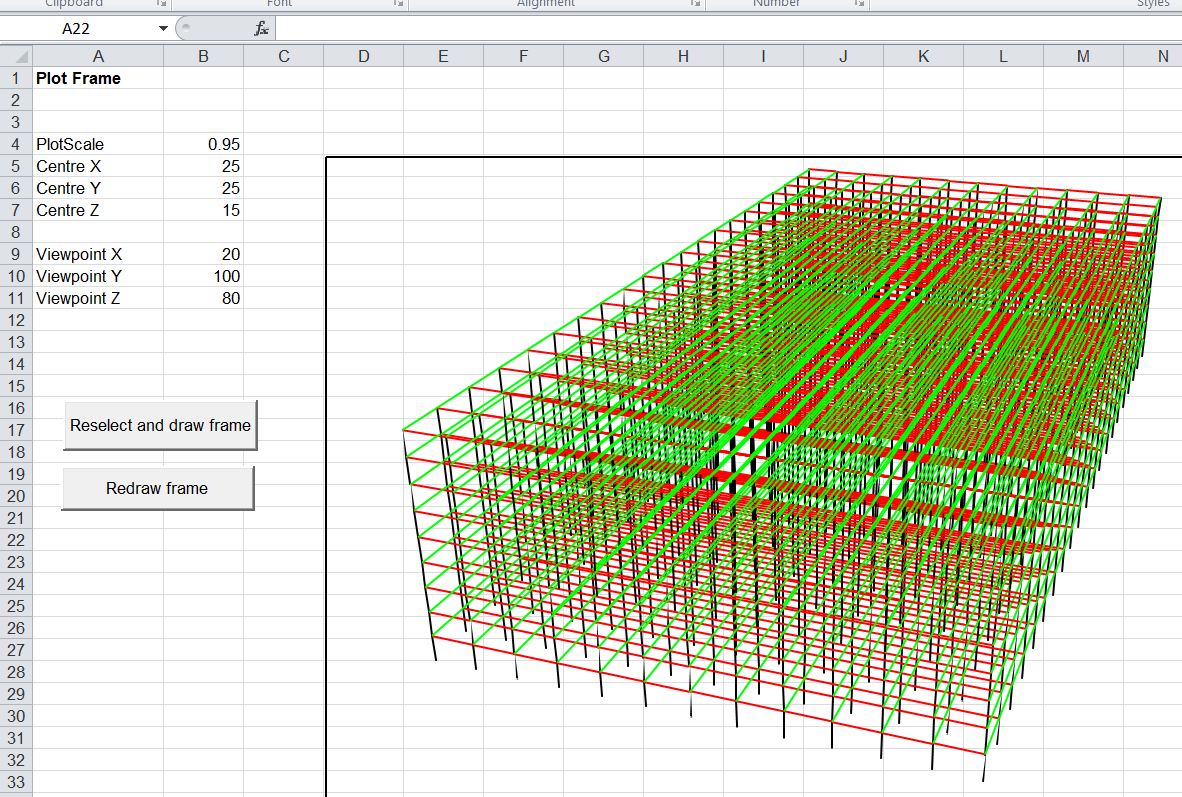
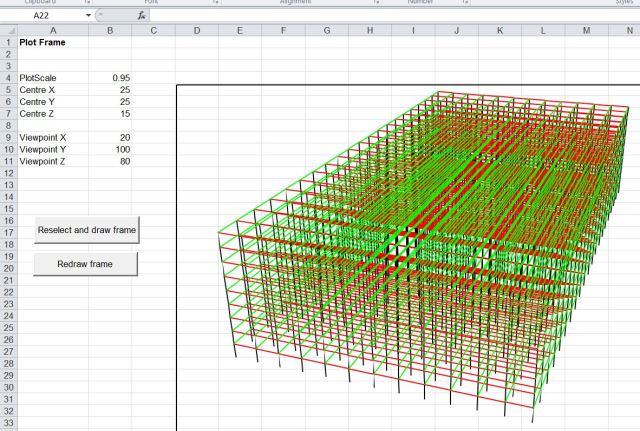
Large frame model (2730 nodes and 7065 beams)
3DFrame1-4

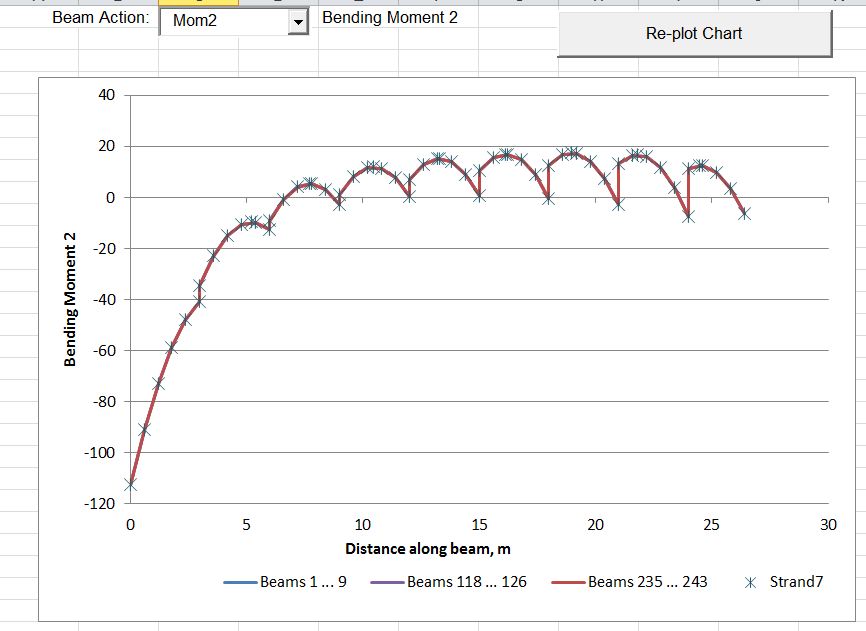
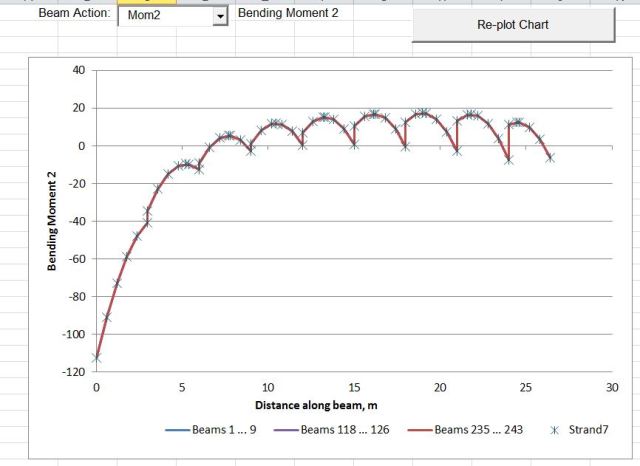
Results for 3 strings of columns compared with Strand7 results
3DFrame1-5

Solution times for the three solvers:

Large Frame Solution Time (solver only)

Large Frame Solution Time (solver only)

These times are for solution of the frame stiffness equations only; setting up the matrix and extraction of the results is performed entirely in VBA and took about 10 seconds for the large frame model. Nonetheless the sparse solver gives dramatic reductions to the solution time, which would potentially make non-linear analysis of even very large models practicable with this spreadsheet.

Posted in Beam Bending, Excel, Finite Element Analysis, Frame Analysis, Link to dll, Newton, Strand7, VBA | Tagged , , , , | 21 Comments