Drawing in Excel 7 – Creating drawings from coordinates

Previous Post, Drawing in Excel 6

The file PlotXYcontains routines to plot scale drawings in Excel from a list of XY coordinates of node points, node points for each shape, and formatting details for each shape type.  The plot is scaled to fit within the selected plot range and, unlike Excel charts, is scaled equally in the X and Y directions, so circles will stay circular.  Shapes may either be defined as polylines, with a series of points, or by using any of the built in Excel shapes.

Examples of the output are shown below, and data for the first three is included in the download.  The final example was plotted from about 250,000 node points, using over 12,000 polyline shapes (using Excel 2007), illustrating that this tool is capable of producing drawings from very large data sets.
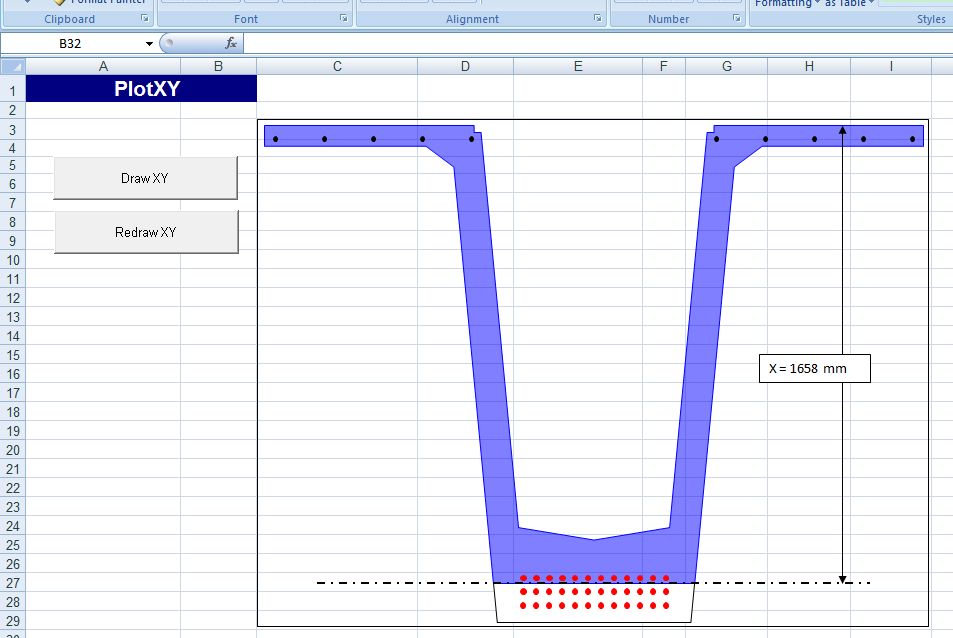
Super T bridge beam cross section

Super T bridge beam cross section

mesh

Finite Element Mesh for a Buried Precast Arch Structure

illusion

Concentric squares, or a square spiral?
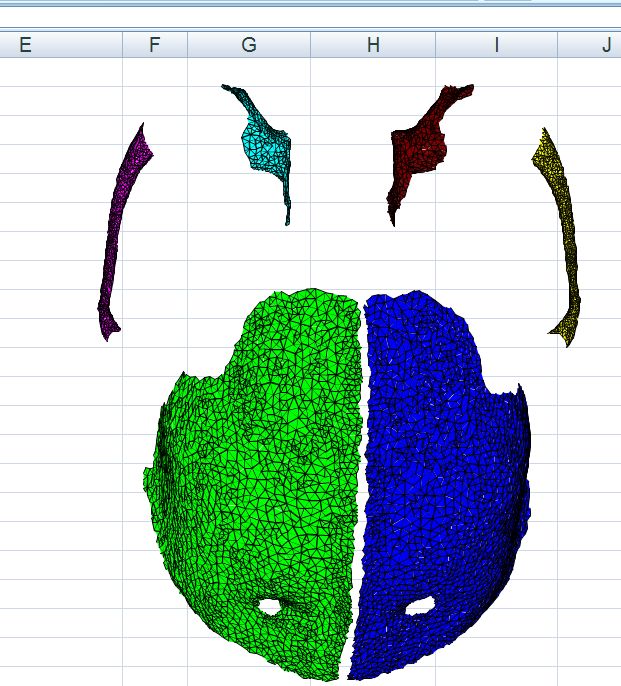
Detail of a very large finite element model of a bat skull

Detail of a very large finite element model of a bat skull

Any comments or requests for additional features?  Please let me know.

Posted in Drawing, Excel, VBA | Tagged , , , | 25 Comments

Concrete 09 Call for Abstracts – Closes 14th November

Concrete 09, the bi-annual conference of the Concrete Institute of Australia will be held from 17th to 19th September 2009 at Luna Park, Sydney.  The theme of the conference is “adding value in changing climates”.  The closing date for submission of abstracts is Friday 14th November 2008; just 7 days left!.

More details here

logo

Posted in Concrete, Newton | Tagged , , | Leave a comment

Reinforced Concrete Section Analysis 7 – rectangular sections

Previous post

The spreadsheets presented in earlier posts in this series have been simplified for use with rectangular sections with two layers of reinforcement.  The functions EStress (for elastic analysis of stresses, strains and crack widths) and UMom (for the ULS analysis of bending, axial load and shear capacity) can be found in the spreadsheet RC Design Functions7.

Examples of the output from these functions are shown below:

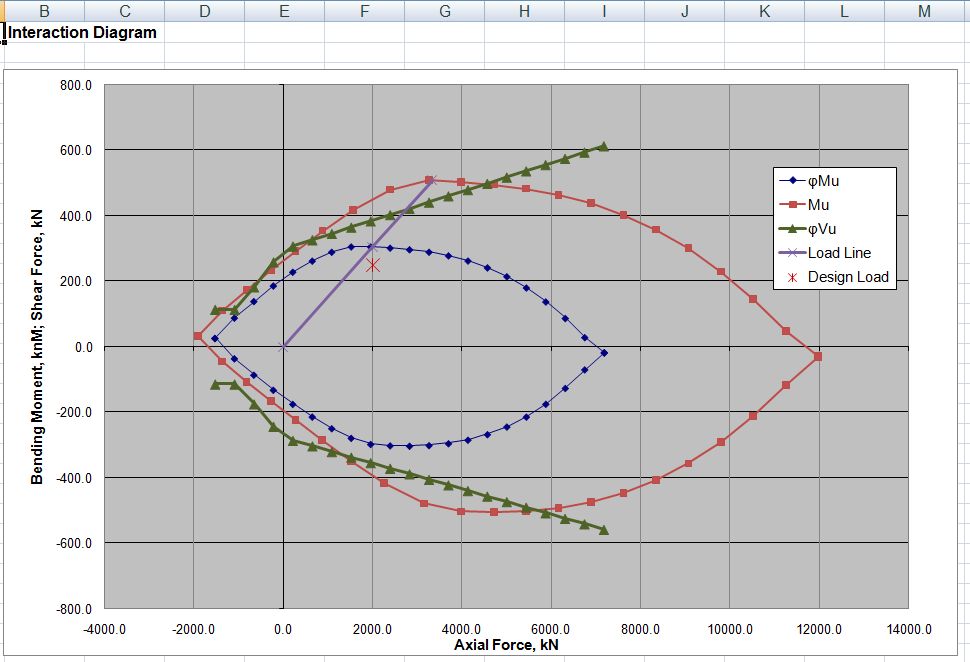
Interaction Diagram generated by UMom

Interaction Diagram generated by UMom

Estress and UMom entered as array functions

Estress and UMom entered as array functions

Posted in Beam Bending, Concrete, Newton, UDFs | Tagged , , , , , | 3 Comments

Bridges of NSW

An excellent and detailed account of historical bridges in New South Wales:

Bridge Types in NSW Historical Overviews

Bridge Types of NSW - sample

Bridge Types of NSW - sample

Posted in Arch structures, Historic Bridges, Newton | Tagged , , | Leave a comment

A Question of Spelling

The Excel VBA routine below will check the spelling of the text in the current selected cell, and return either TRUE or FALSE in the adjacent cell to the right:


Sub SpellChecksub()
Dim Checkword As String, Result As Boolean
Checkword = Selection.Value
Result = Application.CheckSpelling(Checkword)
Selection.Offset(0, 1) = Result
End Sub

Now it would be convenient to have this routine in a UDF, but the code below always returns FALSE:

Function SpellCheck(CheckRange As Variant) As Boolean
Dim Checkword As String
Checkword = CheckRange(1, 1).Value
SpellCheck = Application.CheckSpelling(Checkword)
End Function

Can anyone tell me why?

Posted in Excel, UDFs, VBA | Tagged , , | 15 Comments