Continuing from: Frame Analysis with Excel – 3, Continuous beam or frame
Download Frame1.zip – the download file includes complete open source code.
The continuous beam spreadsheet presented in the previous post has been modified to deal with 2D frames where any nodes may be connected, and to deal with much bigger structures. The changes that have been made are:
- The input has been rearranged to allow (in principle) data to be limited only by the number of rows in the spreadsheet. I say “in principle” because the size of the problem that can be handled is still limited by Excel’s matrix handling capabilities, and for Excel 2003 and earlier this is a restrictive limitation, but this will be fixed in future versions.
- The routine for forming the global stiffness matrix no longer assumes that beams are connected end to end in a single line, any 2D arrangement of beams is now possible.
- The matrix arithmatic operations are now carried out in VBA, rather than on the spreadsheet.
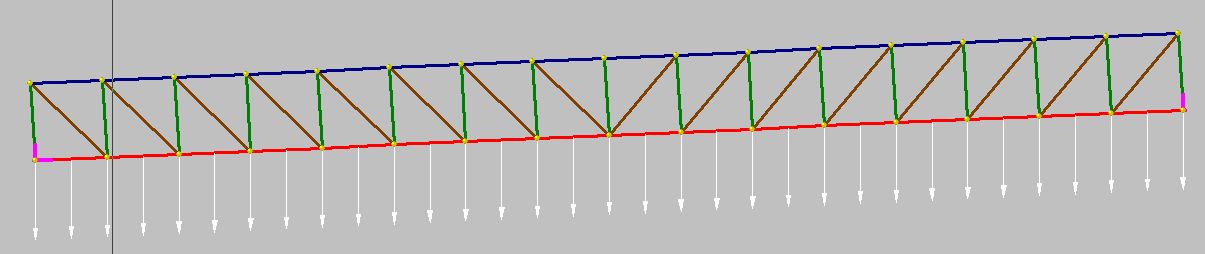
Screenshots below show the new input screens, and the results of the analysis of a 16 bay truss structure, compared with the analysis of the same structure in Strand7. Note that in the current version this structure is too large for Excel 2003 and earlier, but in the next version a VBA routine for the solution of the stiffness matrix equations will be incorporated, which will allow the analysis of much larger structures.

Input of beam properties, node coordinates, node restraints, and beam connections and property types
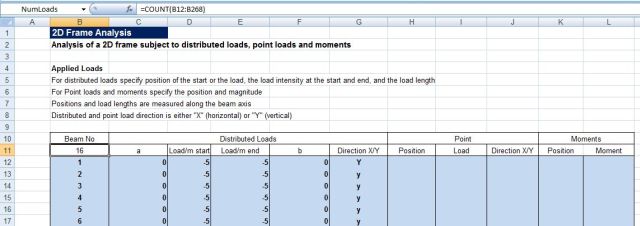
Input of member loads

Inclined truss
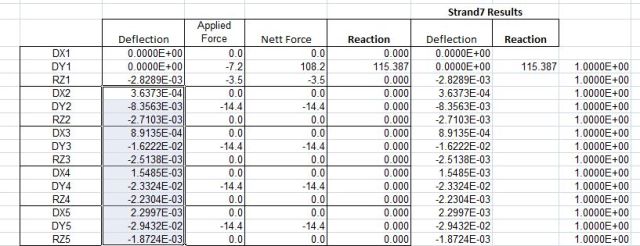
Results of truss analysis compared with Strand7 results for the same structure