The previous post presented a simple but slow procedure for solving non-linear equations with two unknowns. In this post I will describe a much faster method, that also has the advantage that it can simply be extended to work with any number of unknowns.
Three new functions have been added to the Eval2 spreadsheet, which can be downloaded (including full open source code) from:
For help with using array functions and user defined functions see: Using Array Functions and UDFs.
Looking again at the example from the previous post:
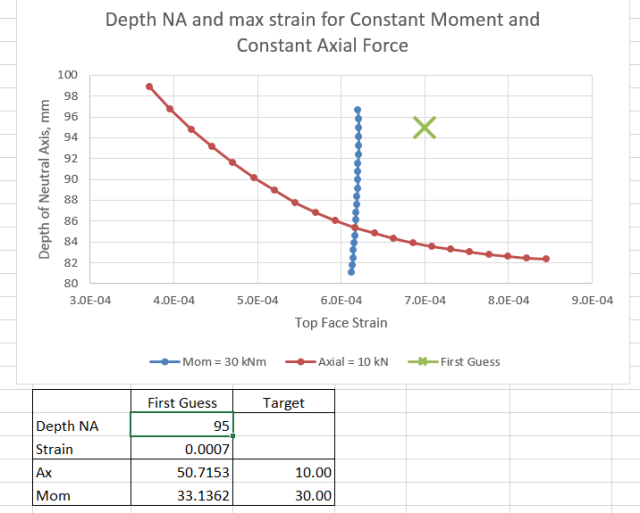
The graph can be seen as a plan view of two 3D surfaces plotting the variation of Moment and Axial Force with Depth of Neutral Axis and Top Face Strain. The blue line is the contour on the Moment surface where Moment = 30 kNm, and the red line is the contour on the Axial Force surface where Axial Force = 10 kN. Where these two lines intersect is the point we are looking for.
If the curved surfaces at any point are approximated by the tangent plane at that point, then the contour for any desired value becomes a straight line, and it is easy to find the intersection of these two lines for the two chosen values. In this example the solution requires solving a simultaneous equation with two variables, but the same approach is easily extended to any number of variables, using standard matrix algebra techniques.
The procedure for this solution method is:
- Write a function that will return the value of the two input functions to be solved for any given value of X and Y (where in the example X = top face strain and Y = depth of neutral axis)
- Using starting guessed values of X and Y calculate the value of the two functions at three locations: (X,Y), (X+δX, Y), and (X, Y+δY)
- Using these three values find the slope of each surface in the direction of the X and Y axes.
- Using these slopes, set up two equations for the contour lines at the desired values.
- Solve the two simultaneous equations to find a revised estimate of X and Y.
- Repeat until the calculated X and Y values are sufficiently close to the target values.
VBA code for a User Defined Function (UDF) to carry out this procedure is shown below:
Function MSolveT(Func As Variant, Target As Variant, Guess As Variant, Params As Variant, _
        Optional Defaults As Variant, Optional CommaDec As Boolean = False)
'Solve Function for 2 unknowns

Dim Err As Double, LoopNum As Long
Dim Var1 As Double, Var2 As Double, Var1_2 As Double, Var2_2 As Double, Res1 As Variant
Dim Res2 As Variant, Res3 As Variant
Dim MaxLoops As Long, ResTol As Double, VarFact As Double
Dim SlopeA(1 To 2, 1 To 2) As Variant, Var1diff As Double, Var2diff As Double
Dim ResDiff(1 To 2, 1 To 1) As Double, ResA(1 To 2, 1 To 1) As Double, Fact As Double, ResOut(1 To 2, 1 To 2) As Variant

    If IsMissing(Defaults) Then
        MaxLoops = 20
        ResTol = 0.0001
        VarFact = 1.000001
    Else
        MaxLoops = Defaults(1, 1)
        ResTol = Defaults(2, 1)
        VarFact = Defaults(3, 1)
    End If

    If TypeName(Target) = "Range" Then Target = Target.Value2
    If TypeName(Guess) = "Range" Then Guess = Guess.Value2


    Var1 = Guess(1, 1)
    Var2 = Guess(2, 1)

    LoopNum = 0
    Do
        LoopNum = LoopNum + 1
        ' Evaluate both functions at the guessed estimates and small increments in the X and Y directions.

        Var1_2 = Var1 * VarFact
        Var2_2 = Var2 * VarFact

        Guess(1, 1) = Var1
        Guess(2, 1) = Var2
        Res1 = MEval(Func, Params, Guess, , CommaDec)
        Guess(1, 1) = Var1_2
        Res2 = MEval(Func, Params, Guess, , CommaDec)
        Guess(1, 1) = Var1
        Guess(2, 1) = Var2_2
        Res3 = MEval(Func, Params, Guess, , CommaDec)

        Var1diff = Var1 * (VarFact - 1)
        Var2diff = Var2 * (VarFact - 1)

        ' Create new slope array
        SlopeA(1, 1) = (Res2(1, 1) - Res1(1, 1)) / Var1diff
        SlopeA(1, 2) = (Res3(1, 1) - Res1(1, 1)) / Var2diff
        SlopeA(2, 1) = (Res2(2, 1) - Res1(2, 1)) / Var1diff
        SlopeA(2, 2) = (Res3(2, 1) - Res1(2, 1)) / Var2diff

        ' Solve for new estimate of X and Y values
        Fact = SlopeA(1, 1) / SlopeA(2, 1)
        SlopeA(2, 2) = SlopeA(2, 2) * Fact - SlopeA(1, 2)
        ResDiff(1, 1) = Target(1, 1) - Res1(1, 1)
        ResDiff(2, 1) = (Target(2, 1) - Res1(2, 1)) * Fact - ResDiff(1, 1)

        ResA(2, 1) = ResDiff(2, 1) / SlopeA(2, 2)
        ResA(1, 1) = (ResDiff(1, 1) - SlopeA(1, 2) * ResA(2, 1)) / SlopeA(1, 1)

        Var1 = ResA(1, 1) + Var1
        Var2 = ResA(2, 1) + Var2
        Err = Abs(Target(1, 1) - Res1(1, 1))
    Loop While LoopNum <= MaxLoops And Err > ResTol

    ' Recalculate function values with final X and Y values

    If Err < ResTol Then
        Guess(1, 1) = Var1
        Guess(2, 1) = Var2
        Res1 = MEval(Func, Params, Guess)

        ResOut(1, 1) = Var1
        ResOut(2, 1) = Var2
        ResOut(1, 2) = Res1(1, 1)
        ResOut(2, 2) = Res1(2, 1)
    Else
        ResOut(1, 1) = "Did not converge"
    End If

    MSolveT = ResOut
End Function
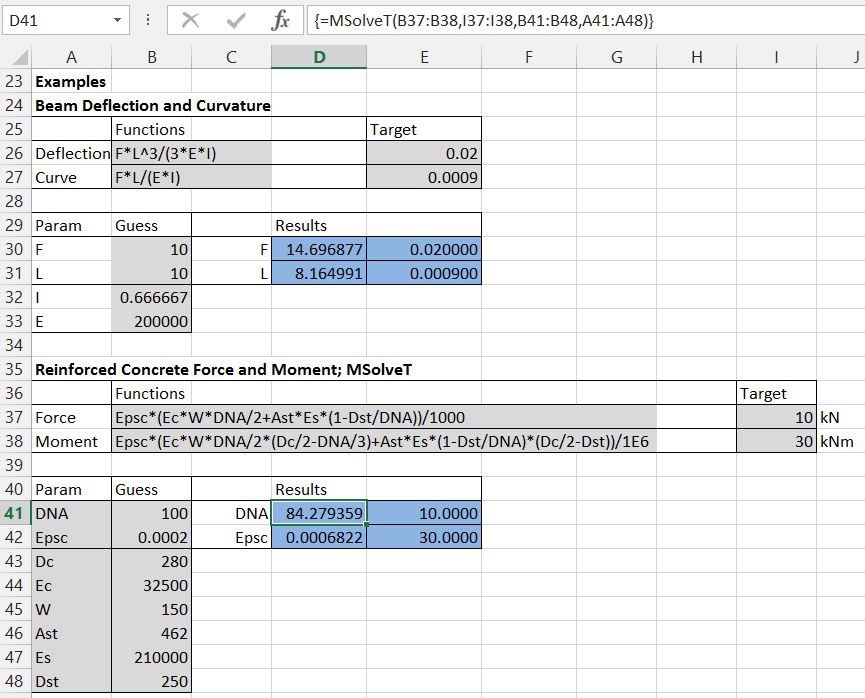
With the MSolveT UDF the two functions to be solved are entered as text on the spreadsheet. These are then passed to MEval as an array of two text function, which are evaluated, and the results returned as a 2×1 array. Note that the new MEval function can also be used as a UDF, and will work with any number of input functions.
Examples of the MSolveT UDF are shown in the screenshot below:
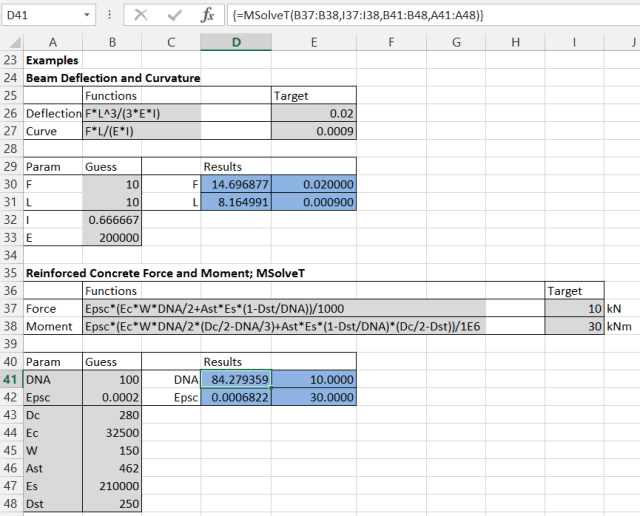
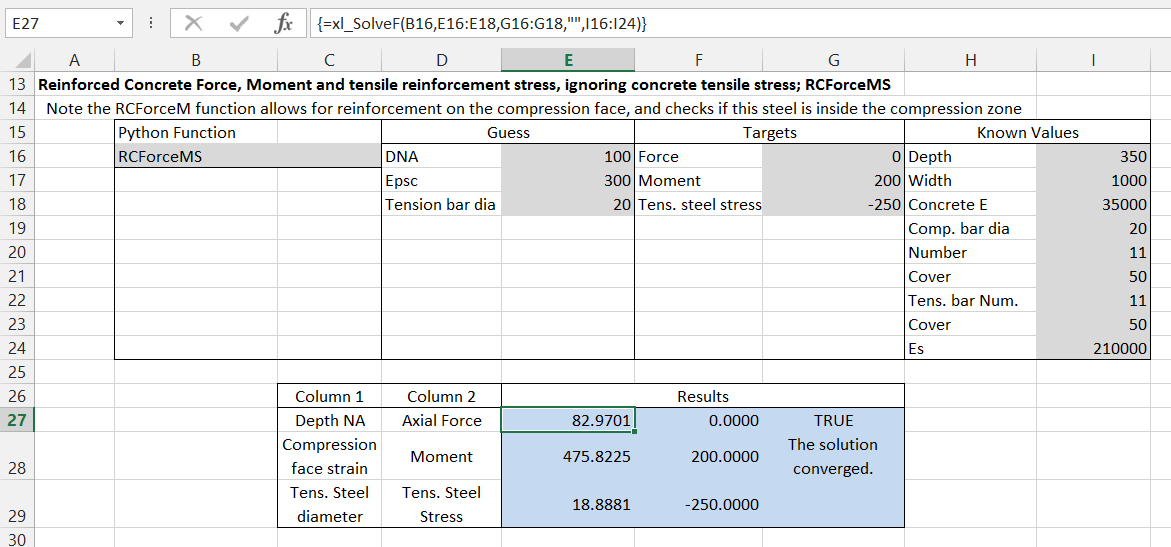
Where the functions to be evaluated are too complex to enter as a single line of text on the spreadsheet, the MSolveF UDF may be used. In this case the functions are evaluated by the VBA function named on the spreadsheet, which must return a variant array with (at least) 2 rows and 1 column.
In the example below the VBA function used, RCForceM, allows for the calculation of two layers of reinforcement, and also checks if the compression reinforcement is actually in the compression zone.
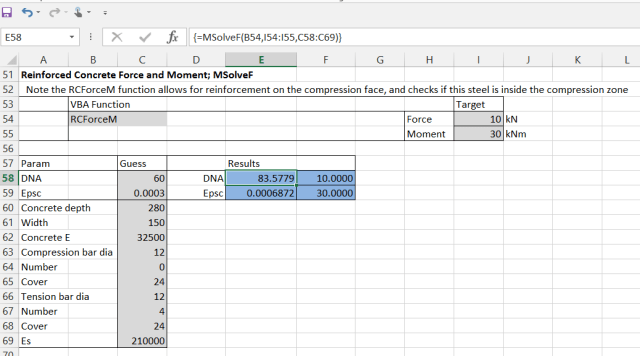
Note that this function is provided for simple example purposes only. The Estress function in the Reinforced design Functions spreadsheet provides a closed form solution to the same problem, and also makes several checks that are not included in these simple examples; for instance that the neutral axis is within the depth of the section.
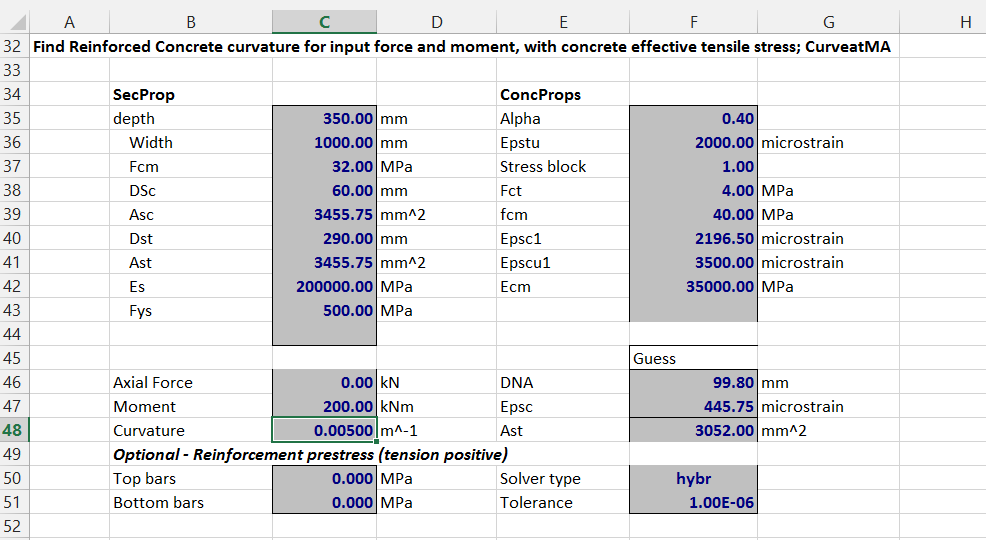
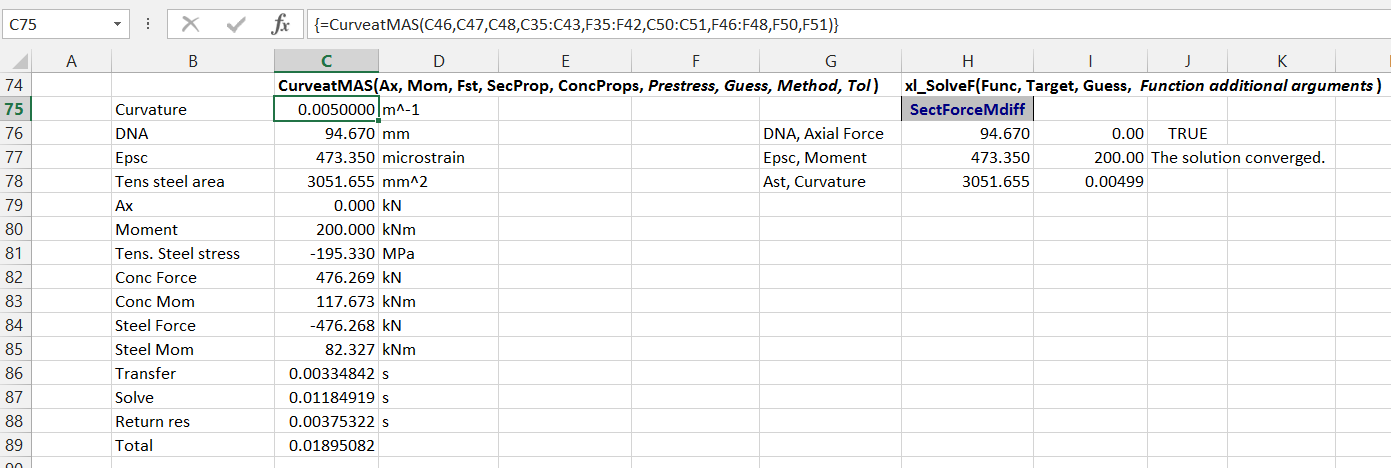
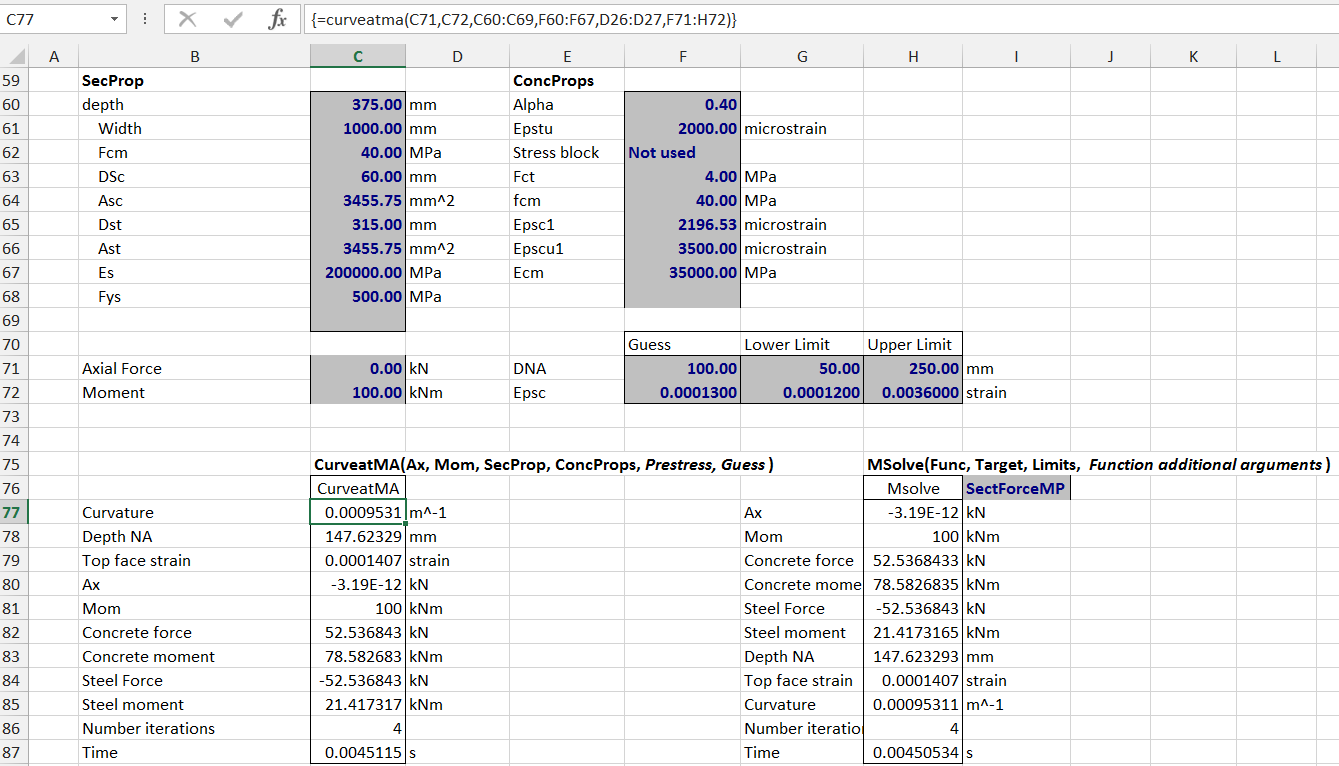
In the next post in this series the SolveF UDF will be used with a more complete function for evaluating the force and moment on a reinforced concrete section, including allowance for non-linear stress-strain curves for the steel and concrete, and use of a tensile stress curve for the concrete, to model tension stiffening.