What is VBA good for? …

… is the name of a Stackoverflow thread that sends a steady trickle of visitors here (thanks to a link posted by Charles Williams of FastExcel).  On a similar theme, Smurf on Spreadsheets has a post entitled “What’s so good about VBA?” that has just celebrated its fifth birthday, and has also recently attracted a comment reading “don’t learn VBA”, which links to a blog post entitled “Losing touch… or why Excel and VBA won’t cut it any more“.

Since all these discussions have generated many comments that are at best misleading and often outright wrong, I thought I would add my perspective.

The first comment from Stackoverflow says that VBA is a “legacy language”. No, it isn’t.  A legacy language is one that has been superseded by others which provide better functionality, but is still used because applications written in the old language are still in use.  This isn’t the case with VBA.  Spreadsheets remain by far the most common application for number processing of all types, Excel remains by far the most widely used spreadsheet, and VBA is the only language tightly bound into the Excel object model, that allows both expert and non-expert programmers (and those in between) to greatly extend the scope and power of Excel with the minimum of fuss.

Further down the page at Stackoverflow there are some good comments about the sort of thing that VBA is good for, but my favourite summary was from Harlan Grove at the Smurf discussion:

Poor analogy, trowel vs backhoe.

Better analogy would be people who use a pickup truck for their job and choose to maintain the truck’s engine themselves. VBA is a 1958 Ford engine for which you need a full set of socket wrenches and maybe a hammer. VSTO is a 2009 Ford engine for which you need a year’s pay to buy all the electronic diagnostic gear.

If you use the additional stuff for the 2009 Ford, your engine will run more efficiently. But if your day job isn’t being a mechanic, is it worth the time & effort learning to use it?

Actually this is where my analogy breaks down. VSTO solutions even when used well aren’t necessarily more efficient than pure VBA. And the analogy breaks down further because truck engines are a lot more standardized than the different .Net versions.

So that’s what VBA is good for.  It’s the ute of computer programs (a ute is a pick-up truck, for non-Australians).  It might not always be the best vehicle for the job (although often it is), but it gets the job done, and you don’t need a special licence to drive it.

What do you think?  Is Excel+VBA still worth learning, or has it had its day?

Posted in Computing - general, Excel, VBA | Tagged , , , | 16 Comments

Bridges Over the Tiber -3

See Bridges Over the Tiber -1 for location map.

The final installment of Bridges Over the Tiber brings us to the six bridges built in the 20 th Century, which can be grouped in three pairs: two copies of the ancient Ponte Fabricio, two based on the medieval and 19th Century arch bridges, and two of clearly 20th Century design.

The Ponte Sublicio (1) – 1918, and Ponte  Amedeo Savoia Aosta (9) 1939 both make clear reference to the ancient Ponte Fabricio.  The Ponte Sublicio is on the site of the earliest bridge over the Tiber, built around 642 BC, but there are now no remains of the original bridge.

Ponte Sublicio

Ponte Sublicio

Ponte Sublicio

Ponte Sublicio

IMG_5862

Ponte Sublicio

The Ponte Amedeo Savoia Aosta was constructed between 1939 and 1942 and consists of three segmental masonry arches covered in white marble.

IMG_5931 IMG_5943 IMG_5944

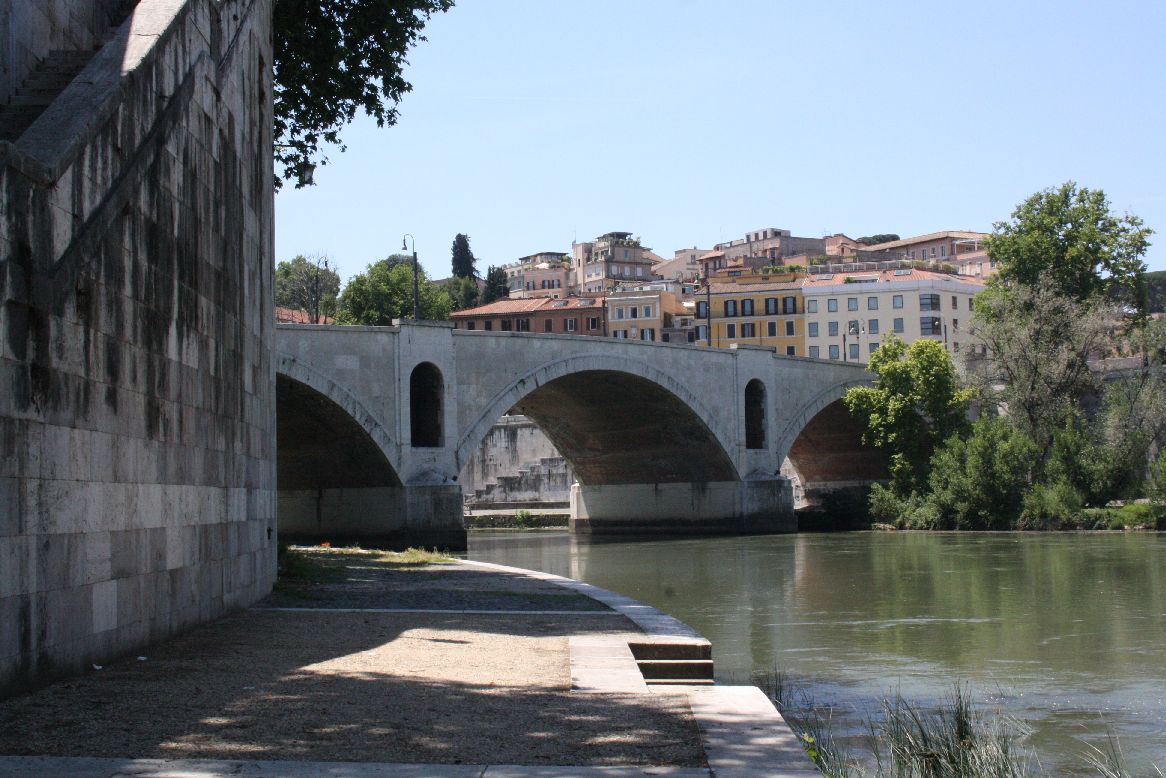
The Ponte Mazzini (8)  and Ponte Matteotti (16) were constructed in 1904 and 1929 respectively.  The Ponte Mazzini, with three flat segmental arches supported on solid piers, follows in the tradition of the late 19th century bridges, such as the Ponte Vittoria Emanuele II and the Ponte Umberto I.

IMG_5922

Ponte Mazzini

IMG_5923

Ponte Mazzini

IMG_5926

Ponte Mazzini

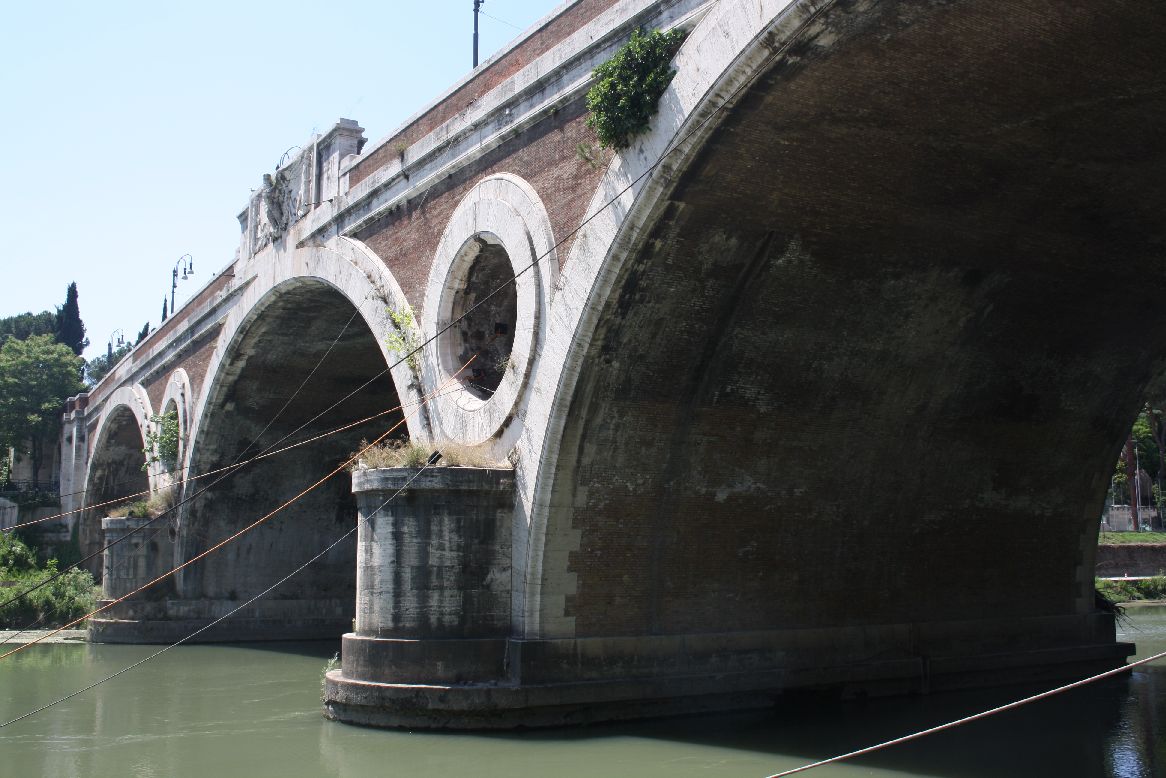
The Ponte Matteotti with its circular openings either side of the central span and semi-circular arches reflects the design of the medeival Ponte Sisto, although to my mind a good deal less elegantly.

Ponte Matteotti

Ponte Matteotti

IMG_6010

Ponte Matteotti

IMG_6024

Ponte Matteotti

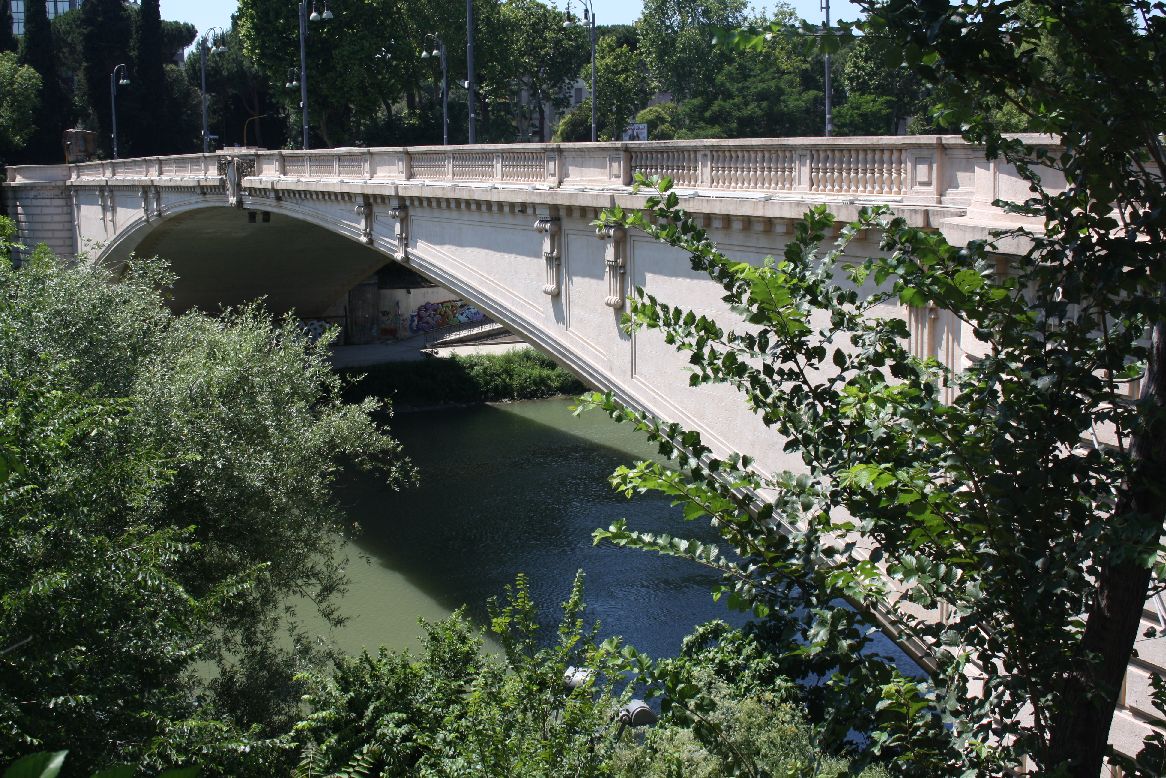
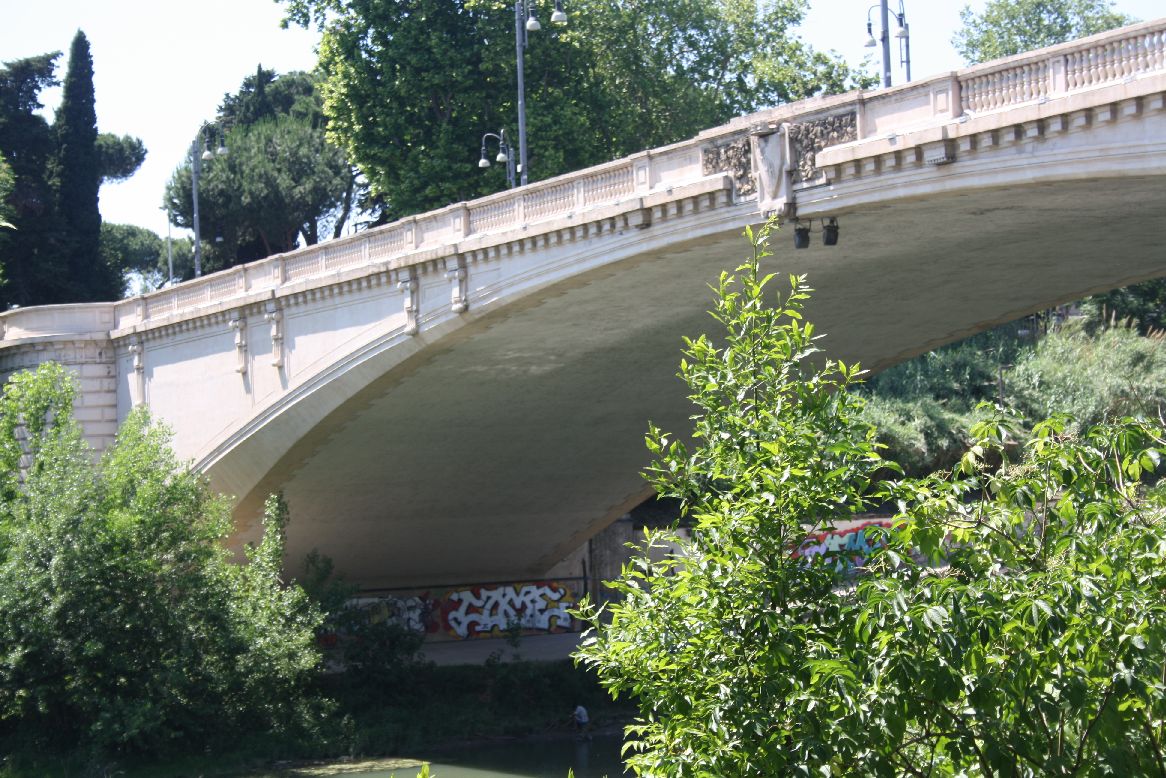
The final two bridges are the Ponte Risorgimento (17) and the Ponte Pietro Nenni (15).  The Ponte Risorgimento has many visual similarities to flat segmental arches of the late 19th Century, but it is an early example of the use of reinforced concrete, having been constructed using the system of François Hennebique, starting in 1909.  The designers have taken advantage of the reinforced concrete system with a larger span and more slender crown than could be achieved with masonry construction.

IMG_6012

Ponte Risorgimento

IMG_6015

Ponte Risorgimento

IMG_6017

Ponte Risorgimento

IMG_6020

Ponte Risorgimento

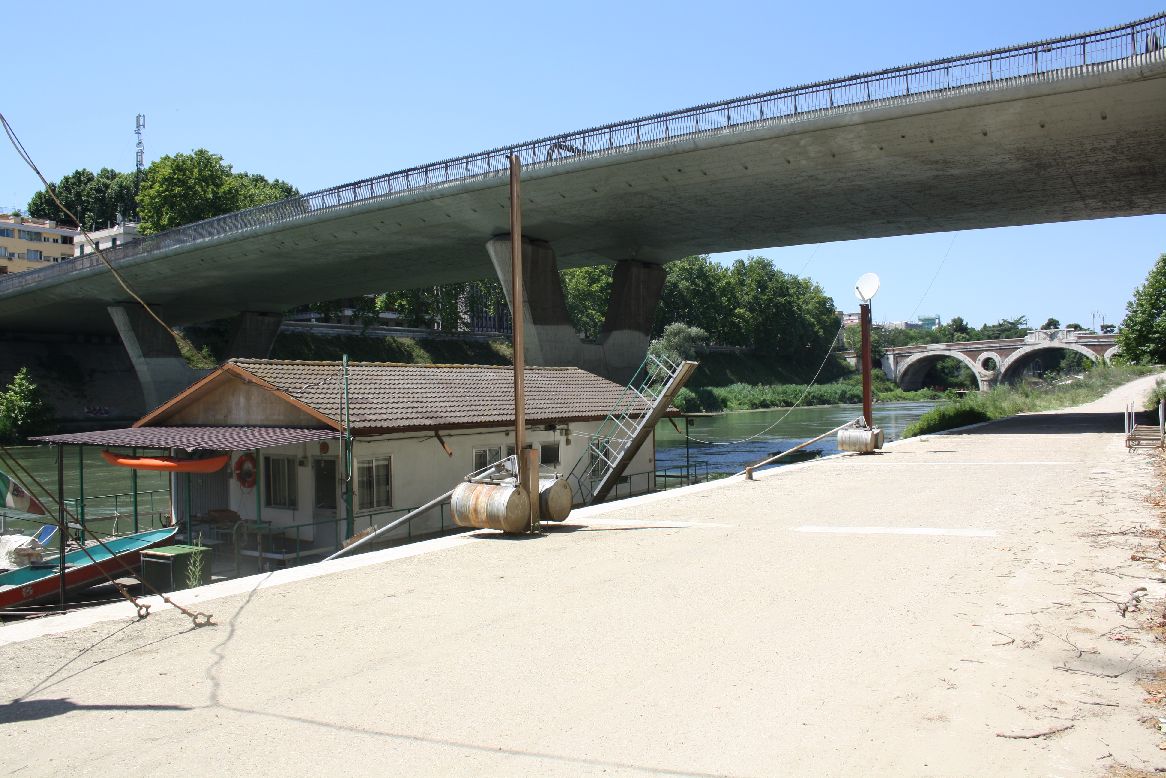
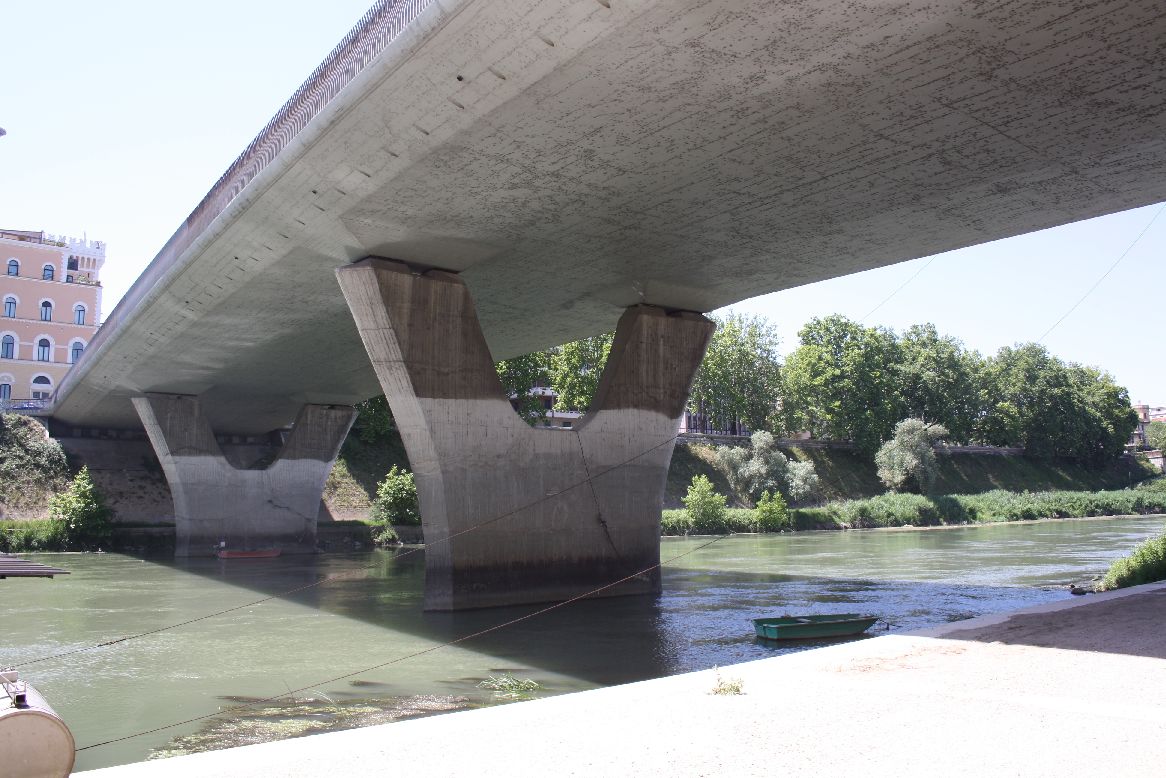
The Ponte Pietro Nenni was constructed between 1969 and 1972 and is the only modern design of the 17 structures.  Constructed in post-tensioned concrete, the slender slab deck supported on Y shaped piers is totally different to the older arch structures, but the attention to detail has in my opinion resulted in a design that is in keeping with its older neighbours.

IMG_6027

IMG_6001 IMG_6002 IMG_6003

Posted in Arch structures, Historic Bridges, Newton | Tagged , , , | Leave a comment

Using Frame4 for truss analysis

The Frame4 spreadsheet is set up to allow the analysias of rigid-jointed 2D frames, but it is simple to use it for 2D truss analysis; simply either provide a moment release at each end of every member, or define every member with a second moment of area (I) sufficiently low that all bending moments will be negligible.  I have added a truss example to the download zip file.  The program has also had a minor upgrade to Ver 3.06.  Free download (including open source code) from Frame4.zip.

The truss example is taken from: http://richardson.eng.ua.edu/Former_Courses/CE_331_fa00/Notes/Truss_Design_Example.pdf

Truss Example - note that truss height should be 6 feet

Truss Example – note that truss height should be 6 feet

The truss may either be specified with moment end releases at both ends of each member:

Truss2-3a

Or specify a very low I value for each member:

Truss2-3

The results given in the example are shown below:

Truss2-2

The axial load values from the spreadsheet are in good agreement:

Truss2-4

Truss deflected shape:

Truss2-5

Axial force in top and bottom chords:

Truss2-6

Posted in Excel, Finite Element Analysis, Frame Analysis, Newton, VBA | Tagged , , , | 2 Comments

5 Year Report

As in previous years, I have downloaded the statistics for this blog for the previous year, and pasted them into a worksheet. The link to each post is preserved in the spreadsheet, so it makes a convenient index to what has been posted over the year. The spreadsheet has been uploaded to Skydrive, so you should be able to access the links in the window below, or open the file in your browser or Excel, or download it.

Of the 2012 posts, the most popular overall was Retrieving unique values from a range or array … .

The most popular in the Newton category was The Dome of Santa Maria del Fiore – Dimensions,

and the most popular in the Bach category was All men will be sailors then, until the sea shall free them

From the “deserving but sadly neglected category” I have chosen (so go and have a look/listen):

Newton: They all laughed at Christopher Columbus …

Excel: Units for Excel 5:

Bach: Reynardine

Most frequent referrers to this site came from:

Referrers to NewtonExcelBach

Referrers to NewtonExcelBach

Posted in Bach, Excel, Newton | Tagged | 3 Comments

Function to make a list of functions …

… and other procedures.

I wanted to make a list of all the VBA procedures in a workbook, and discovered that Excel doesn’t have a built-in way of doing that.  People have written code to work their way around that of course, and the code I ended up using came from Jon Peltier’s site: http://peltiertech.com/WordPress/list-vba-procedures-by-vba-module-and-vb-procedure/

Jon had modified some code, that originally sent the list to a dialog, so that it pasted it into a new workbook instead.  Nothing wrong with that, but it seemed to me more convenient to have it operate as a User Defined Function (UDF), returning an array, so that you could have your list wherever you wanted.  A couple of other changes, while I was at it:

  • I split the output into two columns, module name and procedure name.
  • I started off creating a large array for the output, rather than re-diming for every new line.

Here’s the end result: (Or download GetProcedures.xlsb)

Function GetProcedures()
'' Based on:
'' Displaying a List of All VBA Procedures in an Excel 2007 Workbook
''     from the Ribbon (June 2009)
'' by Frank Rice, Microsoft Corporation
'' http://msdn.microsoft.com/en-us/library/dd890502(office.11).aspx#
'' as modified by Jon Peltier
'' http://peltiertech.com/WordPress/list-vba-procedures-by-vba-module-and-vb-procedure/

'' Modified by Doug Jenkins to operate as a UDF and return results as a 2 column array

'' set a reference to the Microsoft Visual Basic for Applications Extensibility 5.3 Library

' Declare variables to access the Excel workbook.
Dim app As Excel.Application
Dim wb As Excel.Workbook

Dim sOutput() As String
Dim sFileName As String

' Declare variables to access the macros in the workbook.
Dim vbProj As VBIDE.VBProject
Dim vbComp As VBIDE.VBComponent
Dim vbMod As VBIDE.CodeModule

    ' Declare other miscellaneous variables.
Dim iRow As Long
Dim iCol As Long
Dim iLine As Integer
Dim sProcName As String
Dim pk As vbext_ProcKind
' Add constant for output array size to avoid redims
Const OutRows As Long = 10000

    Set app = Excel.Application

'For Each wb In app.Workbooks
For Each vbProj In app.VBE.VBProjects

' Get the project details in the workbook.
        On Error Resume Next
sFileName = vbProj.FileName
If Err.Number <> 0 Then sFileName = "file not saved"
        On Error GoTo 0

        ' initialize output array
ReDim sOutput(1 To OutRows, 1 To 2)
sOutput(1, 1) = sFileName
sOutput(2, 1) = vbProj.Name
iRow = 0

        ' check for protected project
        On Error Resume Next
Set vbComp = vbProj.VBComponents(1)
        On Error GoTo 0

If Not vbComp Is Nothing Then
            ' Iterate through each component in the project.
For Each vbComp In vbProj.VBComponents

                ' Find the code module for the project.
Set vbMod = vbComp.CodeModule

                ' Scan through the code module, looking for procedures.
iLine = 1
Do While iLine < vbMod.CountOfLines
sProcName = vbMod.ProcOfLine(iLine, pk)
If sProcName <> "" Then
iRow = iRow + 1
'   ReDim Preserve sOutput(1 To 2 + iRow)
sOutput(2 + iRow, 1) = vbComp.Name
sOutput(2 + iRow, 2) = sProcName
iLine = iLine + vbMod.ProcCountLines(sProcName, pk)
                    Else
                        ' This line has no procedure, so go to the next line.
iLine = iLine + 1
                    End If
                Loop

                ' clean up
Set vbMod = Nothing
Set vbComp = Nothing

            Next
        Else
' ReDim Preserve sOutput(1 To 3, 1)
sOutput(3, 1) = "Project protected"
        End If

If iRow = 0 Then    ' UBound(sOutput) = 2 Then
' ReDim Preserve sOutput(1 To 3)
sOutput(3, 1) = "No code in project"
        End If
sOutput(2, 2) = iRow

GetProcedures = sOutput

        ' clean up
Set vbProj = Nothing
    Next

End Function

And here’s what the output looks like:

GetProcedures() UDF Output

GetProcedures() UDF Output

Posted in Arrays, Excel, UDFs, VBA | Tagged , , , , | 3 Comments