Will it Fall Over?

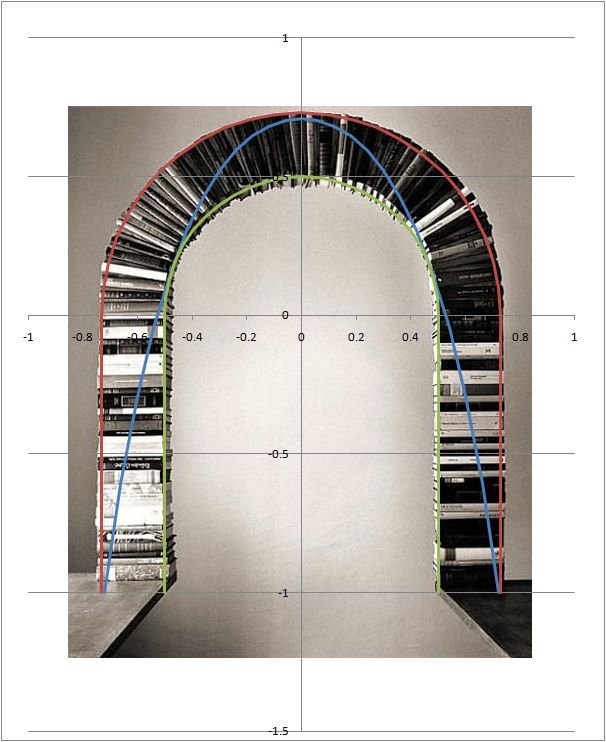
Is the arch in the picture below stable, or has it been created in Photoshop, or perhaps with the assistance of some glue or external straps?

Book Arch

Book Arch

A simple analysis suggests that tension will be generated at the bottom of the crown, and at the tops of the columns, suggesting that the books would not be stable in this configuration without some reinforcement.

Analysis 1

Analysis 1

But looking at the problem from a geometric perspective, it is possible to fit a catenary within the shape of the arch, and the structure should therefore be stable:

Catenary

Catenary

A slightly more detailed analysis, allowing the arch segments to separate rather than develop tension suggests that the structure would be able to develop a compressive path to carry the gravity loads to the base.

Analysis 2

Analysis 2

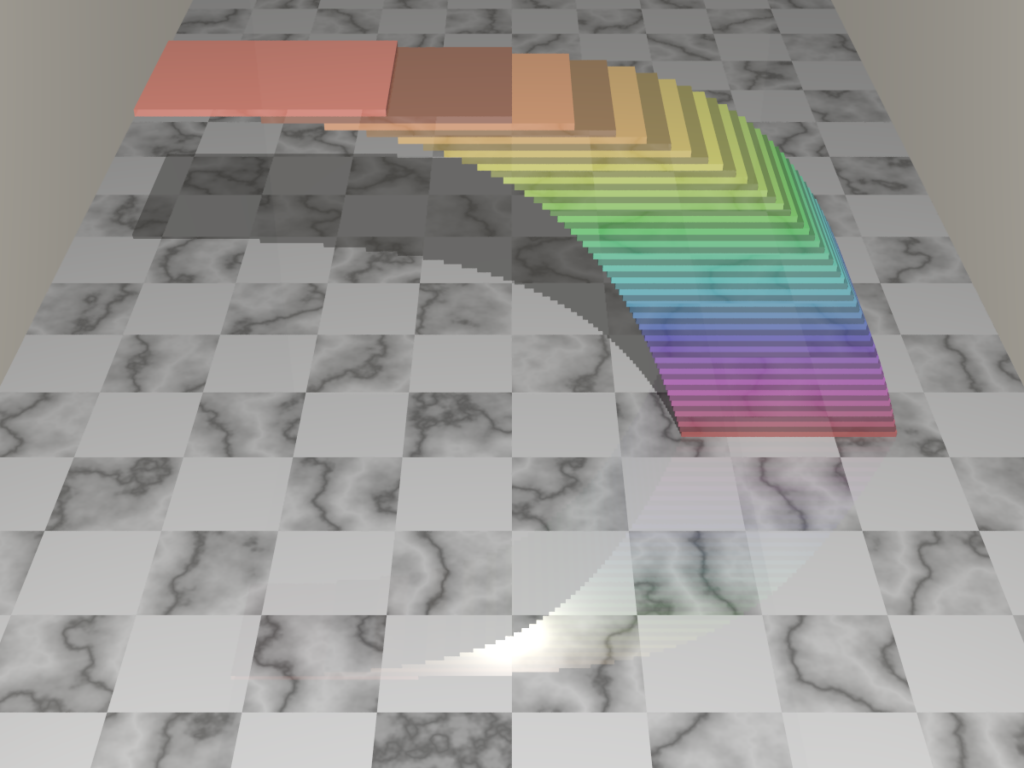
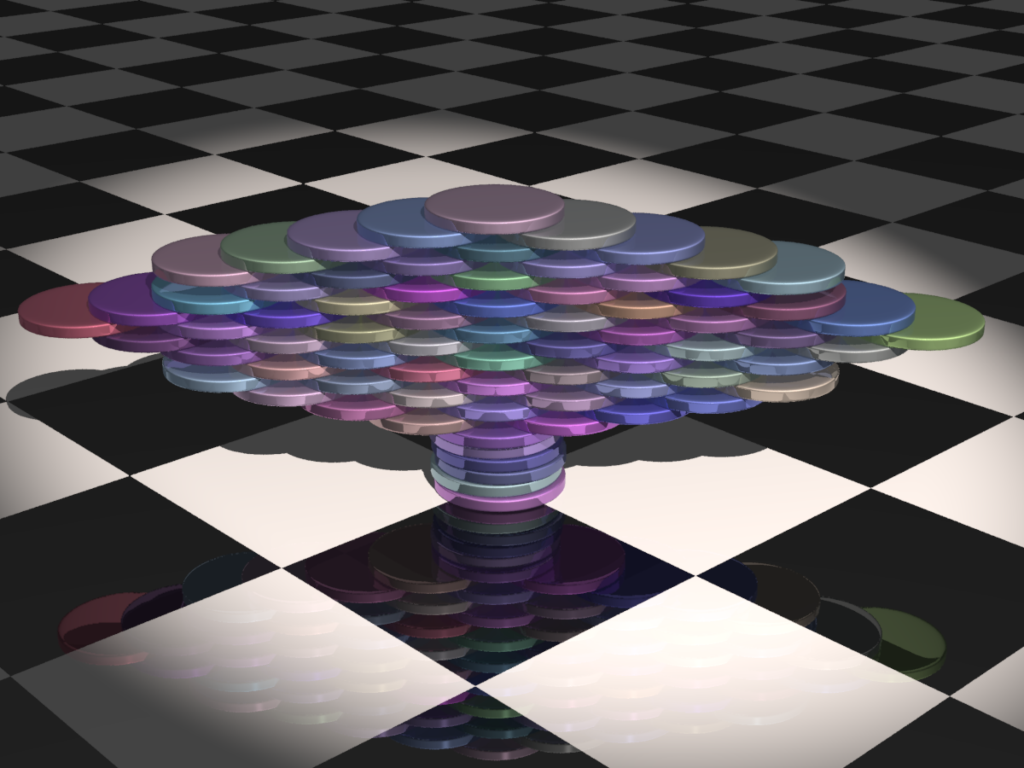
The stability of structures is not always obvious. The ray tracings below from, PM 2ring, show two different types of “pseudo arch”, which are both stable, if correctly configured:

Cantilever

Cantilever

Posted in Arch structures, Finite Element Analysis, Newton, Ray Tracing | Tagged , | 2 Comments

The Old Bridge at Heidelberg

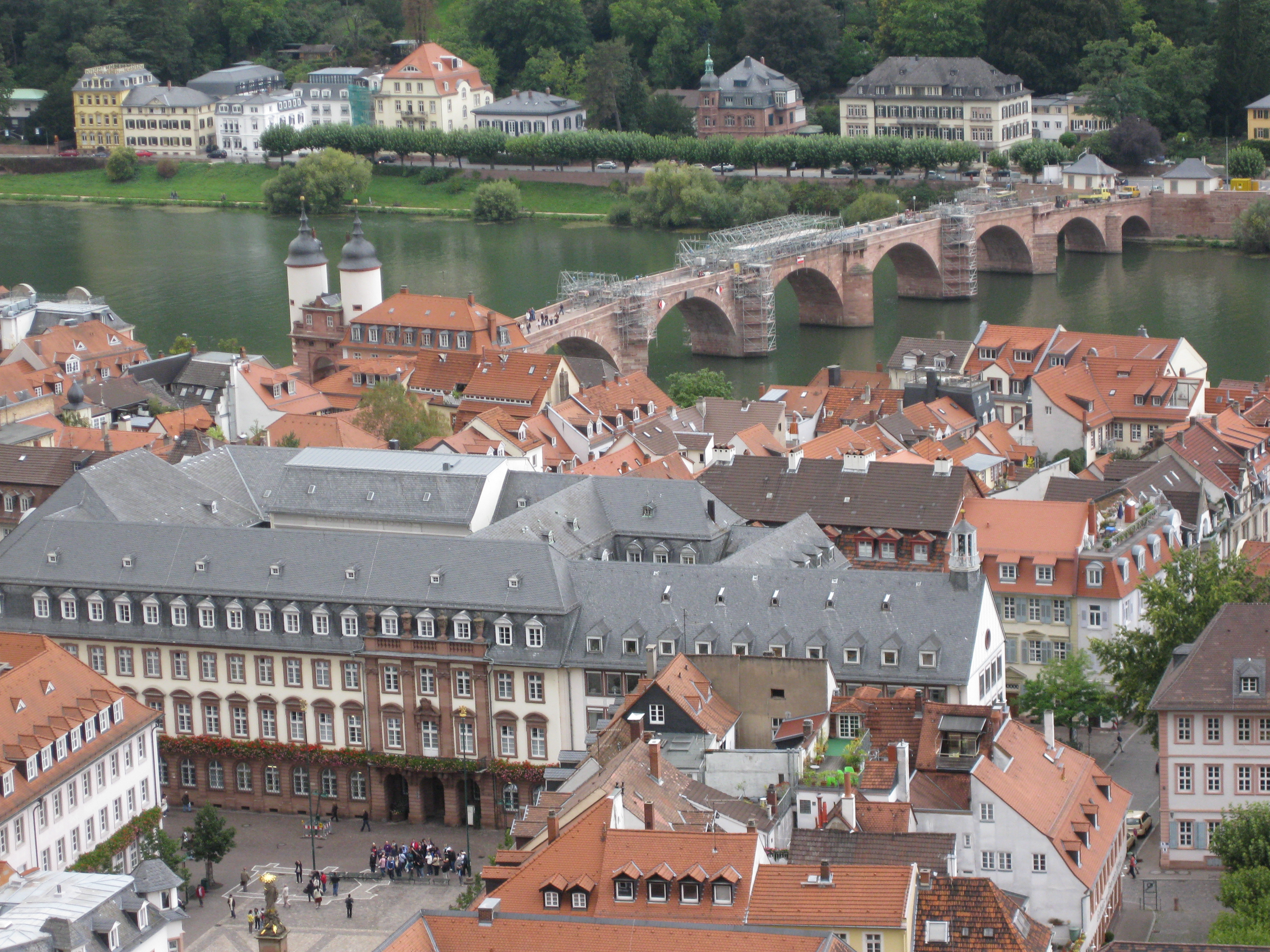
The “Old Bridge” at the German university city of Heidelberg was constructed in 1788,replacing a wooden bridge that had occupied the same site since 1284, and which was regularly destroyed by ice and floods.

Heidelberg Old Bridge from the castle

Heidelberg Old Bridge from the castle

Heidelberg Old Bridge

Heidelberg Old Bridge

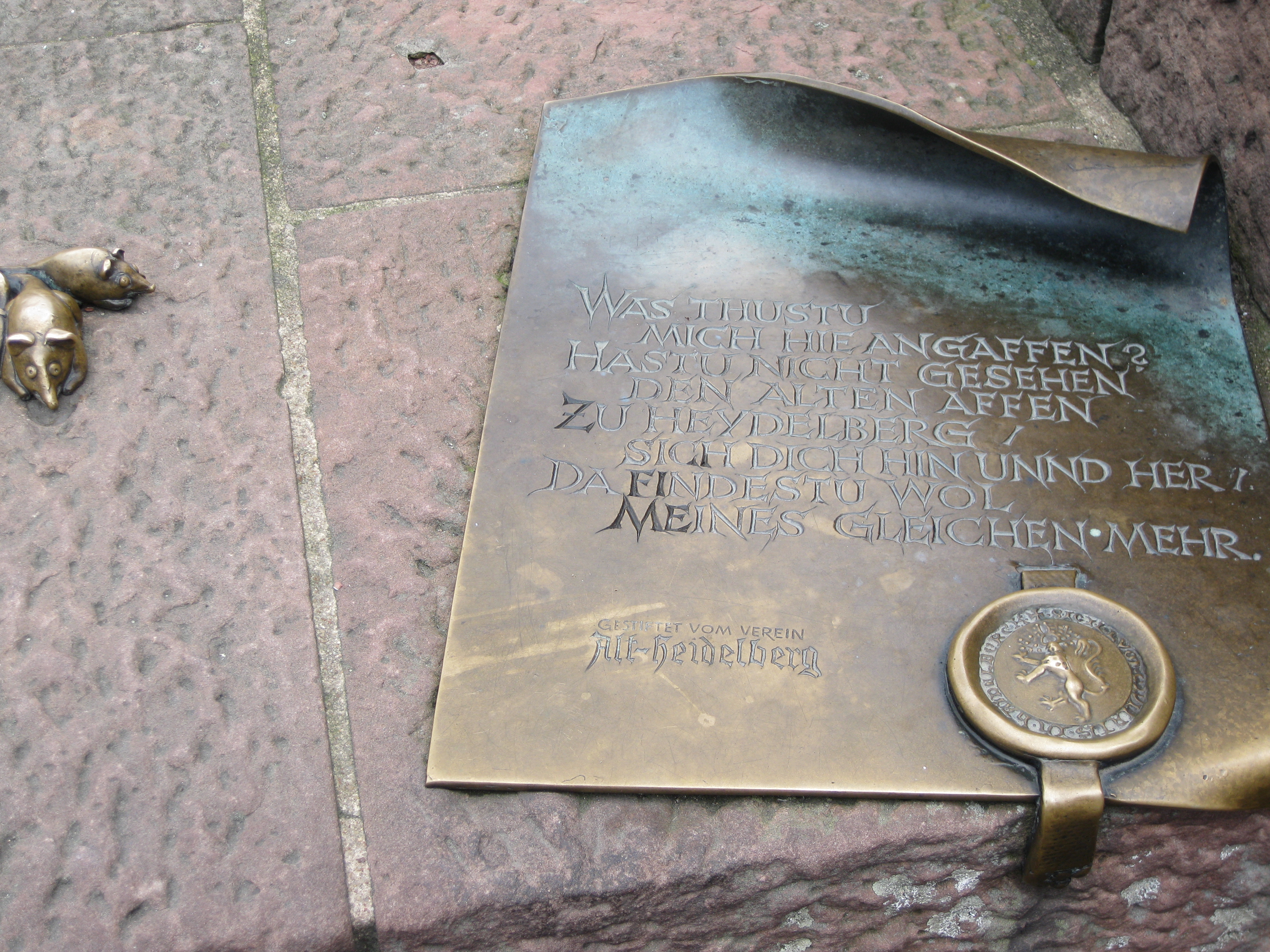
On the south bank can be found the Bruckenaffe, or Bridge Monkey,made by sculptor Gernot Rumpf, based on a carved monkey from medeival times. The monkey carries a mirror, and the adjoining
inscripion roughly translates as:

Why are you looking at me?
Look in the mirror
and you will see more of the same

The Bridge Monkey

The Bridge Monkey

The monkeys inscription

The monkey

Posted in Arch structures, Bach, Historic Bridges, Newton | Tagged , | Leave a comment

Drawing in Excel 6 – getting shape properties

Previous post

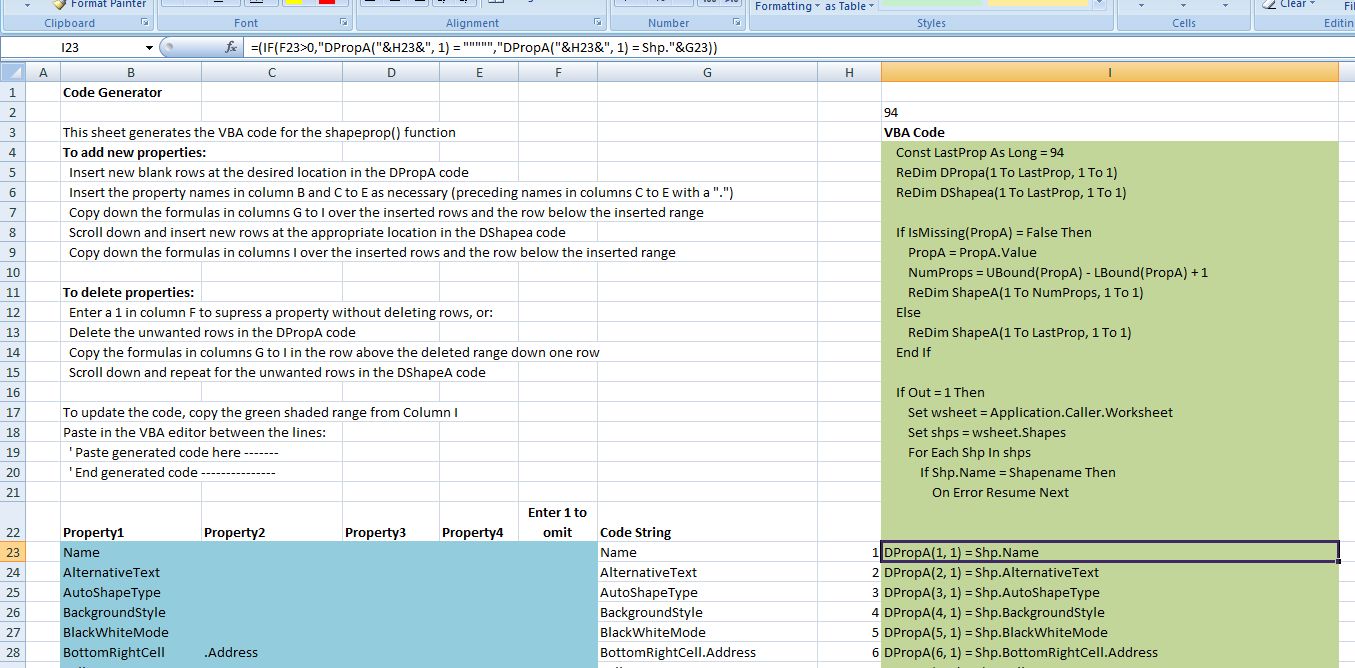
One of the less than useful new “features” of Excel 2007 is that its macro recorder no longer records operations on shapes, which removes the easiest way to discover the exact names of shape properties, and how to manipulate them.  The file ShapeProps.zip contains a spreadheet with a User Defined Function (UDF) that will return a list of property names, and the values for each property, for any named shape.  In addition it will generate VBA code to read aditional properties if the correct property names are inserted in a list on the spreadsheet.


The UDF currently reads 94 different properties, which can either be returned as a column array of all 94 values, or if a list of property numbers is entered only the listed property values will be returned.  See the screen shot below for examples.

ShapeProp() Output

ShapeProp() Output


ShapeProp() code generation sheet

ShapeProp() code generation sheet

Posted in Drawing, Excel, UDFs, VBA | Tagged , , , , | 5 Comments

Linking Excel to C – 3; Avoiding bottlenecks

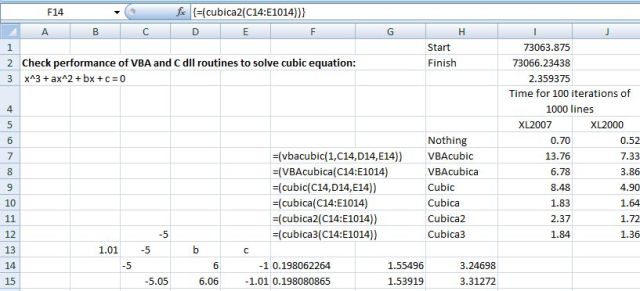
The previous post in this series included a C dll to solve cubic polynomial equations that could be called from VBA.  The performance of this routine is compared with a VBA routine using a similar algorithm in the sceenshot below (rows 6 and 8):
Benchmark of cubic solution routines

Benchmark of cubic solution routines

Both of these routines spend most of their time passing data from the spreadsheet to VBA and back again, as can be seen by comparing with row 7, where the routine VBAcubica is over 2 times faster than the original VBA routine. In VBAcubica all 1000 lines of data are passed to VBA as an array in one operation; the equations are then solved and the results passed back in one operation. This spreadsheet and the VBA and C code can be downloaded here:

This process has been replicated using the C dll in three different ways:

  • In Cubica the data is passed to VBA as an array, then passed to the dll one row at a time as three doubles, passed by value.
  • In Cubica2 the 1000×3 array of variants is converted to a single dimension, base 0, array of doubles, which is passed to the dll by reference.
  • in Cubica3 the VBA array of variants is converted to a 3×1000, base 1, array of doubles which is again passed to the dll by reference.

It can be seen that the the three dll routines that use an array to pass the data from the spreadsheet to VBA are much faster than the other routines, and that there is no significant difference between them.

The VBA declare statements, and the VBA statements calling the dll functions are shown below:

' Amend paths in the declare statements below as necessary
Declare Function gsl_poly_solve_cubic Lib "D:\Users\Doug\Documents\Visual Studio Projects\Cubic\Release\Cubic" (ByVal a As Double, ByVal b As Double, ByVal c As Double, ByRef xa As Double) As Long
Declare Function gsl_cubica Lib "D:\Users\Doug\Documents\Visual Studio Projects\Cubic\Release\Cubic" (ByVal numrows As Long, ByRef abc As Double, ByRef xa2 As Double) As Long

Function Cubica(CubicData As Variant) As Variant
..
For i = 1 To numrows
a = CubicData(i, 1)
b = CubicData(i, 2)
c = CubicData(i, 3)

Retn = gsl_poly_solve_cubic(a, b, c, xa(0))
..

Function Cubica2(CubicData As Variant) As Variant
.. For i = 0 To numrows - 1
For j = 0 To 2
abc(i * 3 + j) = CubicData(i + 1, j + 1)
Next j
Next i
Retn = gsl_cubica(numrows, abc(0), xa_2(0))
..

Function Cubica3(CubicData As Variant) As Variant
..
For i = 0 To numrows - 1
For j = 0 To 2
abc(j, i) = CubicData(i + 1, j + 1)
Next j
Next i
Retn = gsl_cubica(numrows, abc(1, 1), xa_2(0))
..

Note that cubica2 and cubica3 call the same function in cubic.dll, even though they are passing arrays of different dimensions, with a different base.

Full VBA and C code for all the functions is included in the download file.

Posted in Arrays, Excel, Link to dll, UDFs, VBA | Tagged , , , | 2 Comments

LHC Rap

The Large Hadron Collider explained:

Posted in Bach, Newton | Tagged , , | 1 Comment