
In the previous post I decribed how to create four simple functions in Visual C++, and how to link them to an Excel spreadsheet or a VBA User Defined Function (UDF).
This post will cover:
- Accessing arrays created in C++ functions from VBA.
- Write and compile a simple C function to solve quadratic equations, and link to it from Excel.
- Compile a GNU Scientific Library (GSL) function to solve cubic equations, and link from Excel.
To pass an array from a C function back to a VBA routine:
Declare the array in the function and header file as shown below:
int Quad(double a, double b, double c, double* resa)
extern __declspec(dllexport) int Quad(double a, double b, double c, double* resa);
Add data to the array:
resa[0] = (-b-disc )/(2*a);
resa[1] = (-b+disc )/(2*a);
Modify the VBA declare statement to pass the array by reference:
Declare Function Quad Lib “D:\Users\Doug\Documents\Visual Studio Projects\MSDN-wt2\Debug\MSDN-wt2” (ByVal a As Double, ByVal b As Double, ByVal c As Double, ByRef Res As Double) As Long
In the VBA function caling the C function, dimension the array, and pass the first item in the array in the function call:
Dim Res(0 To 1) As Double
..
Retn = Quad(a, b, c, Res(0))
The contents of the array Res() will now be available to the VBA function. The full code is shown below, and has been added to WalkThrough2.zip
Header file:
// MSDN-wt2.h

// Function returns number of real roots

// resa contains roots

extern __declspec(dllexport) int Quad(double a, double b, double c, double* resa);
.cpp file
// MSDN-wt2.cpp

#include "MSDN-wt2.h"

#include

#include

using namespace std;

double disc, discsq;

int Quad(double a, double b, double c, double* resa)

{

discsq = ( b*b - 4*a*c);

if (discsq < 0)

{

return 0;

}

disc = sqrt(discsq);

if (discsq = 0)

{

resa[0] = (-b )/(2*a);

resa[1] = resa[0];

return 1;

}

resa[0] = (-b-disc )/(2*a);

resa[1] = (-b+disc )/(2*a);

return 2;

}
VBA code:
Declare Function Quad Lib "D:\Users\Doug\Documents\Visual Studio Projects\MSDN-wt2\Debug\MSDN-wt2" (ByVal a As Double, ByVal b As Double, ByVal c As Double, ByRef Res As Double) As Long

'

Function XLQuad(a As Double, b As Double, c As Double) As Variant

Dim Res(0 To 1) As Double

Dim Retn As Long

Retn = Quad(a, b, c, Res(0))

XLQuad = Res

End Function
The next example illustrates use of code from The GNU Scientific Library:
In order to use the GSL code:
Set up a new project as before.
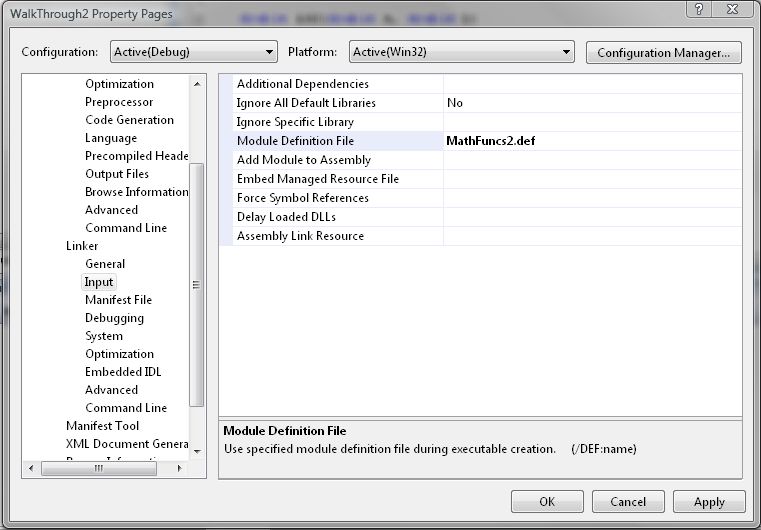
Create .h and .def files
Create a blank .cpp file, paste in the GSL code from poly/solve_cubic.c, and modify it as follows:
Replace the line:
#include
with
#include "Cubic.h"
modify the function declaration to:
int gsl_poly_solve_cubic (double a, double b, double c, double* xa)
Replace all instances of x0, x1, and x2 with xa[0], xa[1] and xa[2]
Create a folder named gsl under your Visual Studio include folder, and copy over all the applicable .h files from the GSL download. These are scattered over several folders, but if you miss any the compiler will raise an error with the missing file name(s), so you can copy and try again.
The dll file can now be created, and declared in a VBA module as before:
Declare Function gsl_poly_solve_cubic Lib "D:\Users\Doug\Documents\Visual Studio Projects\Cubic\release\Cubic" (ByVal a As Double, ByVal b As Double, ByVal c As Double, ByRef xa As Double) As Long
All the C and VBA code for the functions described above has been added to WalkThrough2.zip . Download and use the code from the zip file, rather than copying and pasting from this post, as the html tends to mangle the computer code.




 Newton Excel Bach, not (just) an Excel Blog