I recently discovered the Computing Skillset site (via open-struct-engineer), which has good information on the basis and use of the Newton-Raphson method:
I have added an example from these papers to my ItSolve spreadsheet, illustrating some advantages of Brent’s Method for problems that may be difficult to solve using the Newton-Raphson method. The updated spreadsheet (including full open-source code) may be downloaded from:
The example finds solutions to the function shown below:
Using the Newton-Raphson Method a solution may not be found:
The screen-shots below show all four solutions between -7 and 7 using Brent’s method:
Note that:
The values specified for the search range must return a positive and negative function result. If both are positive, or both negative an error message is returned.
The Quadbrent function works with functions entered as text on the spreadsheet as shown, or (by default) will call a named VBA function. The QuadbrentT function is a front-end for Quadbrent with defaults set to use text on the spreadsheet, as shown above.
The text function must be entered in a format recognisable by Excel, for instance the value Pi is entered as Pi().
Graeme’s summary of the new features in the spreadsheet:
The Tanh-Sinh quadrature workbook has been enhanced as follows:
The Tanh-Sinh integrator in the workbook is the fastest and simplest finite-interval integrator on the planet!! It’s the new benchmark for Tanh-Sinh integrator performance!
The speed of the Tanh-Sinh, DE1, DE2 and DE3 programs has been increased through using recent (2017) programs provided by César Rodríguez. The programs are simpler and faster than those used previously. The state-of-the-art in Tanh-Sinh integration has been moved forward.
A fast finite interval program TINT has been added. It runs at over twice the speed of the Gauss-Kronrod program.
The speed of the Gauss-Kronrod program has been improved through modifications developed by Berntsen, Espelid and Sorevik.
The Romberg integrator, written by the author, may be the fastest and most accurate Romberg integrator on the planet!!
Now includes over 1200 test integrals with true results. This may be the largest set of diverse test integrals available at no cost. It includes several of the “standard” sets of test integrals in wide use.
The Plotter worksheet now shows two plots: the plot of the selected function over the finite interval (a,b), and the plot of the selected function after being transformed by the Tanh-Sinh function.
My on-sheet demonstration of the workings of the Tanh-Sinh code has now also been added to the spreadsheet (see Numerical integration with on-sheet calculations for background and sample screen-shots).
The WP 34s version of the code by César Rodríguez is available from :
See the Copyright tab of the download spreadsheet for many other links.
Update: 7th Nov 2020:
Graeme has made a minor correction to the double-exponential limit constant (now set to 6.56) in the 2 x T-S and 3 x DE programs. This is the figure for which exp(exp(6.56)) remains (just) under the 1.79 x 10^308 max figure as set by IEEE 754.
The version number is now 5.01, and the new version may be downloaded from the link at the top of this post.
There have been many posts here based on code from the book Programming The Finite Element Method, with the Fortran code either translated to VBA, or with VBA links to compiled Fortran Code. I recently discovered:
This Julia package currently contains the programs in chapters 4, 5 and early sections of 6 as described in “Programming the Finite Element Method” by I M Smith, D V Griffiths and L. Margetts (PtFEM).
Another recent Github site with open source (Python based) FEA code is:
PyNite is a library for structural engineering that creates and analyzes 3D finite element models of frames, trusses, and beams. For information on how to get started with PyNite please visit the other pages in this wiki! You can also have a look at the “Examples” folder for examples of how to use PyNite.
Both sites are works in progress, but already contain much valuable open source code.
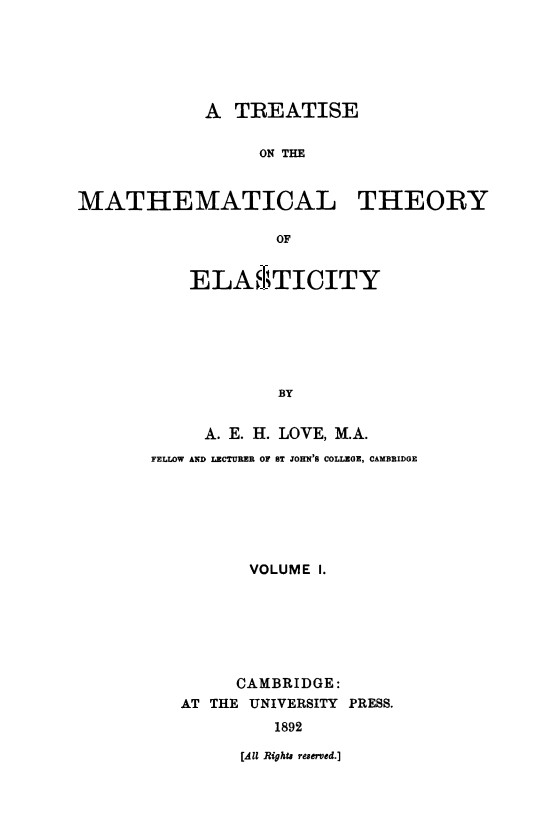
The book The Man Who Knew Infinity by Robert Kanigel describes the life of the Indian mathematician Srinivasa Ramanujan, and also his Cambridge mentor G.H. Hardy. It mentions that Hardy was influenced by reading “A Treatise on the Mathematical Theory of Elasticity”, by Augustus Love.
Looking for a copy of this book, the first search results led to:
The Internet Archive, with a download available from Google Books. Unfortunately this was a poor quality non-searchable scanned document, with some pages that were totally unreadable.
The Strand7 API provides an interface between the Strand7 Finite Element Analysis program and external software. It works with many different languages, including Python, which uses ctypes to transfer data to and from the API functions. It is essential that data is transferred with the right data types, and that arrays are correctly sized. This post provides a summary of the different data types, with an example of Python code that can be called as a user defined function (UDF) from Excel, using pyxll.
Input of integer, double or Boolean data types may be passed to ctype functions unchanged. In Release 3 versions of Python, strings must be converted using string.encode(). For input Python lists or Numpy arrays an empty ctype array of the required length must first be created, then the values are copied to the array.
Variables passed to a ctype function to return output values must be created in Python as shown above. The returned values must then be converted back to a Python type, using .value or .value.decode(), before being passed back to the spreadsheet.
Typical Python code to call an API function is shown below:
@xl_func
@xl_arg('uID', 'int')
@xl_arg('ResultType', 'int')
@xl_arg('ResultSubType', 'int')
@xl_arg('BeamNum', 'int')
@xl_arg('MinStations', 'int')
@xl_arg('ResultCase', 'int')
@xl_return('numpy_array<var>')
def py_GetBeamResultArray(uID, ResultType, ResultSubType, BeamNum, MinStations, ResultCase):
    """
    Returns the specified beam result quantity at several stations along the length of the beam. Additional stations
    are inserted to ensure that the maximum/minimum results are captured.
    :param uID: Strand7 model file ID number.
    :param ResultType: Beam result quantity; see Beam Results for additional information.
    :param ResultSubType: Beam result sub-type; see Beam Results for additional information.
    :param BeamNum: Beam number.
    :param MinStations: Minimum number of stations required.
    :param ResultCase: Result case number.
    """
    NumStations = c_int()
    NumColumns = c_int()
    BeamPos = (c_double * kMaxBeamResult)()
    BeamResult = (c_double * kMaxBeamResult)()
    iErr = St7GetBeamResultArray(uID, ResultType, ResultSubType, BeamNum, MinStations, ResultCase, NumStations, NumColumns, BeamPos, BeamResult)
    if iErr:
        return py_ErrStringA(iErr)
    else:
        n = NumStations.value * NumColumns.value
        res = np.array(BeamResult[0:n]).reshape(-1, NumColumns.value)
        pos = np.array(BeamPos[0:NumStations.value]).reshape(-1,1)
        return np.concatenate((pos, res), axis = 1)
The API function, St7GetBeamResultArray, returns two integers and two arrays (the positions along the beam where results are returned, and the result values). The integers and arrays are created in Python, then passed to the API function. The returned ctypes 1D arrays are then converted to Numpy 2D arrays, using .reshape(), and combined into a single array for return to Excel, using np.concatenate.
The function in use is shown in the screenshots below:
The function may return results for the two beam ends:




 Newton Excel Bach, not (just) an Excel Blog