The history of the theory of beam bending – Part 3

In the previous post in this series I took the story up to 1773 and the work of Coulomb, skipping over the work of the Bernoulli family and Euler, which in the modern context was certainly the most important advance in the entire story. In this post I shall rectify that omission, and discuss why this work was largely overlooked by practicing engineers until the second half of the 19th Century.

Jacob Bernoulli investigated the deflection of cantilever beams as an exercise in the application of the infinitesimal calculus, originated (in Continental Europe) by Leibnitz.  Bernoulli published a preliminary discussion of the problem in 1694, and a final version in the year of his death, 1705.  He followed Mariotte’s original assumption that the neutral axis would be located at the bottom of the beam (i.e. on the compressive face).  Assuming that plane sections remained plane he equated the nett bending moment across the section to the external bending moment, and derived the equation:

C/r = Px

Where P is the vertical load applied to the end of a horizontal cantilever, x is the distance from the load to the section, C is a stiffness factor, and r is the radius of curvature of the section.

For a rectangular beam C was given as:

 C = mbh2/3

Where m is an elastic constant, and b and h are the width and height of the beam.

Due to his use of Mariotte’s assumption regarding the location of the neutral axis, his expression for C was double the correct value; however the general form of the equation was correct, and was used later by Daniel Bernoulli and Euler in their investigations.

According to Timoshenko, the contribution of Johann Bernoulli (Jacob’s younger brother) to the field of the elastic properties of materials was of little importance, although he did formulate the principal of virtual displacements, which seems to me a significant enough development. Johann’s son, Daniel, and his pupil Leonard Euler collaborated to apply the mathematical advances of the early 18th Century to the investigation of the deflection of beams, and the associated problem of the stability of columns.

Daniel Bernoulli (1700-1782) suggested to Euler that he should apply the variational calculus in deriving the equations of elastic curves in a letter where he said “Since no one is so completely the master of the isoparametric method as you are, you will very easily solve the following problem in which it is required that ∫ds/r2 shall be a minimum” (1). Daniel Bernoulli was also the first to derive the differential equation governing lateral vibrations of prismatic bars, which equation was integrated by Euler. Bernoulli made a series of verifying experiments, and above his results he wrote to Euler: “These oscillations arise freely, and I have determined various conditions, and have performed a great many beautiful experiments on the position of the knot points and the pitch of the tone, which beautifully with the theory.”(1).

The principal results of Euler’s work on the bending of beams are to be found in his book “Methodus Inveniendi Lineas Curvas Maximi Minive Proprietate Gaudentes” (1744), in which he tackles the problem using variational calculus, and formulates possibly the earliest statement of the principle of least action. Euler felt that problems should be tackled by consideration of both what he called “effective causes” and “final causes”, and so developed both equilibrium and energy based methods to tackle the problems he studied.

To use the method of “final causes” to find the deflection equation for an elastic bar Euler needed an expression for strain energy, which was provided by Daniel Bernoulli. Euler used variational calculus to obtain Jacob Bernoulli’s differential equation for elastic curves, and integrated this to obtain the correct formula for the deflection of the end of a cantilever:

f = PL3/3C

Euler called the constant C the “absolute elasticity”, saying that it depended on the elastic properties of the material, and that in the case of the rectangular beams it was proportional to the width and the square of the depth h, rather than the cube. It seems surprising that a mathematician of the stature of Euler should propose a value for this constant that was not dimensionally correct, but it should be remembered that dimensional analysis had not been developed at this time, and in fact when Euler corrected the equation in 1750, based on dimensional considerations, this was one of the earliest successful applications of dimensional analysis.

Again using the “method of final causes” Euler considered the buckling of straight bars under axial load, and simply derived the famous equation:

 P = CП2/4l2

He also successfully derived equations for the vibration of beams, again using the “method of final causes” or energy methods.

By 1750 Euler had derived equations that not only could predict the deflection of beams under transverse load, and the buckling load of beams under axial load, but his methods could be simply extended to the calculation of bending stresses, and hence the bending capacity of beams made of brittle materials. It seems however that his work had little effect on the methods used by practicing engineers for another 100 years. The reasons for this are not clear, but possibilities include:

  • The reputation of Galileo, and the apparent better correlation of his equation with experimental results.
  • The actual failure loads of the stocky brittle members commonly used in the 18th Century were far less than the buckling load predicted by Euler buckling theory.
  • Euler’s results were not presented in a way relevant to the structures of the time, where prediction of deflections of slender beams was not of prime importance.

Whatever the reasons, the results of the Bernoullis and Euler did not become widely used until the use of iron and steel became common in large structures in the 19th Century.

Reference:

  • (1) History of Strength of Materials; Stephen P. Timoshenko
Posted in Beam Bending, Newton | Tagged , , , | 5 Comments

Evaluate Function – update

Previous post

The evaluate function described in the previous post has been used in writing a UDF that will evaluate the integral of any suitable function over a specified range.

The revised worksheet can be downloaded from:

Eval.zip

EvalInt

EvalInt

Posted in Excel, Maths, UDFs | Tagged , , , , | 5 Comments

Drawing in Excel-3

Previous post
OK, here are some of the promised basics of using VBA to create drawings in Excel.

This and following posts will cover:

  • The shape objects and how to create them
  • How to select, group, and delete shapes
  • How to modify existing shapes
  • How to get the properties of existing shapes
  • How to scale shapes
  • How to create 3D perspective wireframe drawings

There are two main problems with creating code driven drawings in Excel:

  • There are several alternative ways to do almost everything, and the ways they work are not always obvious (at least to me), and there are significant difference between versions.
  • The documentation is sparse, and what there is is often far from helpful.  To make matters worse, there is little on the subject in the popular Excel books, and even web sites covering the topic are few and far between.

In the rest of this post I will list the available VBA methods that apply to shape objects, then look at some examples of how these methods work in practice.

The methods applicable to shapes are:

  • AddCallout
  • AddChart
  • AddConnector
  • AddCurve
  • AddFormControl
  • AddLabel
  • AddLine
  • AddOLEObject
  • AddPicture
  • AddPolyline
  • AddShape
  • AddTextbox
  • AddTextEffect
  • BuildFreeform
  • SelectAll

The ones I will be concentrating on are:

  • AddCurve
  • AddLine
  • AddPolyline
  • AddShape
  • AddTextbox

Which will give us more than enough for what we want to do.

The examples given below can be found in: Plot Shapes.zip

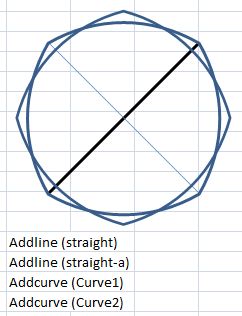
The examples are based on drawing similar dodecagons (regular 12 sided polygons) by various methods.  The coordinates defining the shapes are listed on the spreadsheet, we will be looking at how screen coordinates work more closely in a later post.  For now just note that the shapes are defined by 12 x,y coordinates, with the first point repeated at the end of the list, to create a closed shape.  There are also 4 straight lines, defined by the start and end points.


Sub ExShapeAdd()
Dim PointArray() As Single, CoordA As Variant, shp As Shape, i As Long, ffshp As Shape
Dim myBuilder As FreeformBuilder, XNode As Single, YNode As Single

ShapeDelete ‘Routine to delete old shapes, see later post
CoordA = [a1:b13] ‘ Get coordinates array from the worksheet

‘ AddLine
With ActiveSheet.Shapes.AddLine(CoordA(1, 1), CoordA(1, 2), CoordA(7, 1), CoordA(7, 2))
.Name = “straight”
.Line.Weight = 2
.Line.ForeColor.SchemeColor = 8
End With

‘Plot the same line and rotate through 45 degrees
With ActiveSheet.Shapes.AddLine(CoordA(1, 1), CoordA(1, 2), CoordA(7, 1), CoordA(7, 2))
.Name = “straight-a”
.Rotation = 90
End With

‘ Copy CoordA (variant) into PointArray (single)
ReDim PointArray(1 To 13, 1 To 2)
For i = 1 To 13
PointArray(i, 1) = CoordA(i, 1)
PointArray(i, 2) = CoordA(i, 2)
Next i

‘ AddCurve
Set shp = ActiveSheet.Shapes.AddCurve(PointArray)
With shp
.Fill.Visible = False
.Name = “Curve1”
End With
With ActiveSheet.Shapes.AddCurve(PointArray)
.Fill.Visible = False
.Rotation = 45
.Name = “Curve2”
End With

AddCurve

AddCurve


CoordA = [a15:b27]
' AddShape; 183 = straight connector
ActiveSheet.Shapes.AddShape(183, CoordA(7, 1), CoordA(1, 2), CoordA(1, 1) - CoordA(7, 1), CoordA(7, 2) - CoordA(1, 2)).Name = "Straight2"
With ActiveSheet.Shapes.AddShape(183, CoordA(7, 1), CoordA(1, 2), CoordA(1, 1) - CoordA(7, 1), CoordA(7, 2) - CoordA(1, 2))
.Name = "Straight2-A"
.Rotation = 90
End With

For i = 1 To 13
PointArray(i, 1) = CoordA(i, 1)
PointArray(i, 2) = CoordA(i, 2)
Next i

‘ AddPolyLine
ActiveSheet.Shapes.AddPolyline(PointArray).Fill.Visible = False

AddPolyLine

AddPolyLine


CoordA = [a29:b41]
For i = 1 To 13
PointArray(i, 1) = CoordA(i, 1)
PointArray(i, 2) = CoordA(i, 2)
Next i

‘ Shapebuilder
‘ first point
XNode = PointArray(1, 1)
YNode = PointArray(1, 2)
Set myBuilder = ActiveSheet.Shapes.BuildFreeform(msoEditingAuto, XNode, YNode)
‘ remaining points
For i = 2 To 13
XNode = PointArray(i, 1)
YNode = PointArray(i, 2)
myBuilder.AddNodes msoSegmentLine, msoEditingAuto, XNode, YNode
Next

Set ffshp = myBuilder.ConvertToShape
ffshp.Name = “Built-shape”

BuilFreeForm

BuilFreeForm


CoordA = [a44:a47]
' AddShape; 146 = dodecagon
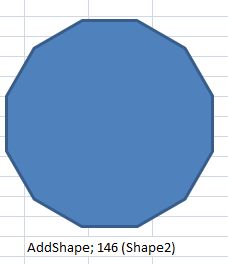
ActiveSheet.Shapes.AddShape(146, CoordA(1, 1), CoordA(2, 1), CoordA(3, 1), CoordA(4, 1)).Name = "Shape2"

End Sub

AddShape

Next post

Posted in Drawing, Excel | Tagged , , , | 6 Comments

Elegant proofs 2 – The area of a circle

We are so familiar with the formula for the area enclosed by a circle that we tend not to think much about how it was derived, at least I don’t.

The proofs of the formula are in fact many and varied; the first one found by Google is at:
http://www.artofproblemsolving.com/LaTeX/Examples/AreaOfACircle.pdf

Don’t worry, that’s not the elegant one.

There are many proofs that don’t (directly) involve the use of calculus, and Wikipedia gives a good sample of them:

http://en.wikipedia.org/wiki/Area_of_a_disk

of which the rearrangement proof is perhaps the most elegant.  Another presentation of this proof is given here (along with Archimedes’ equally elegant derivation of the volume of a sphere):

http://www.mathreference.com/geo,circle.html

Yesterday I came across an approach that to me seems even simpler, based on a post at:

http://foxmath.wordpress.com/2008/06/24/perimeter-area/

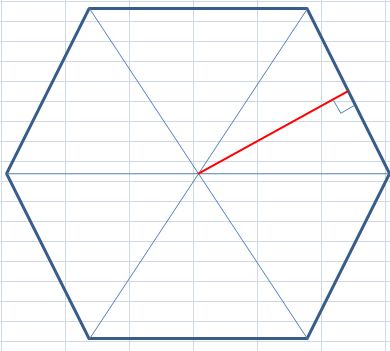
The apothem of a hexagonThis shows that for any regular polygon with an area equal to its circumference, the length of the apothem (the red line in the diagram to the left) is 2.  This is immediately obvious from the fact that the area of each individual triangle is equal to the base length, when the height equals 2.

In the limit as the number of sides of a regular polygon tends to infinity the polygon approaches a circle, and the length of the apothem approaches the radius of the enclosing circle.  It therefore follows that the area of a circle of radius 2 is equal to its circumference; i.e. 4.pi.

A circle of radius R may be scaled to radius 2 by multiplying the radius by 2/R.  The radius of this circle is then 4pi x (R/2)^2 = pi.R^2.

Finally a “wordless” proof provided by the people at SSSF:

http://www.maa.org/pubs/Calc_articles/ma018.pdf

Posted in Maths, Newton | Tagged , , , , | 4 Comments

Pythagoras, Penrose and Pov-Ray

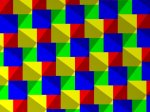
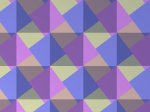
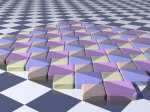
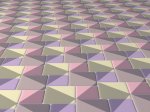
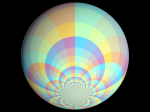
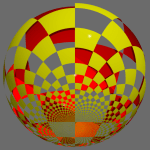
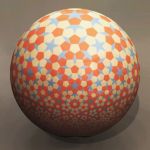
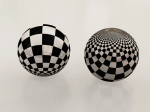
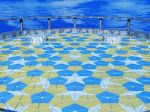
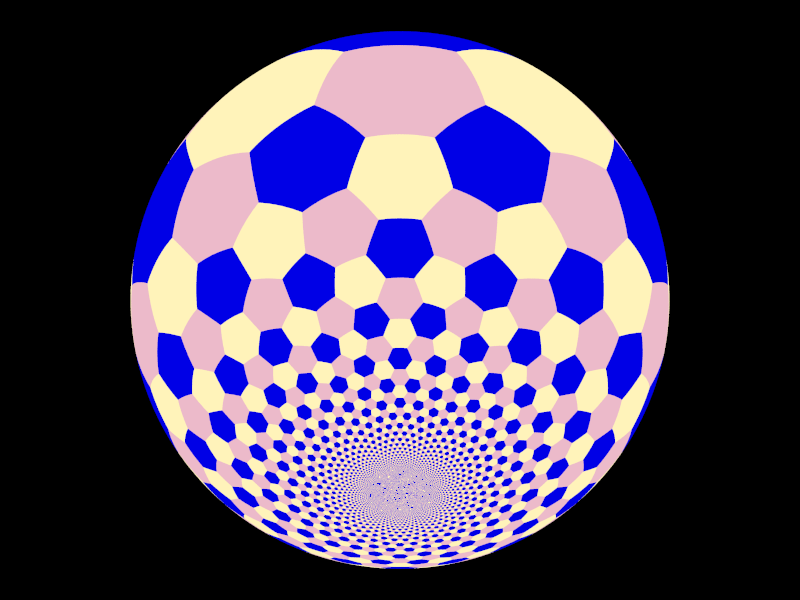
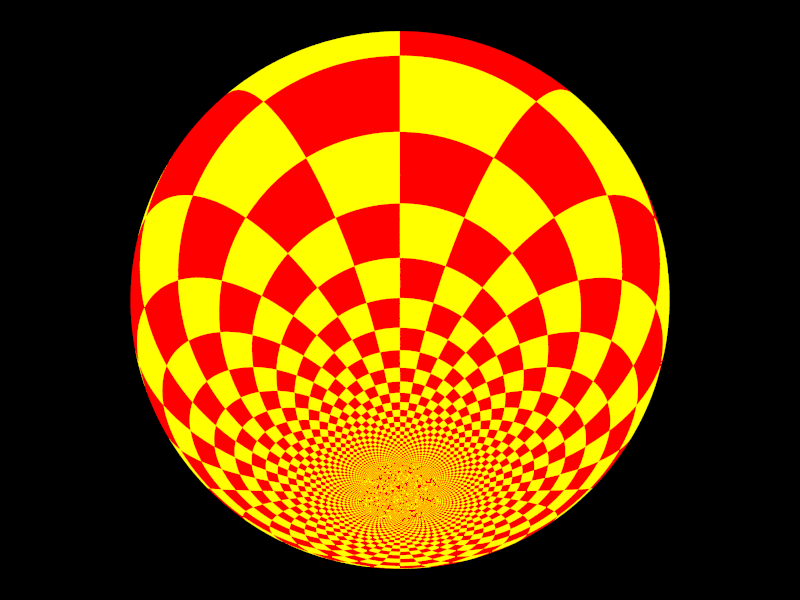
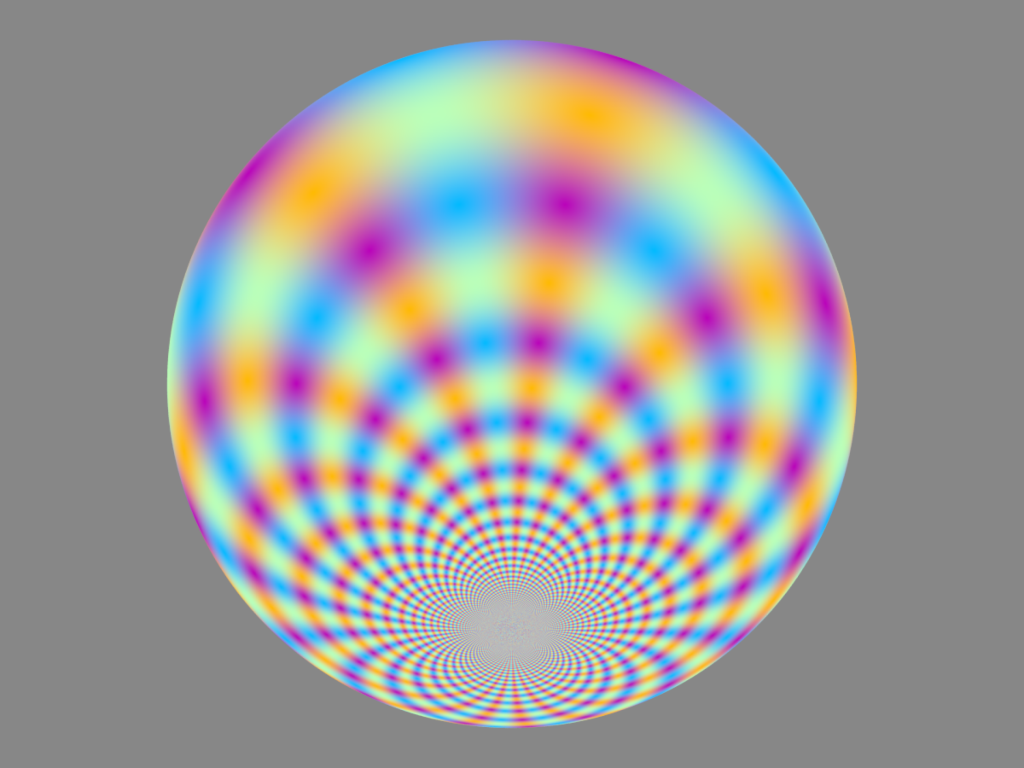
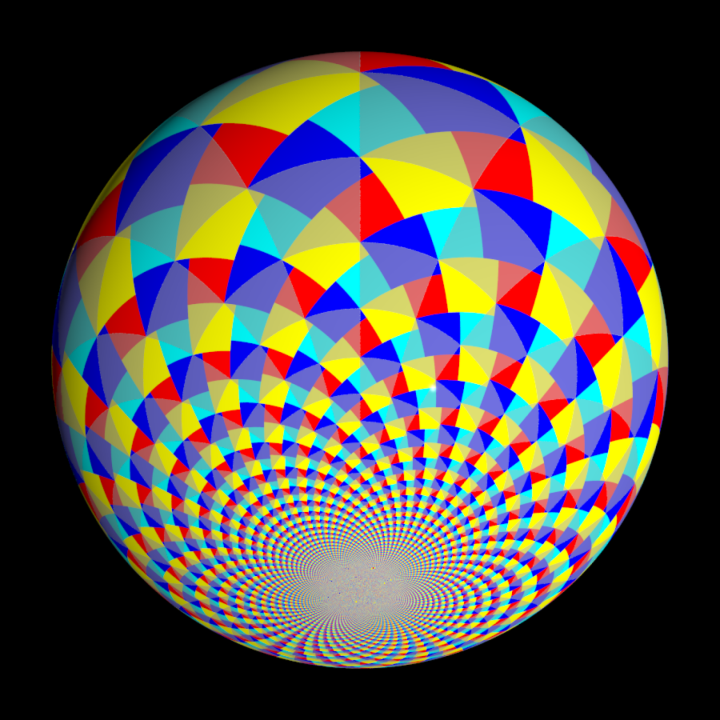
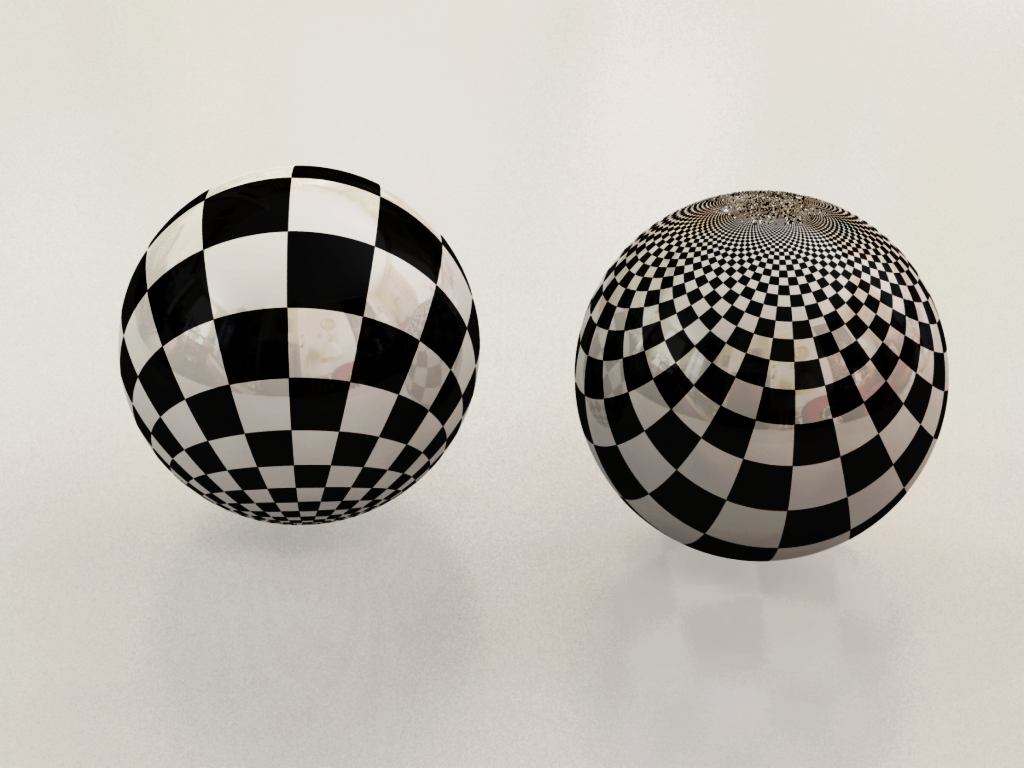
Images based on Pythagorean tiling, Penrose tiling, and projections onto the Riemann Sphere by PM2ring, a regular contributor to the ABC Self-Service Science Forum (words by the artist):

 Various renderings of a Pythagorean tiling. Mostly using the 3,4,5 triangle. This tiling has been called a “wordless proof” of Pythagoras’ Theorem. It shows by dissection that the area of the “shadow” square on the hypotenuse is equal to the sum of the areas of the squares on the two other sides. IMHO, it’s not quite a wordless proof, since you still have to prove that the large squares are really squares & not just rhombuses.

The floor shows two versions of Penrose tiles, which are intimately related to root(5) and the Golden ratio, so it’s kind of on topic.

Penrose Tiling

A 16 colour checker pattern, displayed on the Riemann Sphere.
Riemann Sphere1

More Riemann Sphere pics. These images look a bit flatter than the first one because they use uniform lighting.

Pythagorean tessellation on the Riemann Sphere.

A checker pattern, with half the squares clear. The other squares are yellow on the outside of the sphere & red on the inside.

The next two pictures use various raytracing techniques to achieve a more photorealistic image.

A pair of spheres in black & white checks, one sitting on its North pole, the other sitting on its South pole.

A pentagonal Penrose tiling.

Posted in Maths, Newton | Tagged , , , , | 3 Comments