I recently found that downloaded files on OneDrive on my Android pad had almost filled my storage space to capacity, and that the procedure to delete them was not at all obvious. I eventually found a link with detailed instructions on how to do it, which are listed below for the benefit of anyone else with the same problem, and myself the next time I need to do it:
Open Android Settings
Click on Apps
Click on OneDrive
Click on Storage
Click on Clear Data – OK
This clears all downloaded OneDrive data from the local storage space.
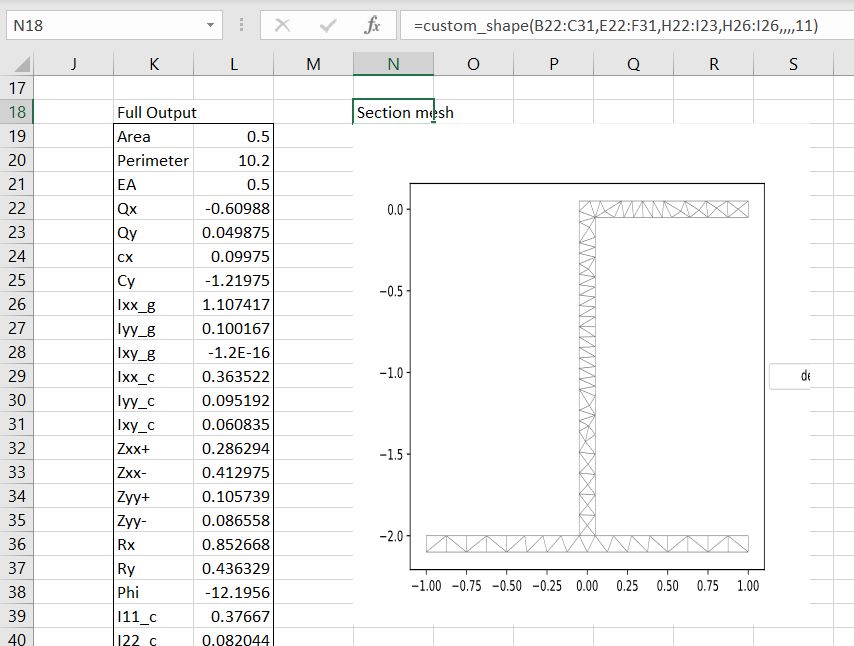
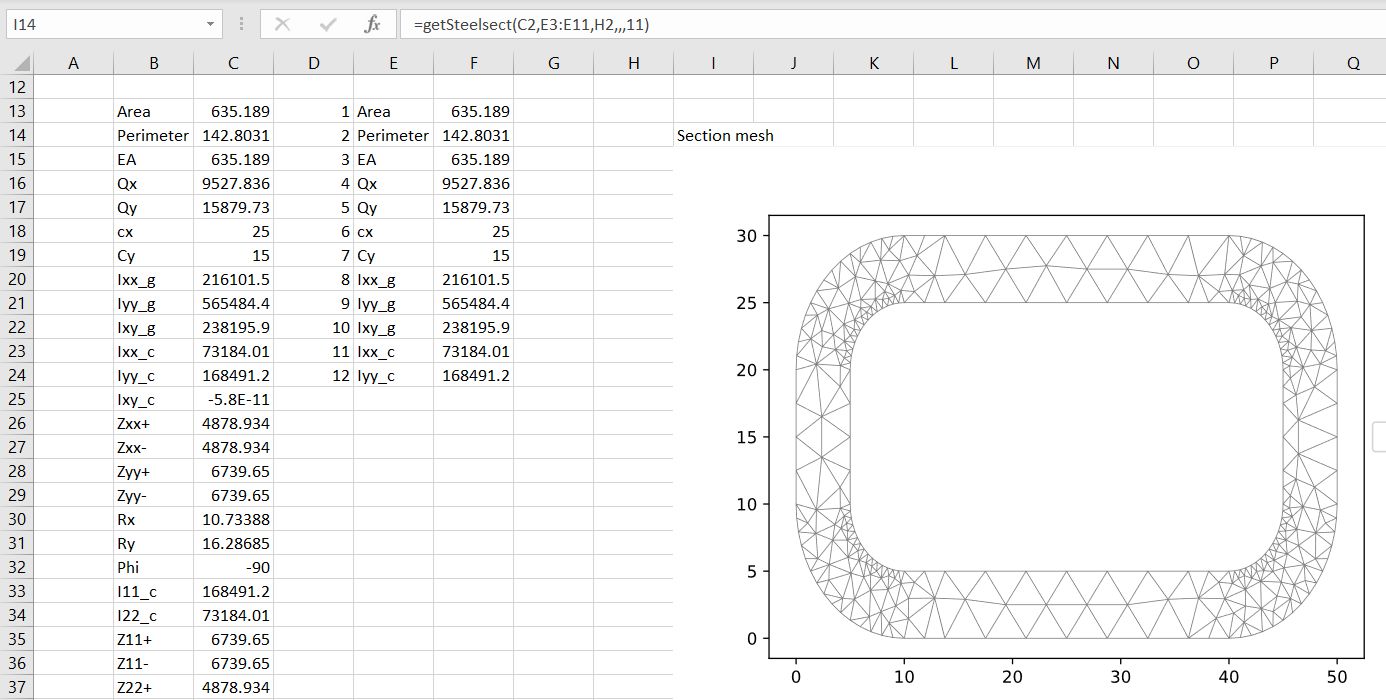
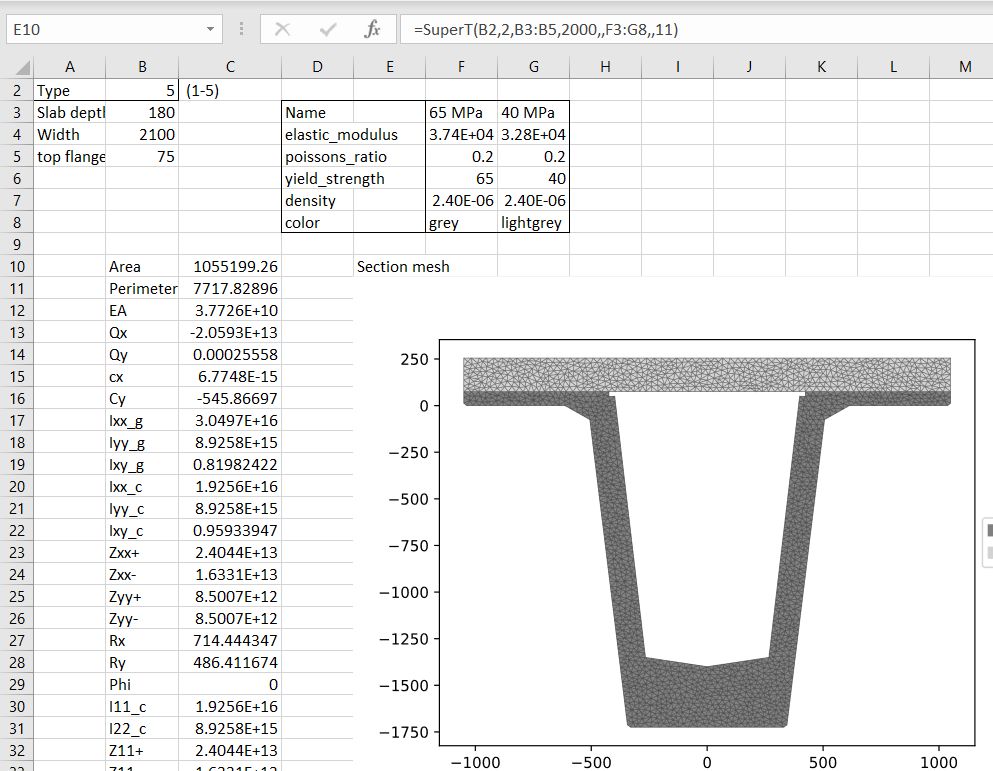
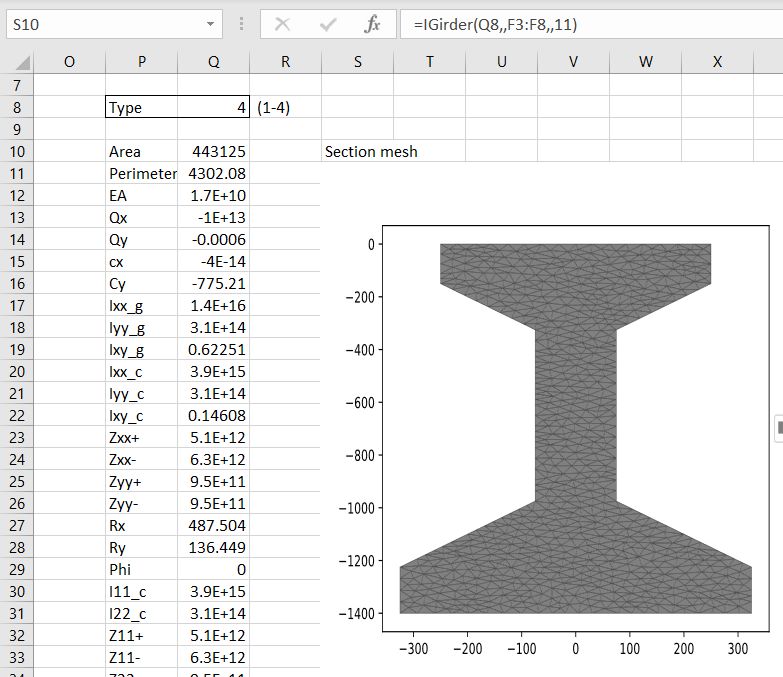
The SectionProperties spreadsheets previously posted had limited graphics capabilities due to problems with the plotting routines causing Excel to crash. I have now fixed that problem by updating some Python libraries with pip:
installing mkl-service
numpy 1.21.2 -> 1.22.1
Pillow 8.4.0 -> 9.0.0
matplotlib 3.4.3 -> 3.5.1/
With these upgrades the SectionProperties plotting routines work without problems, and can be called from Excel using pyxll with the following code:
The problems with installing the SectionProperties software on Windows have now been fixed, and installing with pip also installs the new Triangle library. The software required to run the spreadsheet (in addition to the download files) is now:
Python 3.9 and associated code, including Numpy and Matplotlib.
I just discovered The Music Aficionado site, where Parts 1 and 2 of a series on the life and times of Danny Thompson have recently been posted:
I have been toying with the idea of writing an article about Danny Thompson for a while. His playing is a common thread across so many albums I cherish, that dedicating an artist profile article to him seemed inevitable. But where to begin, what to cover? There are over 400 album credits with his name on it, spanning almost six(!) decades. The task seemed monumental, given my inability to avoid digging deep into my chosen subjects. I finally decided to take the plunge and go for it. So here is the first article in a series (what else?) that will cover a few decades of his unique career. This one here is dedicated to his work in the 1960s.
The articles are detailed and very well written with many stories and YouTube links that I had not seen before (and many others I was happy to listen to again). See the articles at:
Every time I try to add a new link to a file on OneDrive in WordPress, it seems they have changed the system to stop it working. After much trial and error, the procedure given below works, for now.
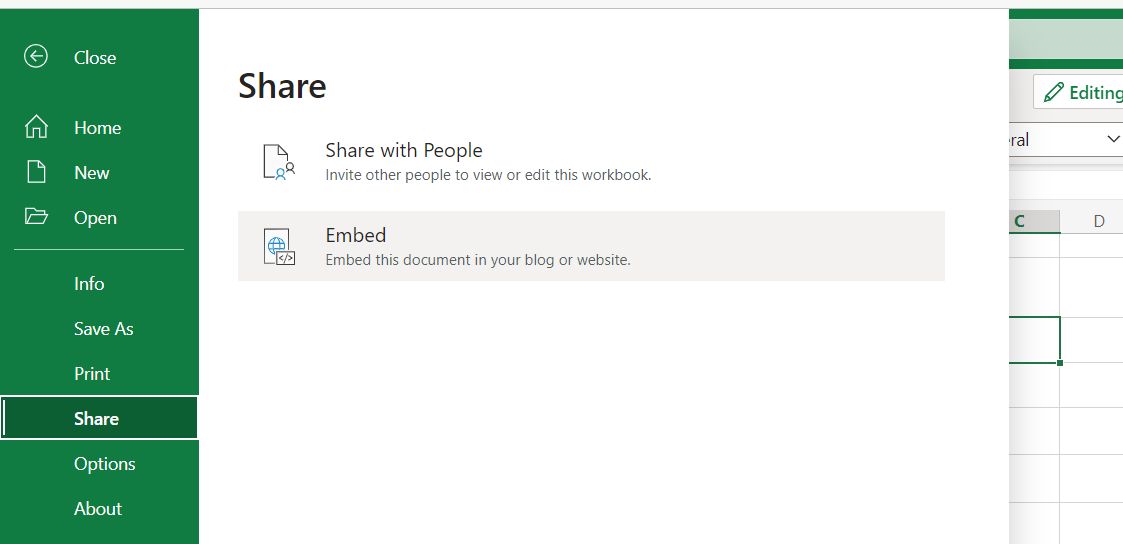
Open the file in OneDrive on-line, and select File-Share-Embed:
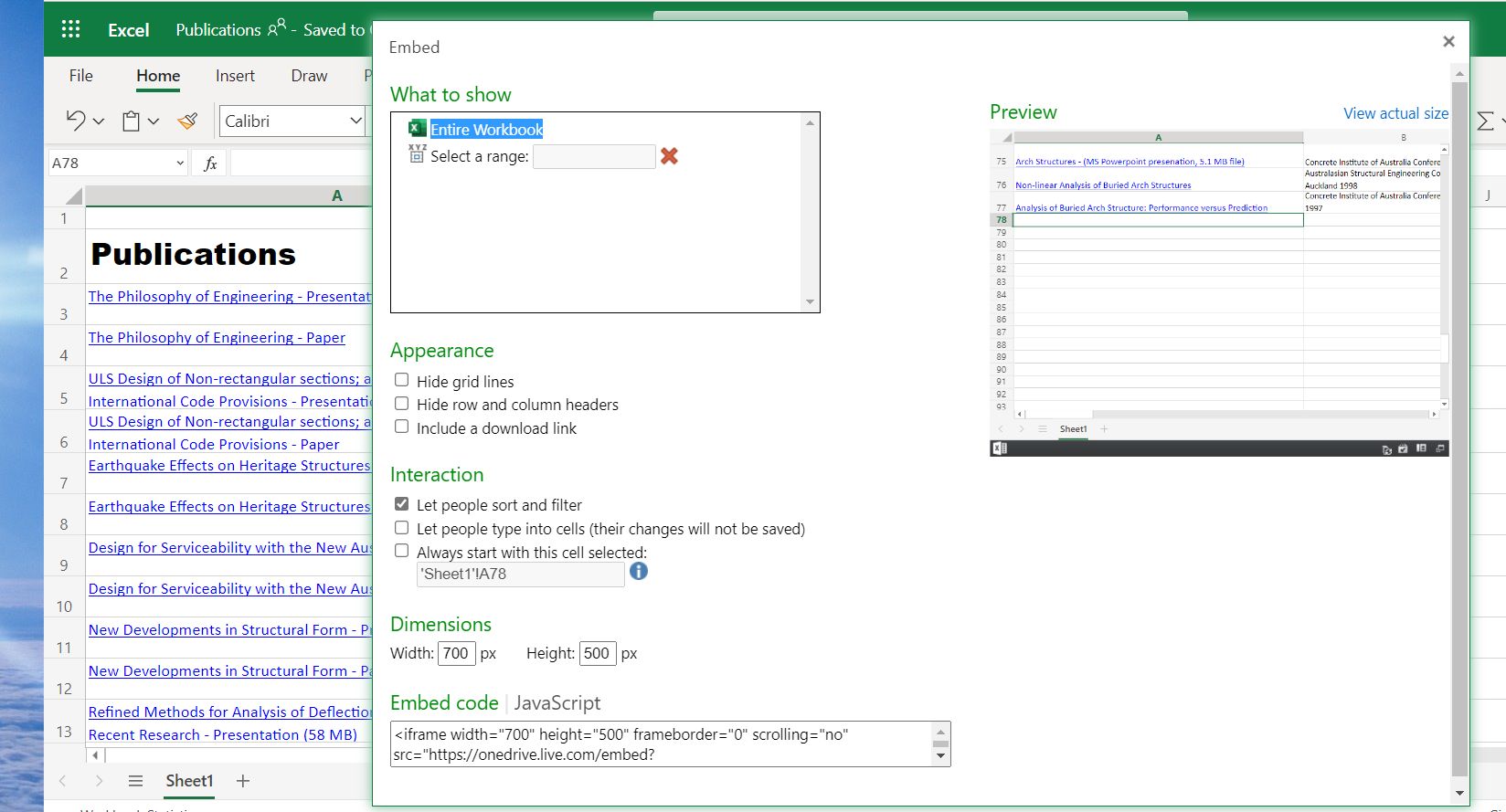
2. Select the desired display options, then click on the “Embed code” box, and copy the code to the clipboard:
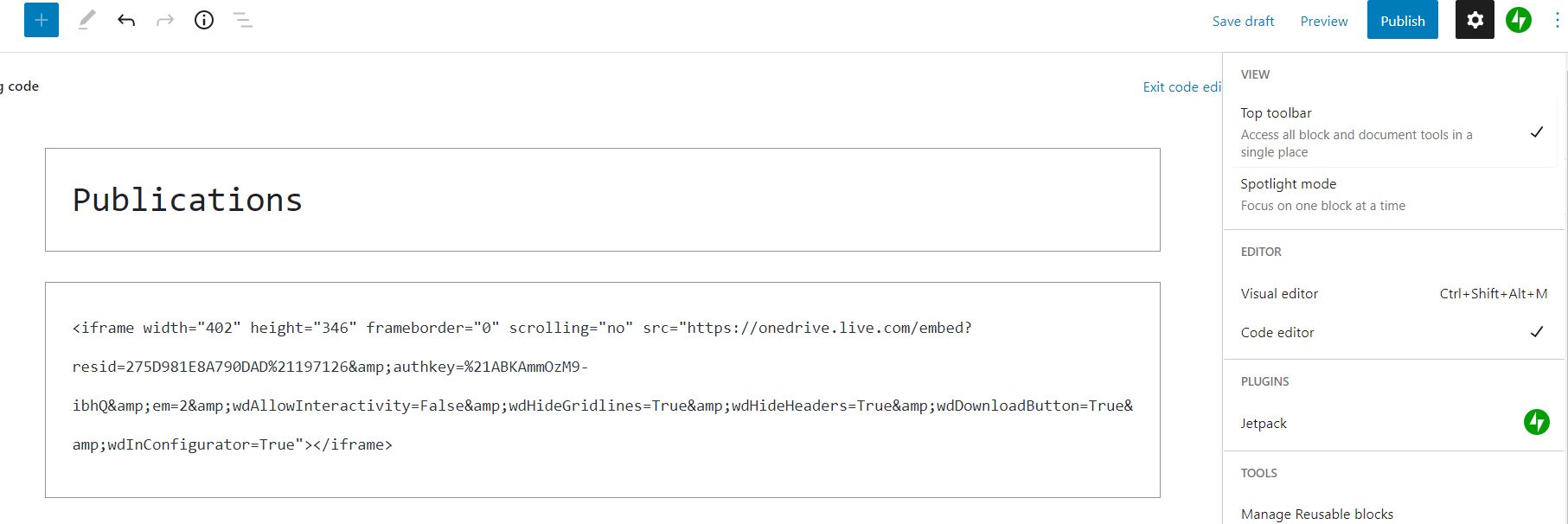
3. Return to the WordPress editor, click on the Options menu (top-right) and select Code Editor, then just paste the code generated in Excel:
You can then return to the Visual editor, and save the post complete with embedded spreadsheet.






 Newton Excel Bach, not (just) an Excel Blog