Two recent You Tube uploads of Pentangle performances in Europe. The first is from Norwegian TV in 1968, singing the Anne Briggs song The Time has Come:
The second from French TV in 1972, with 6 songs, mostly from their Reflection LP:
Two recent You Tube uploads of Pentangle performances in Europe. The first is from Norwegian TV in 1968, singing the Anne Briggs song The Time has Come:
The second from French TV in 1972, with 6 songs, mostly from their Reflection LP:
The Python/Fortran/Excel frame analysis program (previous version here) now has several new features added to the 2D-solver routines:
At the moment these features are only available in the 2D analysis; the 3D analysis works as in the previous version.
The new files may be downloaded from:
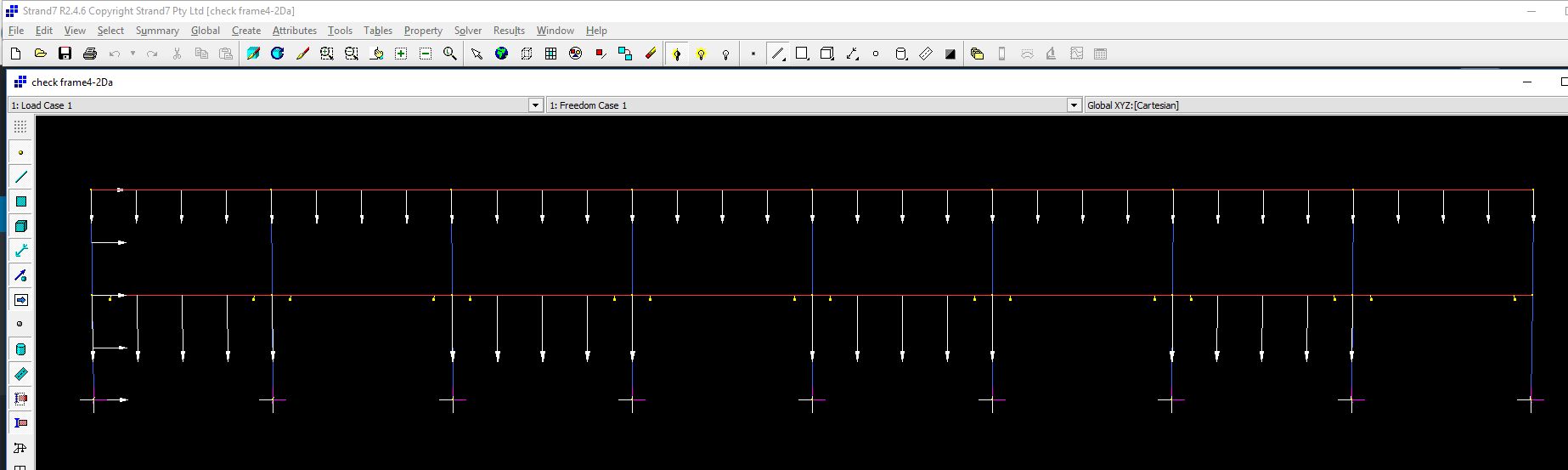
An example of the non-linear analysis of a semi-circular arch under asymmetric loading is shown in the screen-shots below:
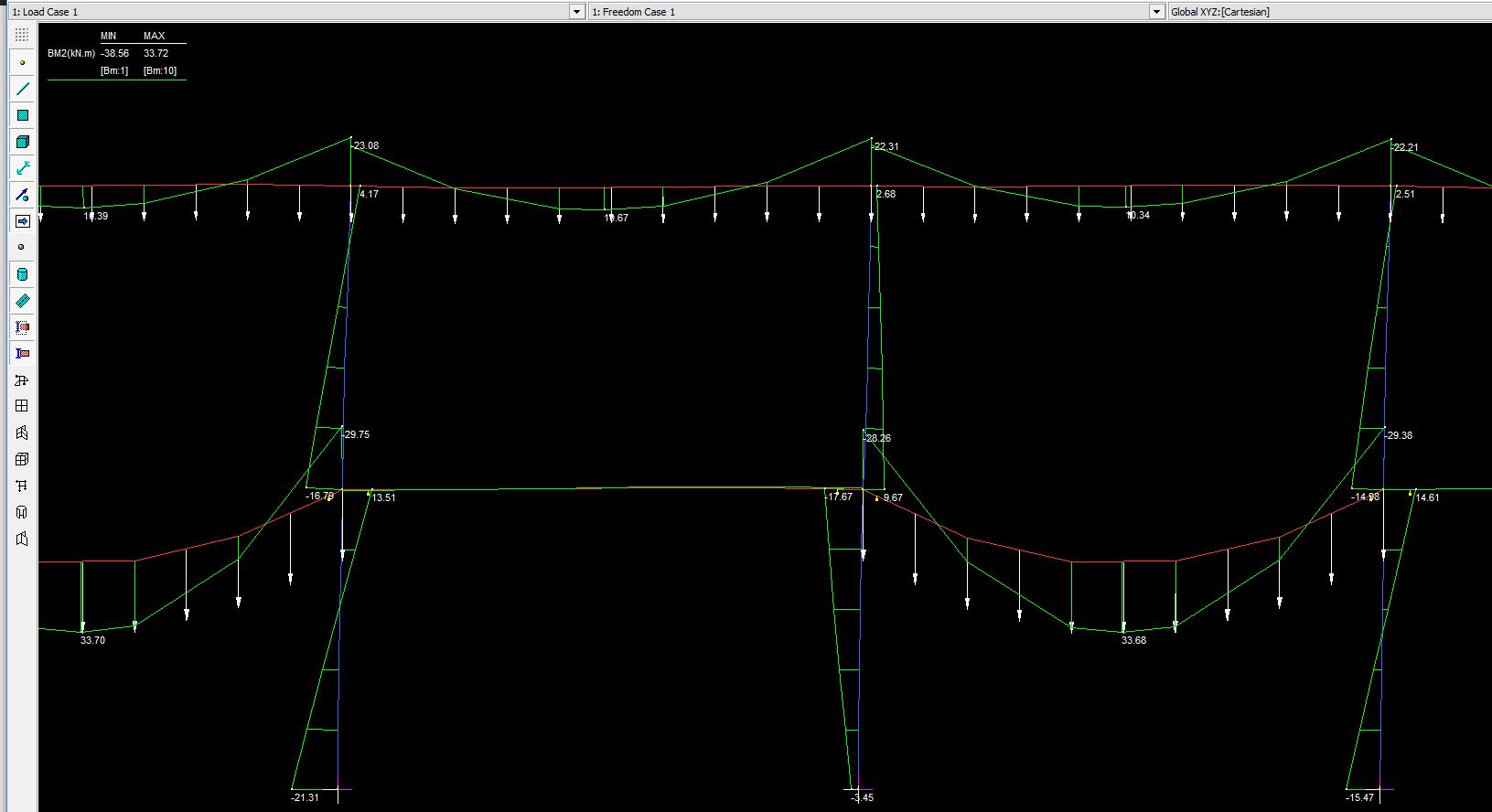
The arch shown below was also analysed in Strand7, using the same moment-curvature tables, and with the non-linear geometry option also selected:

The data input is similar to the previous version, with the addition of “Use MomCurve”, “Use NL Geom” and “Gravity Factor” options, and a column for “density” in the material properties. The gravity factor should be 1 if density is in force/length units, g if density is specified as mass/length, or zero if self weight is not required.
The table of node loads is still available. In this version any node loads are applied in the same increments as the self weight.
If “Use MonCurve” is activated a moment-curvature table must be entered for each material type. In the current version the moment-curvature tables are applied in sequence (from left to right) to each material type.

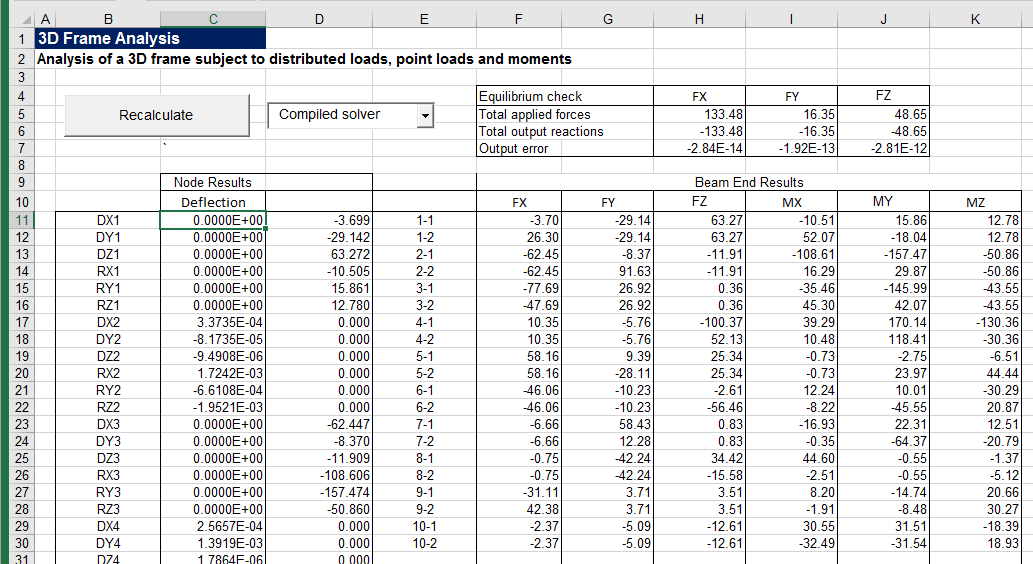
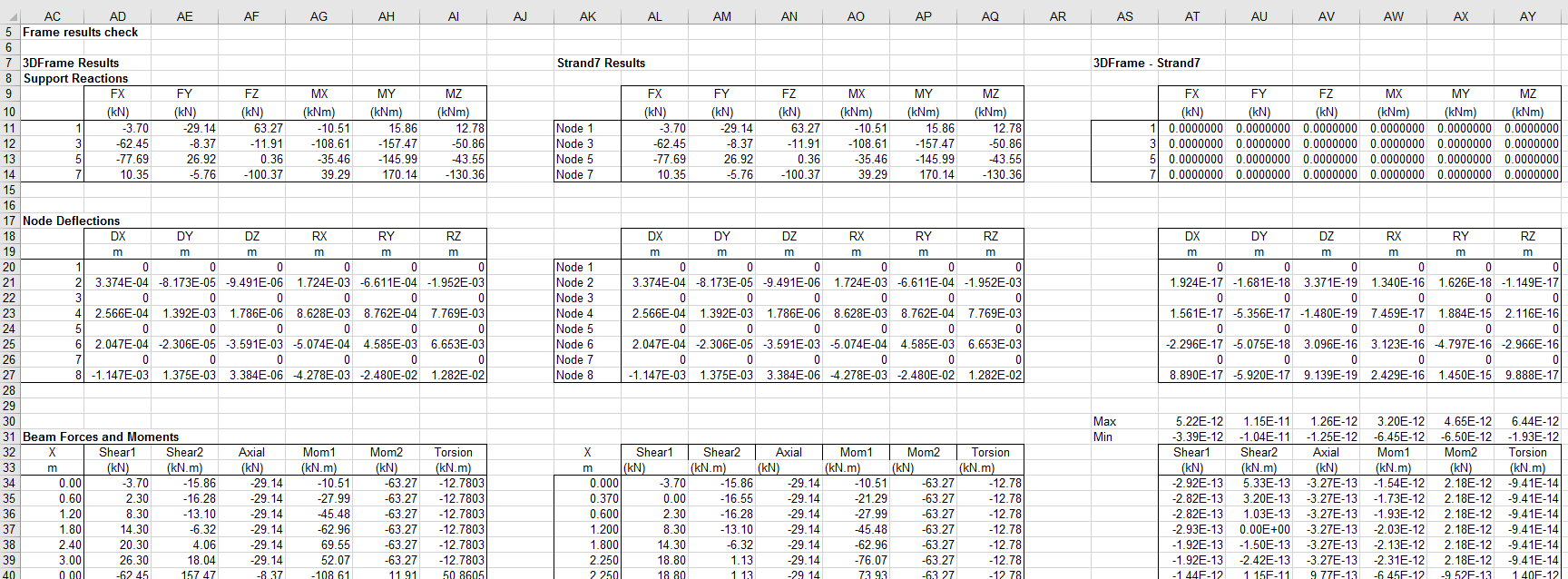
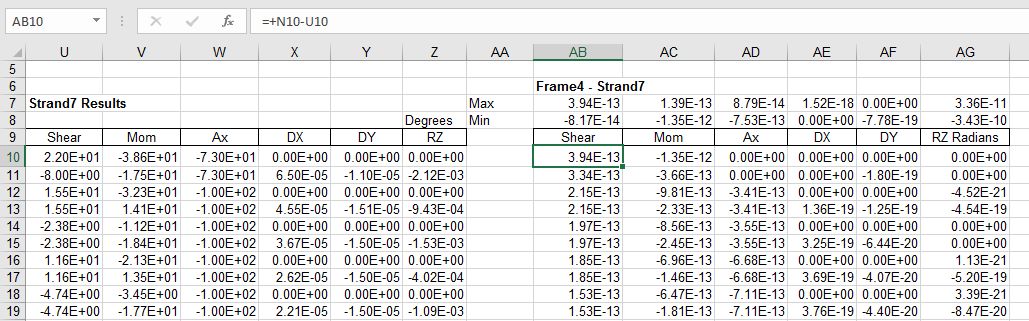
Output is similar to the previous version, with at present rudimentary options for plotting the deflection at a single node, and the forces and moments at a single beam. The screen shots below also show the Strand7 results for the same structure:


On the “Deflect” sheet graphs have been added to show X and Y deflections for any chosen load increment, showing both spreadsheet and Strand7 results. Note that at moments just above the concrete cracking moment there are differences between the spreadsheet and Strand7 interpolation methods, resulting in noticeably different deflections:

With increased loading however these differences reduce, with deflections under the final loading being very similar:

The ForceRes sheet has similar graphs for bending moment around the arch, showing good agreement between the two programs in the final bending moment output. The curvature results again show small differences in interpolation, especially at the transition from cracked to uncracked behaviour:

A song by Richard Thompson.
Any resemblance to any living person is, I’m sure, entirely coincidental.
Fergus Laing is a beast of a man
He stitches up and fleeces
He wants to manicure the world
And sell it off in pieces
He likes to build his towers high
He blocks the sun out from the sky
In the penthouse the champagne’s dry
And slightly gassyFergus Laing, he works so hard
As busy as a bee is
Fergus Laing has 17 friends
All as dull as he is
His 17 friends have 17 wives
All the perfect shape and size
They wag their tails and bat their eyes
Just like LassieFergus he builds and builds
Yet small is his erection
Fergus has a fine head of hair
When the wind’s in the right directionFergus Laing and his 17 friends
They live inside a bubble
There they withdraw and shut the door
At any sign of trouble
Should the peasants wail and vent
And ask him where the money went
He’ll simply say, it’s all been spent
On being classyFergus’ buildings reach the sky
Until you cannot see ‘um
He thinks the old stuff he pulls down
Belongs in a museum
His fits are famous on the scene
The shortest fuse, so cruel, so mean
But don’t call him a drama queen
Like Shirley BasseyFergus Laing he flaunts the law
But one day he’ll be wired
And as they drag him off to jail
We’ll all shout, “You’re fired!”
And for something completely different, Richard Thompson is sometimes called England’s Bob Dylan, so here is Scotland’s Bob Dylan, Robin Williamson plays “Like a Rolling Stone”:
The xlwSciPy spreadsheet (last presented here) has been updated for the latest version of xlwings and Scipy.
The new spreadsheet can be downloaded from:
including full open source code.
The spreadsheet requires Python, including xlwings, Numpy, Scipy and Pandas (all of which are free, and included in the Anaconda package).
The new spreadsheet includes a CubicSpline function, which is new in Scipy 0.18. Some options for the new function are shown in the screen shots below:
The function has an optional “BC-type” argument, that controls the spline end conditions. The argument may be entered as a single text string (one of: “not-a-knot”, “periodic”, “clamped”, or “natural”), or a 2×2 array. The default value is “not-a-knot”, which returns the same results as the xl_UniSpline and xl_Splev functions:
For the “periodic” option the first and last Y value in the spline data must be equal. The function then returns a curve with equal slope and curvature at each end:
“Clamped” end conditions result in zero slope at the ends:
“Natural” end conditions have zero curvature at the ends:
Using the array argument the slope or curvature may be set separately at each end. The input shown below specifies a slope (1 in column 1) of -1 at both ends:
Similarly the curvature may be set to any desired value with a 2 in column 1 of the BC_type array:
See more detailed documentation at the Scipy Docs.
Xlwings 0.10 introduces a new feature that expands array return values in user defined functions (UDFs) to show all the results, without entering as an array function:
This feature is currently only used in the xl_evala function, on the Eval sheet. Xl_evala returns an array with the same number of rows as the rows with numeric data in the input data. When entered with the data from row 106 to 110 in the screen shot above, results are automatically returned to the same rows when the functioned is entered (just press enter, not ctrl-shift enter).
If the input range is extended down to row 136, the output is adjusted to suit: 
The Python code required is quite short:
@xw.func
@xw.arg("x", ndim=2)
@xw.ret(expand='table')
def rtnarray2(x):
return x
This can then be called from VBA …:
Function rtnarray2(x)
If TypeOf Application.Caller Is Range Then On Error GoTo failed
rtnarray2 = Py.CallUDF("xlwScipy", "rtnarray2", Array(x), ThisWorkbook, Application.Caller)
Exit Function
failed:
rtnarray2 = Err.Description
End Function
… and tacked on the end of any other VBA function:
Function xl_EvalA(func As String, xRange As Variant, Optional SymRange As Variant, Optional ValRange As Variant, Optional ReturnType As Long = 1) As Variant
...
Set result = Py.Call(Methods, "xl_Evalx", Py.Tuple(func, xRange, VarName, SymRange, ValRange))
Set Result_List = Py.Call(result, "tolist")
Rtn = Py.Var(Result_List)
Rtn = TransposeA(Rtn)
xl_EvalA = rtnarray2(Rtn)
Exit Function
As mentioned in the previous post, I have written two short VBA routines to aid the process of splitting a column of text strings into separate columns, using either a space or any other chosen character as the delimiter. These routines have been added to the Text-in2 spreadsheet, along with a new JoinText function to reverse the process. The new file can be downloaded (including full open source code) from:
For an example of the use of the new routines see the Txt2Col sheet:
Text (including text from pdf files) can be copied and pasted anywhere. Select all the rows and as many columns as you want to split, then press Alt-F8, select Text2TextCols, and click Run:
The text in the first column is split into the selected columns in text format, so that the original number formats are retained:
The ResetTxt2Cols macro is for use when the Excel Text to Columns wizard has been used, and you want to paste text copied from external files into a single column. To run press Alt-F8, select ResetTxt2Cols, and click run.
Split text (or any other text in a continuous column or row) can be combined with the JoinText user defined function (UDF) as shown below:
JoinText has two optional arguments:
Excel 2016 now has two new built in functions providing similar functionality, Concat() and TextJoin(). The JoinText UDF still has a couple of advantages however: