Free resources for earthquake design in Australia

… and other regions with low to moderate seismicity:

The SRIA’s free pdf Guide to Seismic design and detailing of Reinforced Concrete Buildings in Australia is available from the link below. It was published in 2016 and was a precursor to many of the more recent seismic upgrades in AS 3600:2018.

Guide to Seismic Design and Detailing of Reinforced Concrete Buildings in Australia

The Australian Earthquake Engineering Society produces a commentary to AS 1170.4 which was recently updated and is available as a free pdf download:

AS1170.4-2007 Commentary – 2nd Edition (2021)

Quake-Advice aims to assist structural engineers who are residing in areas that are away from any tectonic plate boundaries. These areas can be described as intraplate or “stable” as damaging earthquakes occur very infrequently in such tectonic setting. Structural engineers practising in these regions may have only limited, or no, experience in undertaking design checks for seismic actions on building structures in compliance with regulatory requirements.

Quake-Advice is scoped to include calculation methodologies for classification of the soil site, determination of the site amplification factors, interpretation of the response spectrum requirements, exercising independent checks on results from dynamic structural analyses that are generated from a commercial structural analysis package. The focus is on presenting materials that can be applied in design practices as opposed to research findings of pure academic interests.

Quake-Advice

Posted in Concrete, Newton | Tagged , , , , , , | Leave a comment

Rounding to significant figures

Edited 19th Feb 22, following comment from Larry Schuster

Excel does not have a function to round numbers to a specified number of significant numbers, and (rather to my surprise) neither does Python. It is not too hard to write an on-sheet formula to do the job, but it is much more convenient to use a short user defined function (UDF):

Function SF(Value As Double, SigFigs As Long) As Double
Dim log10Val As Double, div As Double, Val As Double
       If Value = 0 Then
        SF = 0
    Else
        log10Val = Int(Log(Abs(Value)) / Log(10))
        div = (10) ^ log10Val
        Val = Value / div
        SF = (Round(Val, SigFigs - 1)) * div
    End If
End Function

In Python it can be even shorter, and using pyxll can also be called from Excel as a UDF:

@xl_func
@xl_arg('val', 'float')
@xl_arg('figs', 'int')
def py_SF(val, figs):
    if val == 0:
        return 0
    else:
        return np.round(val, figs-int(np.floor(np.log10(abs(val))))-1)

The comment from Larry Schuster links to VBA code at https://www.vertex42.com/ExcelTips/significant-figures.html
which has additional error checks, and uses the same technique as the Python code. Note that for this to work when “sigs – (1 + exponent)” is negative the WorksheetFunction.Round function must be used, rather than the VBA Round function. This was the reason I used a different approach in my code. I have added the check for an input value of zero to both of my functions.

Function ROUNDSIG(num As Variant, sigs As Variant)
    Dim exponent As Double
    ' Code from https://www.vertex42.com/ExcelTips/significant-figures.html
    If IsNumeric(num) And IsNumeric(sigs) Then
        If sigs < 1 Then
            ' Return the  " #NUM "  error
            ROUNDSIG = CVErr(xlErrNum)
        Else
            If num <> 0 Then
                exponent = Int(Log(Abs(num)) / Log(10#))
            Else
                exponent = 0
            End If
            ' Use WorksheetFunction.Round
            'ROUNDSIG = Round(num, sigs - (1 + exponent)) generates an error
            ' when sigs - (1 + exponent) is negative
            ROUNDSIG = WorksheetFunction.Round(num, sigs - (1 + exponent))
            
        End If
    Else
        ' Return the  " #N/A "  error
        ROUNDSIG = CVErr(xlErrNA)
    End If
End Function

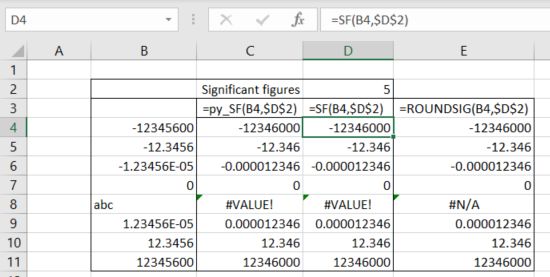
All three functions return the same results for valid input values, but the Vertex42 code gives more explicit error values when the input is non-numeric:

Posted in Excel, Link to Python, Maths, NumPy and SciPy, PyXLL, UDFs, VBA | Tagged , , , , , , | 7 Comments

Clearing OneDrive download files in Android

I recently found that downloaded files on OneDrive on my Android pad had almost filled my storage space to capacity, and that the procedure to delete them was not at all obvious. I eventually found a link with detailed instructions on how to do it, which are listed below for the benefit of anyone else with the same problem, and myself the next time I need to do it:

  • Open Android Settings
  • Click on Apps
  • Click on OneDrive
  • Click on Storage
  • Click on Clear Data – OK

This clears all downloaded OneDrive data from the local storage space.

Posted in Computing - general | Tagged , , | Leave a comment

SectionProperties update 3

The SectionProperties spreadsheets previously posted had limited graphics capabilities due to problems with the plotting routines causing Excel to crash. I have now fixed that problem by updating some Python libraries with pip:

  • installing mkl-service
  • numpy 1.21.2 -> 1.22.1
  • Pillow 8.4.0 -> 9.0.0
  • matplotlib 3.4.3 -> 3.5.1/

With these upgrades the SectionProperties plotting routines work without problems, and can be called from Excel using pyxll with the following code:

# Create section object
    geometry.create_mesh(mesh_sizes=meshSize)
    section = Section(geometry)
    section.calculate_geometric_properties()
    section.calculate_warping_properties()
    section.calculate_plastic_properties()

# Create matplotlib ax and fig:
    try:
        ax = section.plot_centroids( render = False)
        fig = ax.get_figure()
    except:
        return np.array([["Invalid geometry, check section dimensions"]])

# Plot in Excel
    pyxll.plot(fig)

The updated spreadsheet can be downloaded from:

py_SectProp2_02a.zip

See SectionProperties update update for details of other software required.

Examples of the new graphs:

Mesh and Centroids
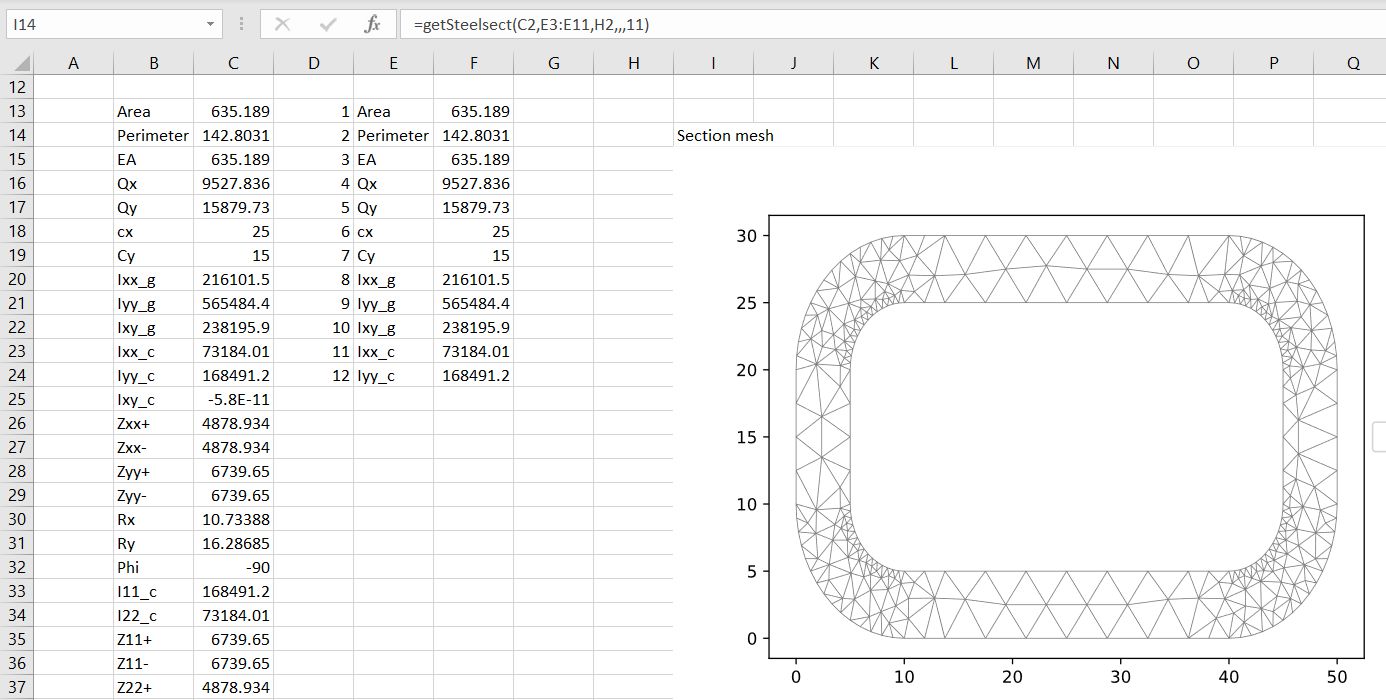
Steel Section mesh and centroids
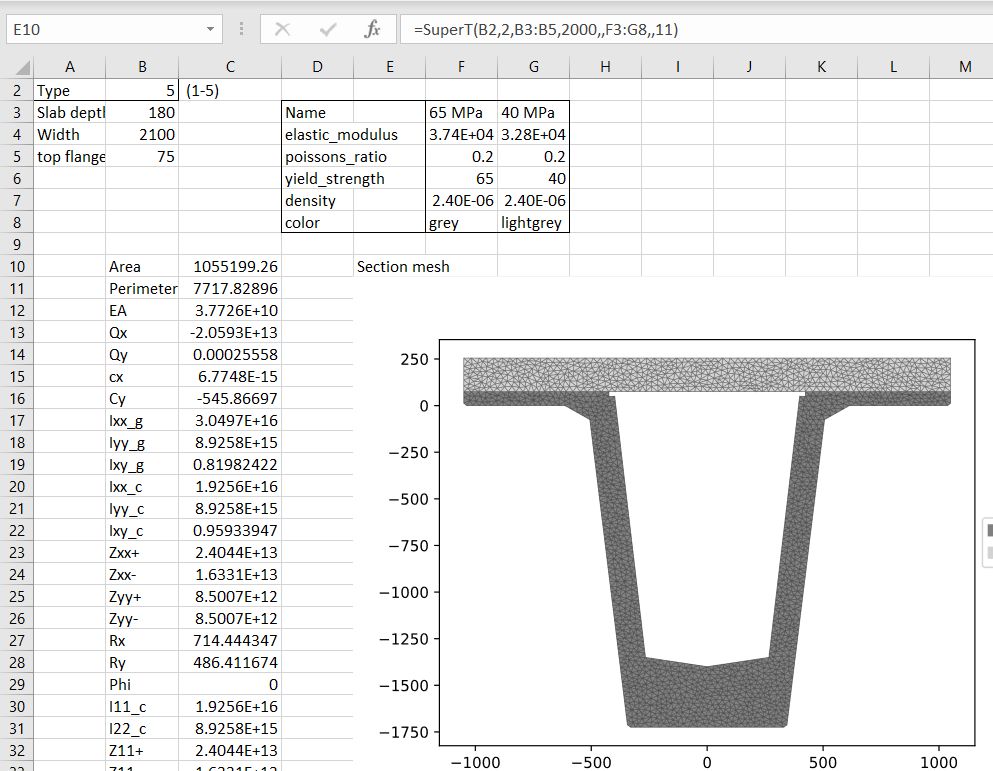
Super T section ZX stress plot
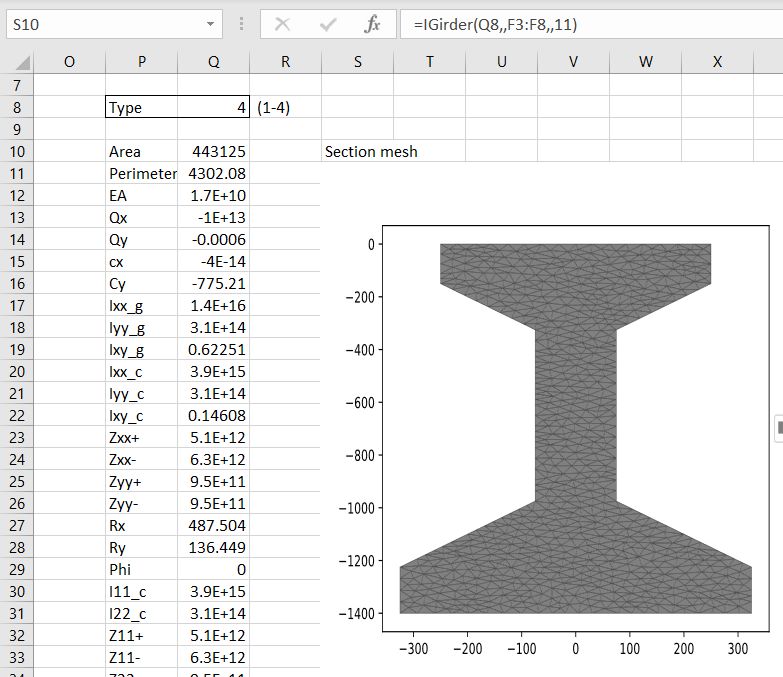
I Girder ZY stress plot
Posted in Beam Bending, Charts, Charts, Coordinate Geometry, Excel, Finite Element Analysis, Link to Python, Maths, Newton, NumPy and SciPy, PyXLL | Tagged , , , , , | 3 Comments

SectionProperties update update

Since my previous post on the Python SectionProperties program it has been updated to Rel. 2.02, with some major changes:

  • The mesh generation library has been changed from MeshPY to Triangle
  • New functions have been added for:
  • Steel sections
  • Concrete sections (including reinforcement)
  • Australian precast bridge girders (Super T and I sections)

My spreadsheet has been updated to work with the new version, and can be downloaded (including associated Python code) from:

py_SectProp2_02.zip

The problems with installing the SectionProperties software on Windows have now been fixed, and installing with pip also installs the new Triangle library. The software required to run the spreadsheet (in addition to the download files) is now:

  • Python 3.9 and associated code, including Numpy and Matplotlib.
  • Pyxll
  • Section-Properties 2.02 (install with pip to also install Triangle)

Example screenshots from the new spreadsheet are shown below:

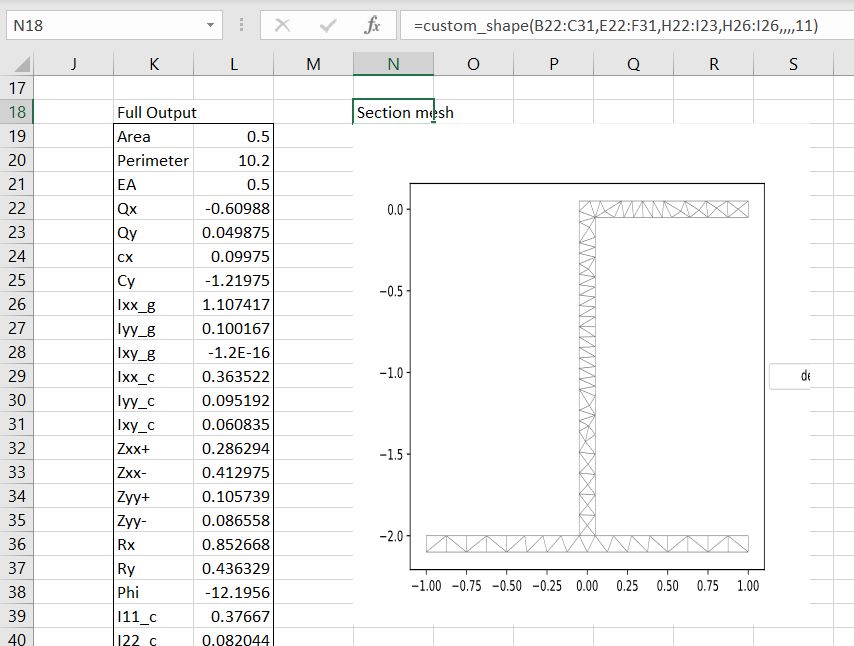
Setting the “out” argument to 11 will now display the cross section with the generated mesh:

The defined sections have now been reduced in number to 6:

… but there are now 14 steel sections that can be accessed with the getSteelSect function:

There is also a new getConcretesect function, including reinforcement:

New functions that will generate Australian precast bridge girder cross sections are SuperT:

… and IGirder:

Posted in Concrete, Excel, Finite Element Analysis, Link to Python, Newton, PyXLL, Strand7 | Tagged , , , , | 2 Comments